44 - English
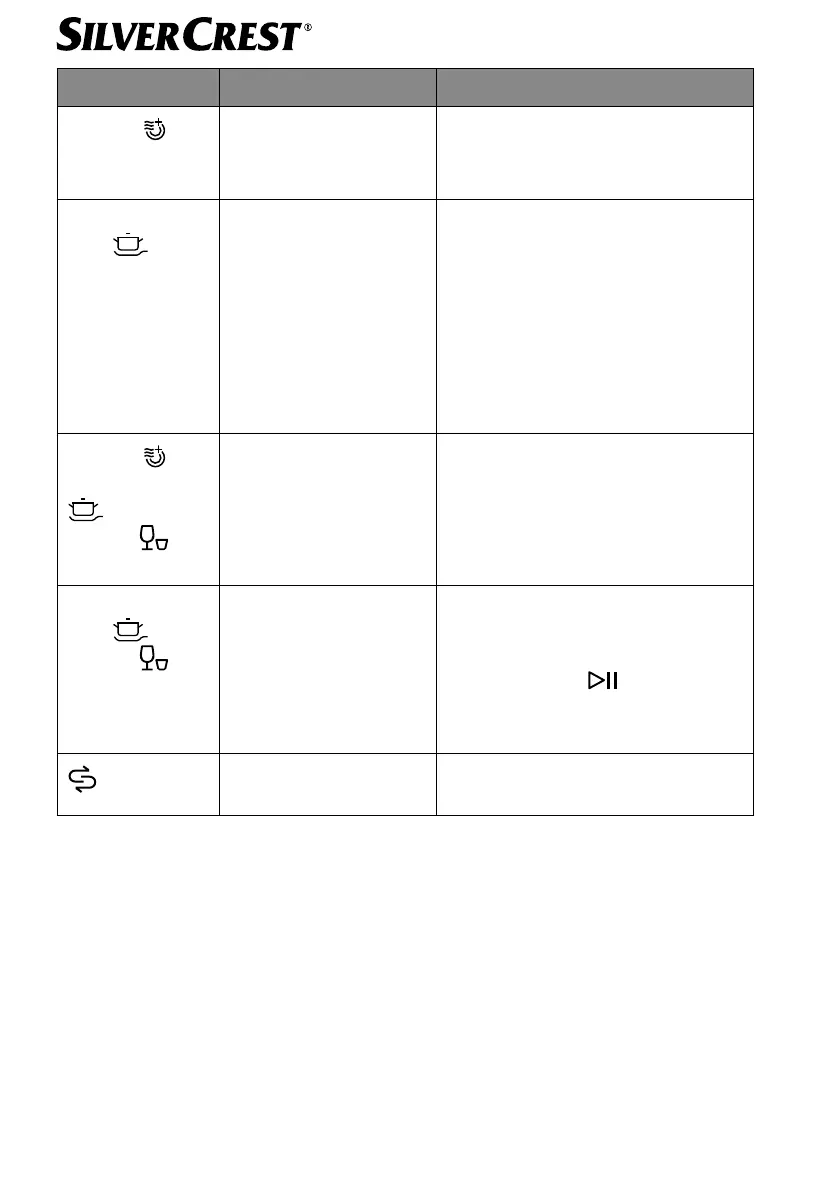
Error message Problem Solution
Extra dry and
ECO operating
lights flash
Wash temperature is not
reached
Heating element/thermistor error,
contact the service department.
The intensive pro-
gram oper-
ating light flashes
quickly
The appliance over-
flows/leaks.
Make sure that the door is closed
correctly and that the water sup-
ply and drain are connected cor-
rectly.
Turn off the water supply.
If water is on the appliance base
due to overfilling, remove the wa-
ter before restarting the dishwash-
er.
Extra dry
, in-
tensive program
and quick
program
op-
erating lights flash
Error display on control
panel
Contact our Service Centre.
The intensive pro-
gram
, quick
program
and
ECO operating
lights are lit up
permanently
Insufficient water sup-
plied to the water tank
within 3 minutes.
Fill up the water tank with more
water until a quick acoustic signal
sounds.
Then press the
button (14) to
start the appliance.
Salt container (11) is
empty
Replenish the salt container (11)


 To Next Page
 Loading...