EasyManua.ls Logo

Silvercrest 75726 - User Manual

Silvercrest 75726
124 pages
Print Icon
To Next Page IconTo Next Page
Loading...
IAN 75726
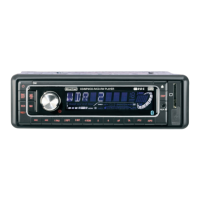
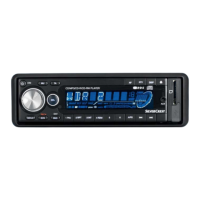
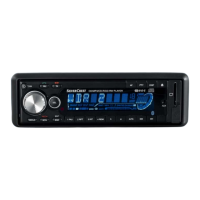
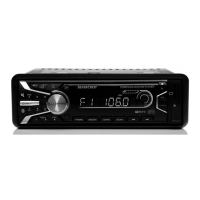
BLUETOOTH CAR RADIO SAB 160 A1
BLUETOOTH-AUTORADIO
Bedienungsanleitung
BLUETOOTH CAR RADIO
Operating instructions
BLUETOOTH-BILRADIO
Betjeningsvejledning

Table of Contents

Questions and Answers

  • D
    David BaldwinAug 31, 2025
    What to do if the card reading device on my Silvercrest 75726 does not read the cards?
    • M
      Mary WaltersSep 1, 2025
      If the card reading device on your Silvercrest Car Receiver isn't reading cards, check the card itself. Ensure it isn't defective or dirty, and that it's properly inserted with the inscribed side facing to the right. Also, confirm that the data carrier has been formatted to the FAT32 file system.
  • C
    cheryl45Aug 30, 2025
    What to do if my Silvercrest Car Receiver's USB port does not function?
    • A
      Andrew MatthewsAug 30, 2025
      If the USB port on your Silvercrest Car Receiver isn't functioning, ensure that you are connecting a device that adheres to the USB standard. Also, verify that the data carrier is formatted for the FAT32 file system, as the USB port is intended for devices that function according to the USB standard.
  • N
    Nicole WilliamsonAug 29, 2025
    Why are the function buttons not functioning on my Silvercrest 75726 Car Receiver?
    • S
      stacey64Aug 29, 2025
      If the function buttons on your Silvercrest Car Receiver are not functioning, it could be due to a malfunction with the device. Try pressing the RESET button. Alternatively, the face plate may not be correctly installed; check to ensure it is properly installed.
  • C
    Catherine FordAug 28, 2025
    What to do if the CD jumps in my Silvercrest Car Receiver?
    • L
      Lisa NortonAug 28, 2025
      If the CD jumps in your Silvercrest Car Receiver, it could be due to the mounting angle exceeding 30°; correct the mounting angle. Additionally, the CD might be very dirty or defective, so try cleaning it or inserting a different CD.
  • S
    Stephanie HumphreyAug 27, 2025
    Why is the station memory not functioning on my Silvercrest 75726 Car Receiver?
    • S
      shannonbrownAug 27, 2025
      If the station memory is not functioning on your Silvercrest Car Receiver, the connection 4 in the ISO block A (Permanent positive) might not be connected correctly. Check the cable connections.
  • A
    Angela WilliamsAug 26, 2025
    What to do if my Silvercrest 75726 CD won't load or eject?
    • D
      Danielle DavisAug 27, 2025
      If your Silvercrest Car Receiver CD won't load or eject, consider these potential causes: * Ensure that a CD isn't already inserted. * Check that the CD is inserted with the inscribed side up. * The CD might be dirty or defective; try cleaning it or using a different CD. * If the temperature in the vehicle is too high, allow the vehicle to air out. * Condensation on the laser lens might be the issue; switch the device off for a few hours and then try again.
  • Z
    Zachary CarpenterAug 25, 2025
    Why is the radio and/or automatic station saving not functioning on my Silvercrest Car Receiver?
    • W
      Whitney LoweryAug 26, 2025
      If the radio and/or automatic station saving isn't working on your Silvercrest Car Receiver, check that the antenna cable is correctly connected. If the connection is correct, the station signals may be too weak, in which case you should try setting the station manually.
  • J
    Joseph MontgomeryAug 25, 2025
    What to do if my Silvercrest 75726 will not switch on?
    • C
      Chad MartinAug 25, 2025
      If your Silvercrest Car Receiver won't switch on, there are a couple of things you can check. First, make sure the ignition is switched on by turning the key. If the ignition is on and the device still doesn't power up, the fuse might be defective and needs replacement.

Silvercrest 75726 Specifications

General IconGeneral
BrandSilverCrest
Model75726
CategoryCar Receiver
BluetoothYes
USB PortYes
SD Card ReaderYes
AUX InputYes
Display TypeLCD
Supported Audio FormatsMP3, WMA
Remote ControlYes
RadioFM

Related product manuals