EasyManua.ls Logo

Silvercrest RC DP3 4001-A FR 3726 - User Manual

Silvercrest RC DP3 4001-A FR 3726
37 pages
Go to English
Print Icon
To Next Page IconTo Next Page
Loading...
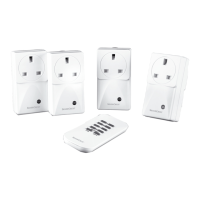
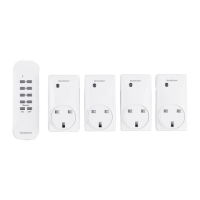
WIRELESS SOCKET SET
Operation and safety notes
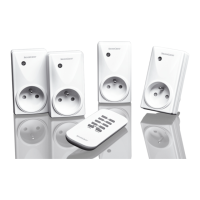
SET DE PRISES TÉLÉCOMMANDÉES
FUNKSTECKDOSEN-SET
Bedienungs- und Sicherheitshinweise
SET DE PRISES
TÉLÉCOMMANDÉES
Instructions d‘utilisation et consignes de sécurité
IAN 322055

Table of Contents

Questions and Answers

  • L
    Larry OnealAug 12, 2025
    What to do if Silvercrest Accessories range is too small?
    • G
      Glenn KnightAug 12, 2025
      If you find that the range of your Silvercrest Accessories is too small, try to minimize obstructions like walls and furniture between the remote control and the radio-controlled socket. Also, interference from other devices operating on similar frequencies, such as wireless headphones or radio-controlled alarms, can reduce the range. If such devices are active, this could be the reason.
  • R
    Robert Evans IVAug 20, 2025
    What to do if Silvercrest Accessories remote control operating indicator illuminates but there is no reaction?
    • K
      Kimberly LewisAug 20, 2025
      If the operating indicator on your Silvercrest Accessories remote control lights up but nothing happens, the battery might not have enough power. Try replacing it with a new one.
  • M
    Mr. Gregory BaileyAug 27, 2025
    How to fix no reaction from Silvercrest Accessories?
    • S
      susanjohnsonAug 27, 2025
      If your Silvercrest Accessories aren't responding, first, make sure the appliance is turned on. If it still doesn't work, try assigning a new code to the wireless socket, referring to the “Setting up the wireless socket” section. Also, ensure you're within the correct range for the location you're trying to control by moving closer to the device.
  • R
    Rachel HendricksSep 3, 2025
    What to do if no indicator light on Silvercrest Accessories remote control when pressing 'ON' or 'OFF'?
    • A
      Ashley SmithSep 3, 2025
      If the indicator light doesn't turn on when you press 'ON' or 'OFF' on your Silvercrest Accessories remote control, check that the battery is correctly inserted. Also, ensure the battery has good contact; press it down if necessary.

Silvercrest RC DP3 4001-A FR 3726 Specifications

General IconGeneral
BrandSilvercrest
ModelRC DP3 4001-A FR 3726
CategoryAccessories
LanguageEnglish

Related product manuals