- 5 -
1. Open the battery compartment cover 2! in the direction
of the arrow.
2. Insert the batteries as shown in the diagram and close the
battery compartment.
The LCD display q is activated as long as batteries are
installed. The following diagram shows the LCD display q
after the batteries have been installed or changed.
Note:
If no LCD display q is visible check the polarity of the
batteries or install new ones.
Operatingcomponents
LCD display
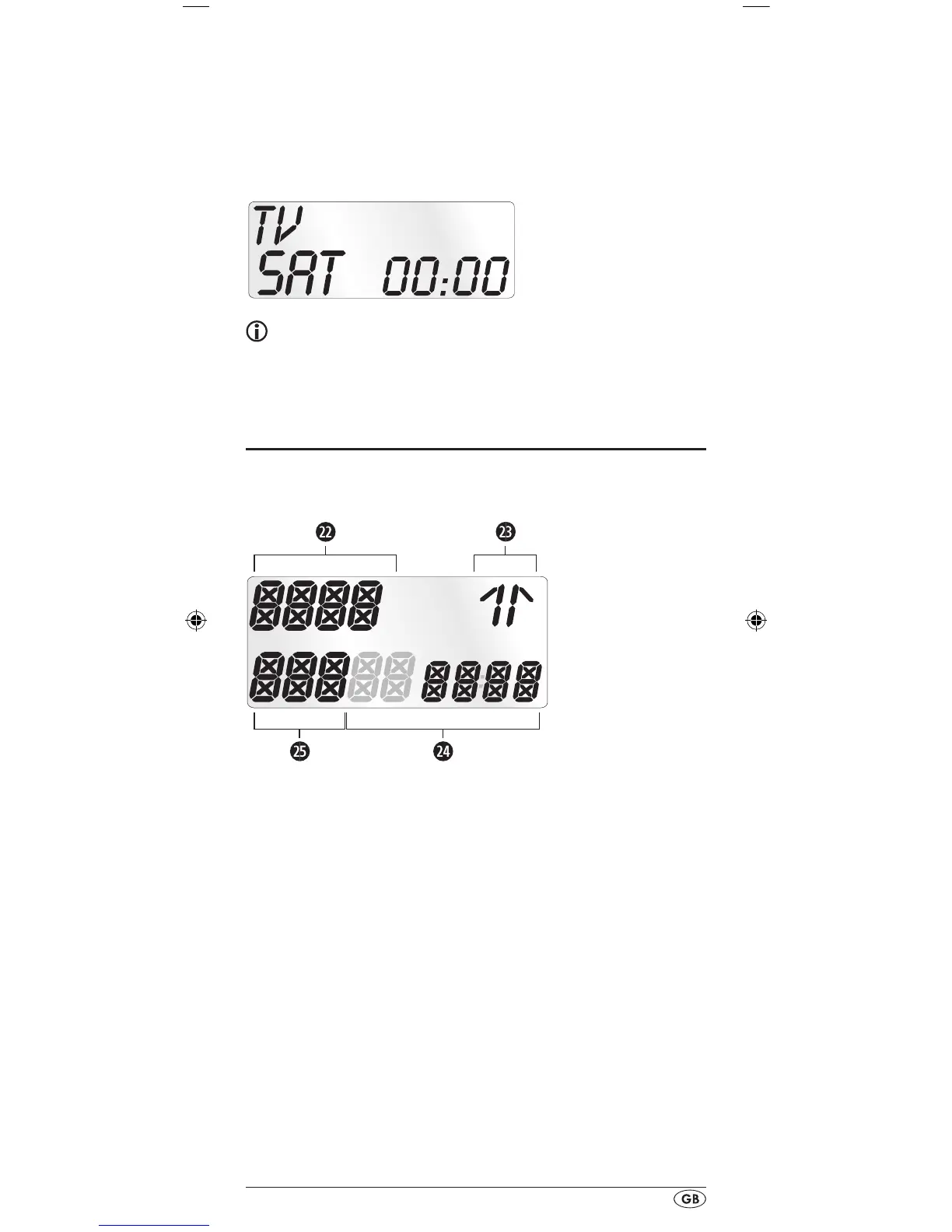
The LCD display q is divided into elds.
Text field 2@
Here is shown the currently selected device, for example
DVD, TV VCR etc.
Infrared symbol 2#
Every time a button is pressed, with which an infrared signal
is to be sent the Infrared symbol illuminates.
Code/Time field 2$
Here is shown the device code of the relevent selected de-
vice or the time of day. With the time of day indicator "
:" the
numbers blink in the middle. For time displays in the 12-hour
format, the period of the day code is shown to the left of the
time.
Day of the week field 2%
Here you can read the English shortened form of the current
day of the week after you have entered the date.
BDA_SFB 10.1 A1 - DT-62327_gb.indd 5 19.04.2011 15:01:57


 To Next Page
 Loading...