EasyManua.ls Logo

Silvercrest SKR 800 A1 - User Manual

Silvercrest SKR 800 A1
40 pages
Print Icon
To Next Page IconTo Next Page
Loading...
IAN 110458
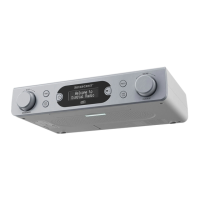
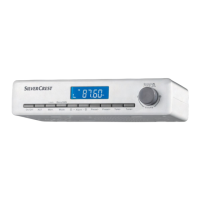
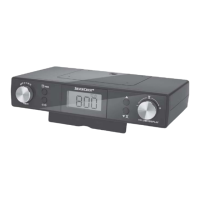
KITCHEN RADIO SKR 800 A1
KITCHEN RADIO
Operating instructions
KÜCHENRADIO
Bedienungsanleitung

Table of Contents

Questions and Answers

  • W
    wheelerjacobAug 12, 2025
    Why does my Silvercrest Radio lose time and station presets after power failure?
    • B
      bakerrobertAug 12, 2025
      If your Silvercrest Radio loses its time and station presets after a power failure, check the batteries in the battery compartment. Ensure they have sufficient voltage and replace them if necessary. Also, after a power failure, the time and station presets will need to be reprogrammed.
  • K
    Kelly WalkerAug 16, 2025
    Why does my Silvercrest SKR 800 A1 Radio lose time and station presets after a power failure?
    • X
      xwarnerAug 16, 2025
      If your Silvercrest Radio loses time and station presets after a power failure, check the batteries in the battery compartment. Ensure they have sufficient voltage and replace them if needed. Also, the time and station presets will need to be reprogrammed.
  • J
    James MooreAug 19, 2025
    What to do if my Silvercrest SKR 800 A1 has no sound?
    • A
      Anthony LesterAug 19, 2025
      If your Silvercrest Radio has no sound, first, ensure the volume isn't set to the minimum; adjust it using the VOLUME/DISPLAY dial. Also, verify that the device is not in clock/standby mode. If it is, switch it on using the power button.
  • J
    John MartinAug 25, 2025
    Why does the display on my Silvercrest Radio not work?
    • E
      Eric SmithAug 25, 2025
      If the display on your Silvercrest Radio is blank, ensure the power plug is correctly inserted into the socket. Also, check the house mains fuse to confirm the power socket is supplying electricity.
  • P
    penny07Aug 27, 2025
    How to fix interference with Silvercrest SKR 800 A1 reception?
    • M
      Matthew GreenAug 27, 2025
      If you are experiencing interference with your Silvercrest Radio reception, try these steps: First, ensure the station is correctly tuned using the appropriate buttons. If the reception is weak, try realigning the wire aerial to improve signal strength. Also, pressing and holding the button for about 2 seconds to receive the station in mono might help.
  • J
    joshuagoodmanAug 31, 2025
    Why is there no sound coming from my Silvercrest Radio?
    • S
      Shelia RobinsonAug 31, 2025
      If your Silvercrest Radio is not producing any sound, first, try increasing the volume using the VOLUME/DISPLAY dial. If that doesn't work, ensure the device isn't in clock/standby mode. Turn it on using the power button.
  • T
    Tina JenkinsSep 4, 2025
    What to do if I have interference with the Silvercrest SKR 800 A1 Radio reception?
    • J
      Jesse DavisSep 4, 2025
      If you are experiencing interference with your Silvercrest Radio reception, try these steps: First, make sure the station is properly tuned using the appropriate buttons. If the reception is still weak, try realigning the wire aerial to improve signal strength. Also, you can press and hold the button for about 2 seconds to receive the station in mono.
  • L
    liuhaleySep 7, 2025
    How to fix a Silvercrest Radio when the display indicates nothing?
    • J
      Jaclyn WalkerSep 7, 2025
      If the display on your Silvercrest Radio isn't showing anything, ensure the power plug is securely connected to the socket. Also, check your house's mains fuse to confirm the power socket is supplying electricity.

Summary

Safety Precautions

Electrical Shock Hazards

Instructions to prevent risks of fatal injury from electric shock when using the device.

Battery Handling Safety

Guidelines for safe handling of batteries to prevent fires, explosions, or leakages.

General Device Safety

Essential safety guidelines for operating the device, including child safety and environmental conditions.

Operation Guide

Setting Time and Alarms

Detailed steps for setting the current time, alarm times, and alarm types (buzzer/radio).

Alarm Function Control

How to activate, deactivate, and switch off the alarm feature of the kitchen radio.

Volume Adjustment

How to increase or decrease the audio volume using the dial.

Manual Station Tuning

Steps for manually searching and selecting FM radio stations by frequency.

Automatic Station Search (AMS)

Using the AMS function to find and save radio stations into presets.

Kitchen Timer Function

Using the built-in timer for cooking and baking tasks.

Troubleshooting Guide

Fault Identification & Rectification

Table of common malfunctions, their causes, and recommended solutions.

Storage and Disposal

Technical Specifications

Silvercrest SKR 800 A1 Specifications

General IconGeneral
BrandSilvercrest
ModelSKR 800 A1
CategoryRadio
Headphone JackYes
Weight0.5 kg
FeaturesAlarm clock, Sleep timer
Power SourceBattery or AC adapter
Frequency RangeFM: 87.5 - 108 MHz

Related product manuals