EasyManua.ls Logo

Silvercrest SKR 800 B2 - User Manual

Silvercrest SKR 800 B2
48 pages
Print Icon
To Next Page IconTo Next Page
Loading...
IAN 279238
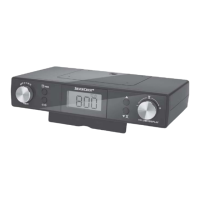
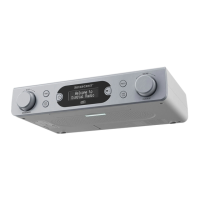
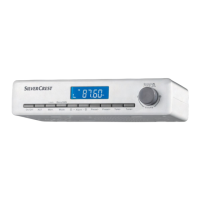
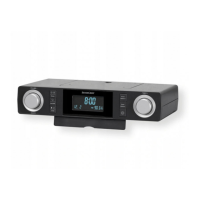
KITCHEN RADIO SKR 800 B2
KITCHEN RADIO
Operating instructions and safety instructions
KÜCHENRADIO
Bedienungsanleitung und Sicherheitshinweise

Table of Contents

Questions and Answers

  • D
    Donald MiddletonAug 2, 2025
    What to do if the Silvercrest SKR 800 B2 time is not setting automatically?
    • D
      Dylan WilsonAug 2, 2025
      If your Silvercrest Radio isn't setting the time automatically, it might be because the RDS signal is too weak. In this case, you will need to set the time manually.
  • L
    Lauren StoutAug 8, 2025
    What to do if my Silvercrest SKR 800 B2 Radio has no sound?
    • D
      Daniel SuttonAug 8, 2025
      If your Silvercrest Radio isn't producing any sound, ensure the volume isn't set too low by using the ?VOLUME+ | ON/OFF dial to increase it. Also, check if the device is in clock/standby mode; if so, press the ?VOLUME+ | ON/OFF dial to switch to radio mode.
  • D
    danaestradaAug 14, 2025
    How to fix a Silvercrest SKR 800 B2 Radio when the display indicates nothing?
    • L
      Linda HuntAug 15, 2025
      If the display of your Silvercrest Radio is blank, first ensure the power plug is properly inserted into the socket. Then, check your house's mains fuse to confirm the socket is supplying power. Finally, if the display has been switched off automatically or manually, press any button on the device.
  • W
    Wendy LarsonAug 20, 2025
    How to eliminate static noise from my Silvercrest SKR 800 B2 reception?
    • R
      Rachel CollinsAug 20, 2025
      To reduce static noise in your Silvercrest Radio reception, try adjusting the wire aerial to improve the reception. If the issue persists, press and hold the | ST/MO button for about 2 seconds to switch the station to mono.
  • V
    Victoria PaulAug 27, 2025
    Why does my Silvercrest SKR 800 B2 Radio lose time and station presets after a power failure?
    • B
      Brittany HardingAug 27, 2025
      If your Silvercrest Radio loses its time and station presets after a power failure, check the batteries in the battery compartment to ensure they have sufficient voltage. Replace them if necessary. Also, the time and station presets will need to be reprogrammed.

Summary

Safety Precautions

Electrical Safety

Instructions to prevent hazards from electrical current and mains connection.

Battery and General Safety

Battery Handling Safety

Guidelines for safe handling, storage, and disposal of batteries.

General Safety Instructions

Essential safety rules for device operation, user responsibility, and child safety.

Device Usage and Controls

Basic Settings Configuration

Guide to configuring essential device settings like time and date format.

Alarm Setting and Type

Instructions for setting the alarm clock time and choosing the alarm sound.

Manual Station Tuning

Fine-tuning radio frequencies manually and saving stations.

Preset Station Storage

Saving favourite radio stations to preset memory slots.

Kitchen Timer Operation

Setting and using the device's dual kitchen timers for cooking and baking.

Troubleshooting Guide

Fault Causes and Remedies

Table of common problems, their possible causes, and solutions.

Cleaning and Maintenance

Disposal Information

Device Disposal Guidelines

Information on how to dispose of the product at the end of its lifecycle.

Battery Disposal

Battery Disposal Rules

Regulations and methods for environmentally responsible battery disposal.

Product Warranty and Claims

Warranty Conditions

Terms and conditions defining the validity and scope of the product warranty.

Warranty Claim Procedure

Silvercrest SKR 800 B2 Specifications

General IconGeneral
BrandSilvercrest
ModelSKR 800 B2
CategoryRadio
LanguageEnglish

Related product manuals