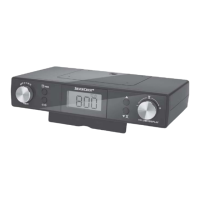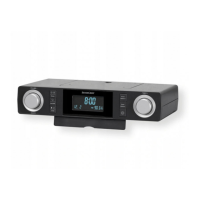
EasyManua.ls Logo

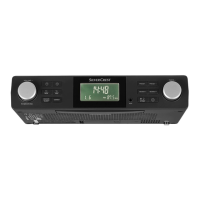
Silvercrest SKR 800 C3 - User Manual

Silvercrest SKR 800 C3
56 pages
Print Icon
To Next Page IconTo Next Page
Loading...
IAN 306370
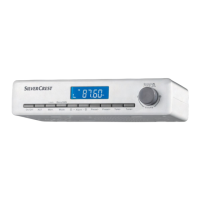
KITCHEN RADIO SKR 800 C3
KITCHEN RADIO
Operating instructions and safety instructions
KÜCHENRADIO
Bedienungsanleitung und Sicherheitshinweise

Table of Contents

Questions and Answers

  • S
    scottyoungAug 3, 2025
    What to do if the Silvercrest SKR 800 C3 Radio doesn't automatically set the time and date?
    • J
      Jeffrey CoxAug 4, 2025
      If your device isn't automatically setting the time and date, it may be because the RDS signal is too weak. In this case, you will need to manually set the time and date.
  • S
    spencerrichardAug 10, 2025
    What to do if there is nothing on the Silvercrest SKR 800 C3 display?
    • J
      John StewartAug 10, 2025
      If nothing is showing on the display, make sure the power plug is properly inserted into the socket and that the mains socket is supplying power by checking the house mains fuse. Also, the display may be switched off; try pressing any button on the device.
  • W
    williamjacksonAug 16, 2025
    Why is there no sound coming from my Silvercrest Radio?
    • E
      Eric CastanedaAug 16, 2025
      If you're not getting any sound from your device, check these things: * Make sure the volume isn't set too low; increase it using the ?VOLUME+ | /FUNC. 1 dial. * Ensure the device isn't in clock/stand-by mode; switch to radio operation by pressing the ?VOLUME+ | /FUNC. 1 dial. * If using AUX, verify the external playback device isn't muted and that the audio cable is correctly connected to both the AUX input 5 and the external playback device.
  • G
    Gregory JonesAug 22, 2025
    Why does my Silvercrest Radio reset the time, date, and station presets after a power failure?
    • D
      Dean PhillipsAug 22, 2025
      If the time, date, and station presets are reset after a power failure, it could be due to the following reasons: * The batteries in the battery compartment d are missing or empty; ensure they are sufficiently charged and replace them if needed. * The batteries have been inserted incorrectly; check the polarity signs in the battery compartment d to ensure they are inserted the right way round. Also, after a power failure, you may need to reprogram the time, date, and station presets.
  • A
    Adam MosesAug 27, 2025
    How to fix interference with Silvercrest SKR 800 C3 reception?
    • S
      Sharon Roman PhDAug 27, 2025
      To improve radio reception and reduce interference, try relocating the wire aerial i. You can also press and hold the | ST/MO button q for about 2 seconds to receive the station in mono.

Summary

Introduction to the Kitchen Radio

Instructions Overview

Provides information about the operating instructions and their importance for product use.

Copyright Notice

Details the copyright protection of the documentation and intellectual property rights.

Intended Use of the Device

Specifies the authorized purpose and scope of the device's usage.

Safety Warnings and Symbols

Explains the hazard symbols and warnings used throughout the manual.

Safety Information

Risk of Electrocution

Details hazards related to electrical shock and precautions to prevent them.

Battery Handling Safety

Provides essential safety guidelines for handling and inserting batteries.

General Safety Precautions

Lists fundamental safety rules for device operation and user safety.

Component Identification

Front Panel Layout

Identifies controls, display, and connections on the device's front.

Rear Panel Features

Describes the mounting plate, aerial, and power connection on the rear.

Underside Details

Highlights the adjustable foot, LED light, and speaker on the bottom.

Included Accessories

Lists items supplied with the device, such as spacers and screws.

Display Indicators

Indicator Meaning Guide

Explains the various symbols and icons shown on the device's display.

Device Usage and Operation

Package Contents and Inspection

Details checking the package contents against the delivery list.

Packaging Disposal Guidelines

Provides instructions for environmentally friendly disposal of packaging materials.

Setup Location Requirements

Specifies ideal conditions and placement for safe and effective device operation.

Wall Cupboard Mounting

Explains the procedure for installing the device under a kitchen cupboard.

Device Dismantling Procedure

Guides on safely removing the device from its mounting or setup.

Initial Device Setup

Covers general steps for positioning and preparing the device for use.

Connecting to Power

Details the correct method for connecting the device to the mains power supply.

Installing Backup Batteries

Explains the purpose and method for inserting batteries for data retention.

FM Aerial Deployment

Instructs on extending the wire aerial for optimal FM radio reception.

Basic Settings Configuration

Guides users through setting the clock format, time, and date.

Alarm Function Management

Covers setting, snoozing, switching off, and managing alarm functions.

Radio Operation and Tuning

Explains switching radio on/off, volume, station search, manual tuning, and saving.

Mono Reception Setting

Details how to switch radio reception to mono for improved clarity.

Kitchen Timer Usage

Explains how to set and operate the dual kitchen timer functions.

Automatic Sleep Function

Guides on setting the device to automatically switch off after a specified time.

Display Brightness Adjustment

Explains how to control the brightness of the device's display.

LED Indicator Light Control

Details how to turn the underside LED light on and off.

External Device Connection (AUX)

Explains how to connect external audio devices via the AUX input port.

Troubleshooting Guide

Common Faults and Solutions

Provides a table of common issues and their remedies for device malfunctions.

Cleaning and Maintenance

Offers guidance on safely cleaning the device's housing and surfaces.

Storage Recommendations

Provides advice on storing the device when it is not in use.

Product Disposal

Device Disposal Instructions

Explains the environmentally responsible disposal method for the main appliance.

Battery Disposal Instructions

Details the correct and legal disposal procedures for batteries.

Technical Appendix

Device Technical Data

Lists key technical specifications, dimensions, and operating parameters.

EU Conformity Declaration

Provides information on the device's compliance with relevant EU directives.

Warranty and Support

Warranty Terms and Conditions

Outlines the warranty period, coverage, and conditions for claims.

Warranty Scope and Exclusions

Defines what the warranty covers and what is excluded, including limitations.

Warranty Claim Process

Details the step-by-step procedure for submitting a warranty claim.

Customer Service Contacts

Provides contact information for service and support inquiries.

Importer Information

Lists the official importer's address and website.

Silvercrest SKR 800 C3 Specifications

General IconGeneral
BrandSilvercrest
ModelSKR 800 C3
CategoryRadio
TypePortable Radio
FeaturesAlarm Clock, Sleep Timer
Power SourceBattery or AC Adapter
Frequency RangeFM: 87.5 - 108 MHz
Headphone Jack3.5mm
ConnectivityFM, AM

Related product manuals