EasyManua.ls Logo

Silvercrest SUP 128 A1 - User Manual

Silvercrest SUP 128 A1
55 pages
Print Icon
To Next Page IconTo Next Page
Loading...
IAN 60308
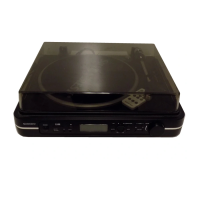
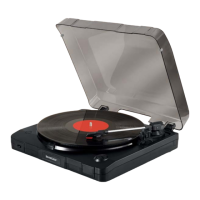
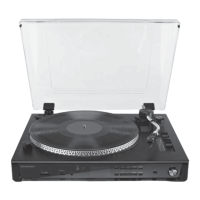
USB RECORD PLAYER SUP 128 A1
USB RECORD PLAYER
Operating instructions
USB-PLATTENSPIELER
Bedienungsanleitung

Table of Contents

Questions and Answers

  • M
    Michael BridgesJul 31, 2025
    What to do if there are no indications on the Silvercrest SUP 128 A1 display?
    • A
      Alyssa PerezJul 31, 2025
      If there are no indications on the display of your Silvercrest Turntable, first ensure that the device is switched on. Then, check if the plug is correctly inserted into the mains power socket. Finally, verify that the mains socket is supplying power, and check the house fuses if necessary.
  • A
    Alexandra WadeAug 5, 2025
    Why does the pickup arm jump or slide on my Silvercrest SUP 128 A1 Turntable?
    • S
      Stanley CrossAug 5, 2025
      If the pickup arm of your Silvercrest Turntable jumps, slides, or doesn't move forward, ensure the device is on a level surface. Check and adjust the anti-skating settings, and also verify that the tracking force settings are correct.
  • S
    slopezAug 10, 2025
    What does 'NO USB' mean on my Silvercrest SUP 128 A1 and how to fix it?
    • M
      Mark MurphyAug 10, 2025
      If 'NO USB' is displayed on your Silvercrest Turntable, first connect a USB data medium to the port. If the issue persists, check that the data medium is formatted with the FAT32 file system.
  • J
    Joshua JohnsonAug 15, 2025
    How to fix wrong pitch playback on Silvercrest Turntable?
    • S
      shannonbradleyAug 15, 2025
      If the music plays back at the wrong pitch on your Silvercrest Turntable, use the dial to set the correct speed (33 or 45 rpm). For fine adjustments, use the PITCH ADJ. controller.
  • T
    thernandezAug 20, 2025
    What does 'NO CARD' mean on Silvercrest SUP 128 A1 Turntable and how to resolve it?
    • F
      foleyvanessaAug 20, 2025
      If 'NO CARD' is displayed on your Silvercrest Turntable, insert a memory card into the card slot. If the issue continues, check that the data medium is formatted with the FAT32 file system.
  • R
    Rhonda AndersonAug 25, 2025
    Why isn't my Silvercrest Turntable turning when the pickup arm is in position?
    • B
      Brittney RichardAug 26, 2025
      If the turntable of your Silvercrest Turntable doesn't turn even when the pickup arm is in the playback position, select the operating mode PHONO.

Summary

Safety Warnings and Guidelines

Intended Use and Safety

Proper Device Application

Defines the device's intended use and warns against misuse.

Electrical Safety Precautions

Risk of Electric Shock

DANGER warning about contact with live components and proper connection.

General Safety and Handling Instructions

Electrical Safety and Cable Management

Precautions for moisture, liquids, and power cable handling.

Operation Safety and Battery Handling

Safe Battery Management

Instructions and warnings for handling, charging, and disposing of batteries.

General Device Description

Remote Control Functions

Detailed explanation of buttons and their operations on the remote control.

Device Overview

Component Identification and Features

Identifies all physical parts of the record player and its accessories.

Pre-Operation Setup

Setting the Tracking Pressure

CAUTION and step-by-step guide to set the correct stylus tracking force.

Setup and Connections

Handling and Operation

Vinyl Record Playback Initiation

Steps to prepare and start playing a vinyl record.

Rotation Speed Fine-Tuning

Stroboscope Speed Adjustment

Using the stroboscope and PITCH ADJ. controller to fine-tune rotation speed.

Pickup Arm and Media Handling

USB and Card Media Operations

Playback Control and Navigation

Functions for pausing, stopping, skipping tracks, and fast forward/rewind.

Playback Programming and AUX-IN

Recording Functionality

MP3 Recording from Vinyl;Audio Sources

Converts vinyl or external audio signals into MP3 files on USB/SD media.

Cleaning and Troubleshooting Guide

Troubleshooting Common Malfunctions

Introduction to identifying and resolving common issues.

Troubleshooting Faults and Rectification

Detailed Fault Cause and Remedy Table

A table listing common defects, their causes, and solutions.

Technical Specifications

Silvercrest SUP 128 A1 Specifications

General IconGeneral
BrandSilvercrest
ModelSUP 128 A1
CategoryTurntable
LanguageEnglish

Related product manuals