9
5 SWITCHING ON AND OFF THE PROJECTOR
CAUTION: Connect the projector to a power supply
with a nominal voltage within the following values:
100-240 Vac, 50/60 Hz. It must be earthed
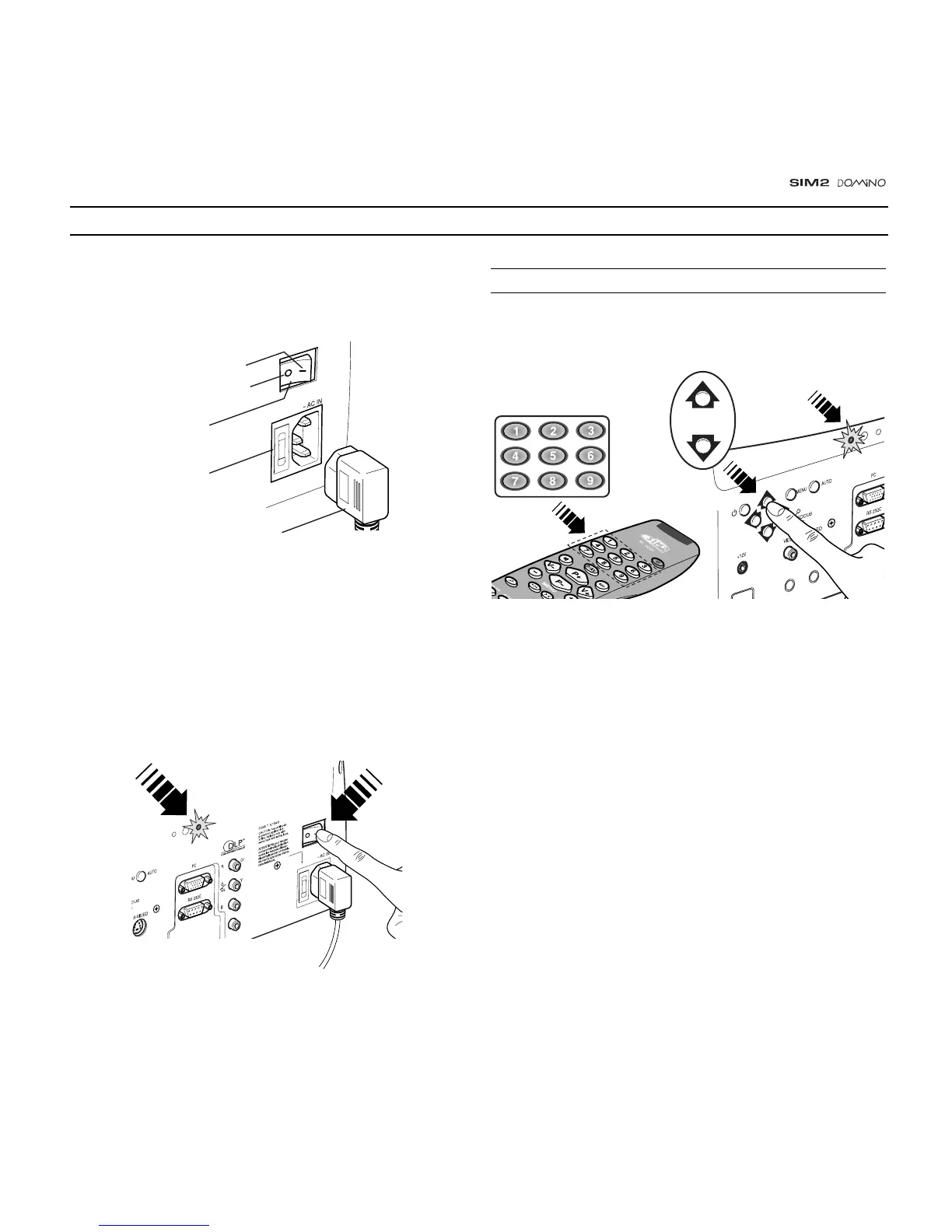
(Fig. 12)
.
Posizione I : acceso
Posizione O : spento
Interruttore rete
Presa della rete
di alimentazione
Spina della rete
di alimentazione
Fig. 12
Upon switch on (in position I) the projector will initialise (red
and green LEDs on). Followed by stand-by mode (red LED on)
(Fig. 13).
C-SYNC
Fig. 13
SWITCH ON FROM STAND-BY
By remote control: press one of 1...9
By keyboard: press Up or Down Arrow .
Fig. 14
When switching on from stand-by, the projector will turn on the
lamp; after a brief warm up period the image will be displayed
(green LED on).The input automatically selected will be the
last one memorised prior to switch off
(Fig. 14)
.
You may experience difficulties switching on the projector shortly
after switching off: the lamp may fail to come on as it is too hot.
Just wait a few minutes to cool it down.



 To Next Page