14
9 ON SCREEN MENUS
The main menu is divided into four sections to cover various
adjustments in a practical and logical manner.
The on-screen menu layout is dependant upon the chosen input
signal so various options may not be applicable, i.e. some typical
adjustments to the video signal are not applicable to the graphic
RGB signals from PC and viceversa.
PICTURE
This menu features adjustments relating to the projected image
quality.
BRIGHTNESS
CONTRAST
COLOR
SHARPNESS
FILTER
20
50
50
7
6
CINEMA MODE
Off
PICTURE
Auto
VIDEO TYPE
Normal
VCR1 VCR2
BRIGHTNESS
CONTRAST
COLOR
SHARPNESS
FILTER
20
50
50
7
6
CINEMA MODE
Off
PICTURE
Auto
VIDEO TYPE
Normal
VCR1 VCR2
TINT
85
SOURCE SELECTION
The Source Selection menu is recalled by pressing the key:
0/AV of the remote control or the Up/Down Arrow key of the
keyboard pad. The selected source will be highlighted in yellow.
Use Up and Down Arrow keys to browse sources. Right
Arrow to select the desired source.
Alternatively, use the remote control to directly select the
required source (1 to 8).
Source Selection
1
2
3
4
5
6
7
Video
S-Video
RGBS 15 kHz
YCrCb 15 kHz
RGBS 32 kHz
YCrCb 32 kHz
Graphics RGB
When a new source is selected a box appears on the screen
with the following indications: selected source, standard vi-
deo (for video signals), resolution (for graphic signals) and
aspect
(Fig. 24).
Video
NTSC/60Hz
Normale
Fig. 24
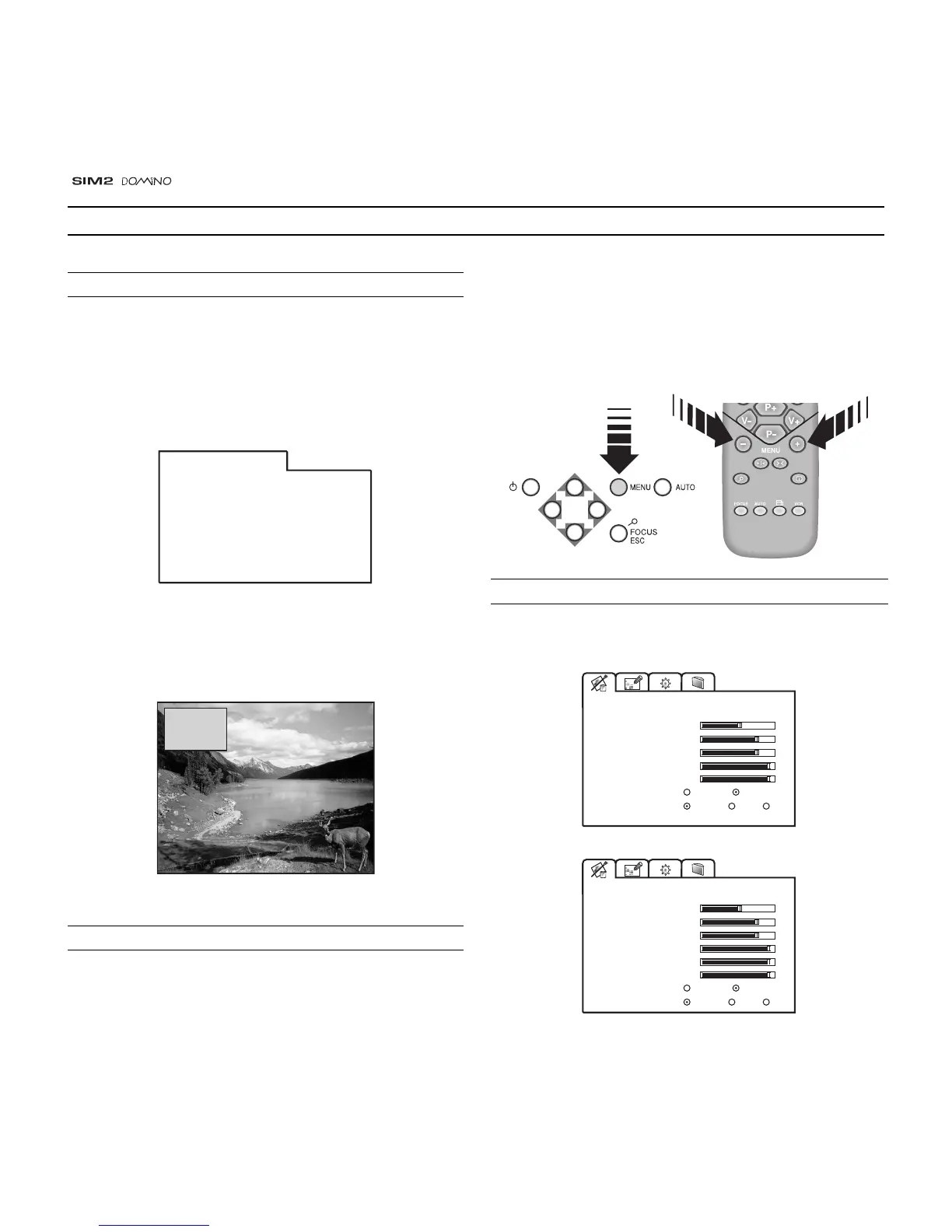
MAIN MENU
To access the main On Screen Display menu, press the Menu
key on the keyboard or the key Menu + or Menu - on the
remote control
(Fig. 25)
.
VIDEO
VIDEO-NTSC



 To Next Page