Need help?
Do you have a question about the Simagic M10 Base and is the answer not in the manual?
Introduces Simagic's direct drive simulator and its vision for racing E-sports.
Details Shenzhen Simagic Tech Co., Ltd.'s commitment to simulation driving technology.
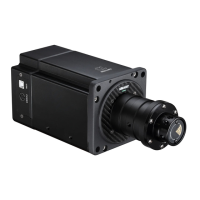
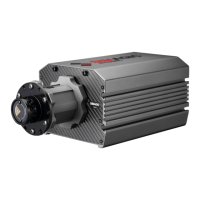
Describes the M10 mainframe's CNC processed alloy aluminum body and carbon fiber trim.
Details the M10 base's integrated design, USB ports, host vent, and reset hole.
Lists key technical features including triple CPUs, hybrid stepping motor, and high resolution.
Covers environmental exposure, operating temperature, usage time, and child supervision.
Details power supply, USB cable usage, parts replacement, and long-term storage.
Lists all items included in the M10 base package, such as power supply and accessories.
Details the specific nuts, screws, and Allen wrench included for assembly.
Provides guidance on safely unpacking the M10 base and its components.
Illustrates how to attach the bracket stand and install the wheelbase.
Explains the design and operation of the high-precision quick release system.
Describes the factory standard setting and manual lock options for the quick release.
Introduces compatible steering wheels: GT1 (Round and D wheel) and GT4.
Explains Race Manager as the host control program for the simulator.
Guides users on obtaining and installing the Race Manager software.
Details the interface for adjusting mechanical settings like TotalForce, WheelSpeed, and WheelSpring.
Provides instructions for manually calibrating the wheel center using the software.
Displays the calibration interface showing axes and button inputs for peripherals.
Shows software information, system state, motor speed, and language settings.
Outlines the steps to check for and download firmware updates via Race Manager.
Explains Simagic's franchise and consumer product warranty terms.
Contains important usage notes, website information, and contact details for support.

 To Next Page
 General