9752090250 ECM Lite 11/03
27
6.2. Setting the output voltage
+Attention:
- Avoid unnecessarily high output voltages, otherwise spark-over can occur on the
charging bars or electrodes. This will impair the reliability and proper functioning of
the charging process.
- The maximum output voltage can be internally restricted. For this purpose, contact Simco or
your regional agent.
With the [ ] / [ ] keys) or remote (0-10V), the output voltage can be adjusted. The selection
can be made with a solder connection (external Setpoint Enable) on the SubD connector at the
rear of the unit.
6.2.1. Using the keys:
The output voltage is set using the [ ] / [ ] keys. Briefly pressing the [ ] key increases the
output voltage by 1 increment, briefly pressing the [ ] key decreases the output voltage by 1
increment. 1 step is 1 % of the maximum value (200 V). If the keys are pressed for a longer
time, the output voltage will rise/fall in steps automaticaly.
Setting procedure:
1. Put the [ 0/I ] switch to position [I].
2. Use the [ ] / [ ] keys to set the output voltage to about 25% of the maximum voltage.
3. Increase the output voltage in steps, until the correct bonding strength is reached.
4. Set the output voltage about 10 % higher to accommodate for process fluctuations.
6.2.2. With Remote Voltage Programming:
The output value can be set using an external analog voltage (see par. 8.3 and the appended
connector pinout). The supplied external voltage must be between: 0-10 VDC.
This voltage can be used to adjust the output voltage between 0 and 100% of the maximum
value.
Setting procedure:
1. Put the [0 / l] switch in the [l] position.
2. Supply an external voltage to set the output voltage to about 25% of the maximum voltage.
3. Increase the output voltage until the correct bonding strength is reached.
4. Set the output voltage about 10 % higher to accommodate for process fluctuations.
6.3 Display readings
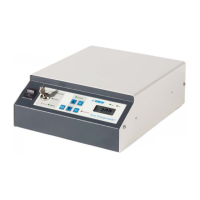
The ECM Lite display gives the actual output voltage.
Hint:
- Note the required voltage. This information makes it easier to reset the system and
provides information on any wear on the points of the charging bar/electrode.
- Switch off the system when it is not in use. This prevents unnecessary wear.


 To Next Page