16
OWNER’S MANUAL
ADVANCED OPERATIONS
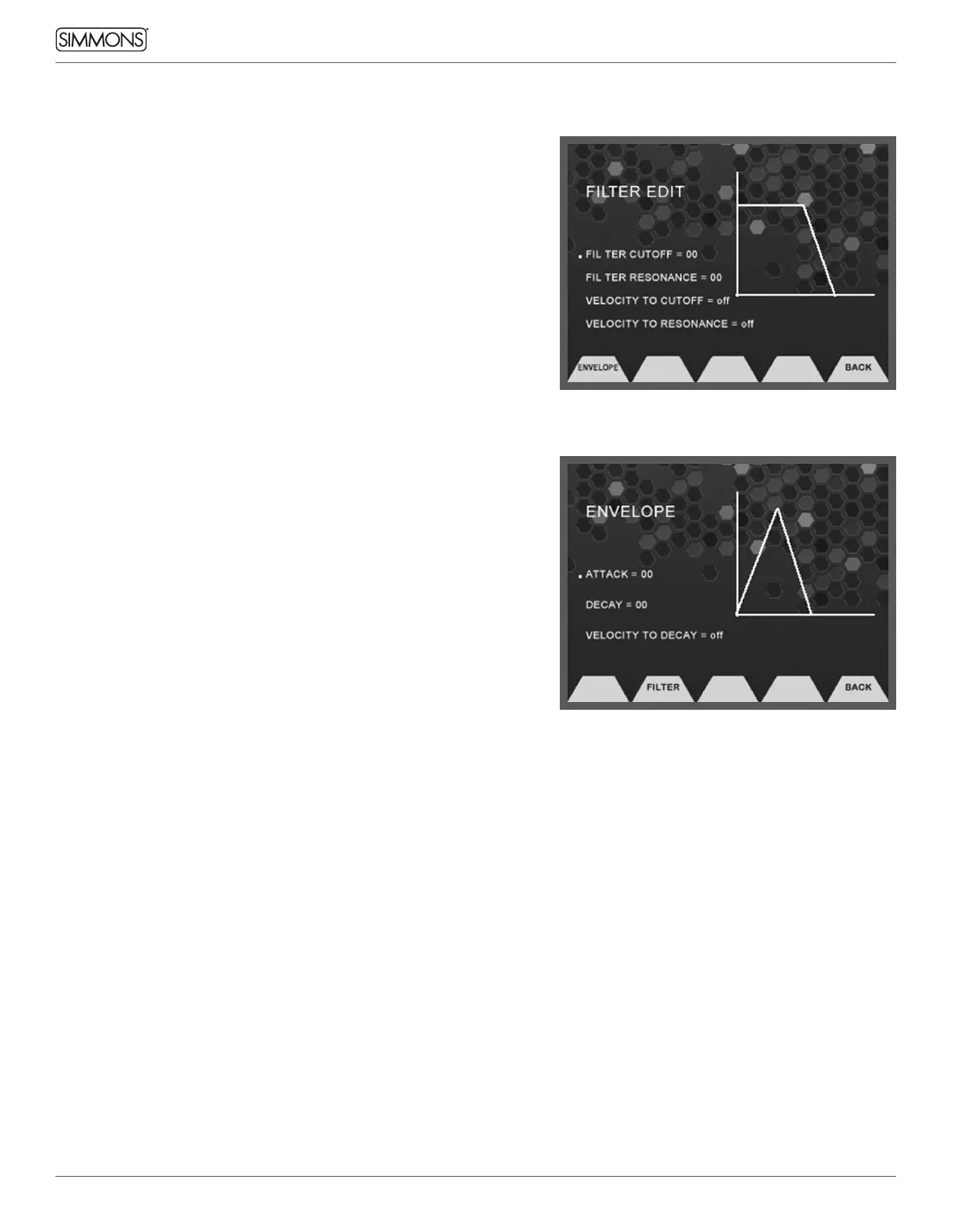
FILTER EDIT
The filter screen shows a graphic representation of the current
Filter settings: Cutoff, Resonance, Velocity to Cutoff and Velocity to
Resonance. You can see a real time graphic that indicates the filter for
reference.
• Filter Cutoff: This adjusts a low pass filter’s cutoff frequency.
• Filter Resonance: This adjusts the resonance of the filter, creating a
more pronounced effect.
• Velocity To Cutoff: Sets the filter cutoff to respond to the dynamic
velocity of your playing
• Velocity to Resonance: Sets the filter resonance to respond to the
dynamic velocity of your playing
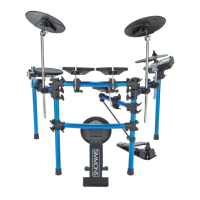
ENVELOPE EDIT
From the Filter Page you can enter the Envelope settings by
pressing the Function button ENV. The Envelope screen has a graphic
representation of the current envelope of the sound. The Envelope
settings are: Attack, Decay and Velocity to Decay. As you change the
parameters, you can see the graphic change indicate the change to
the envelope.



 To Next Page