23
UTILITY MODE
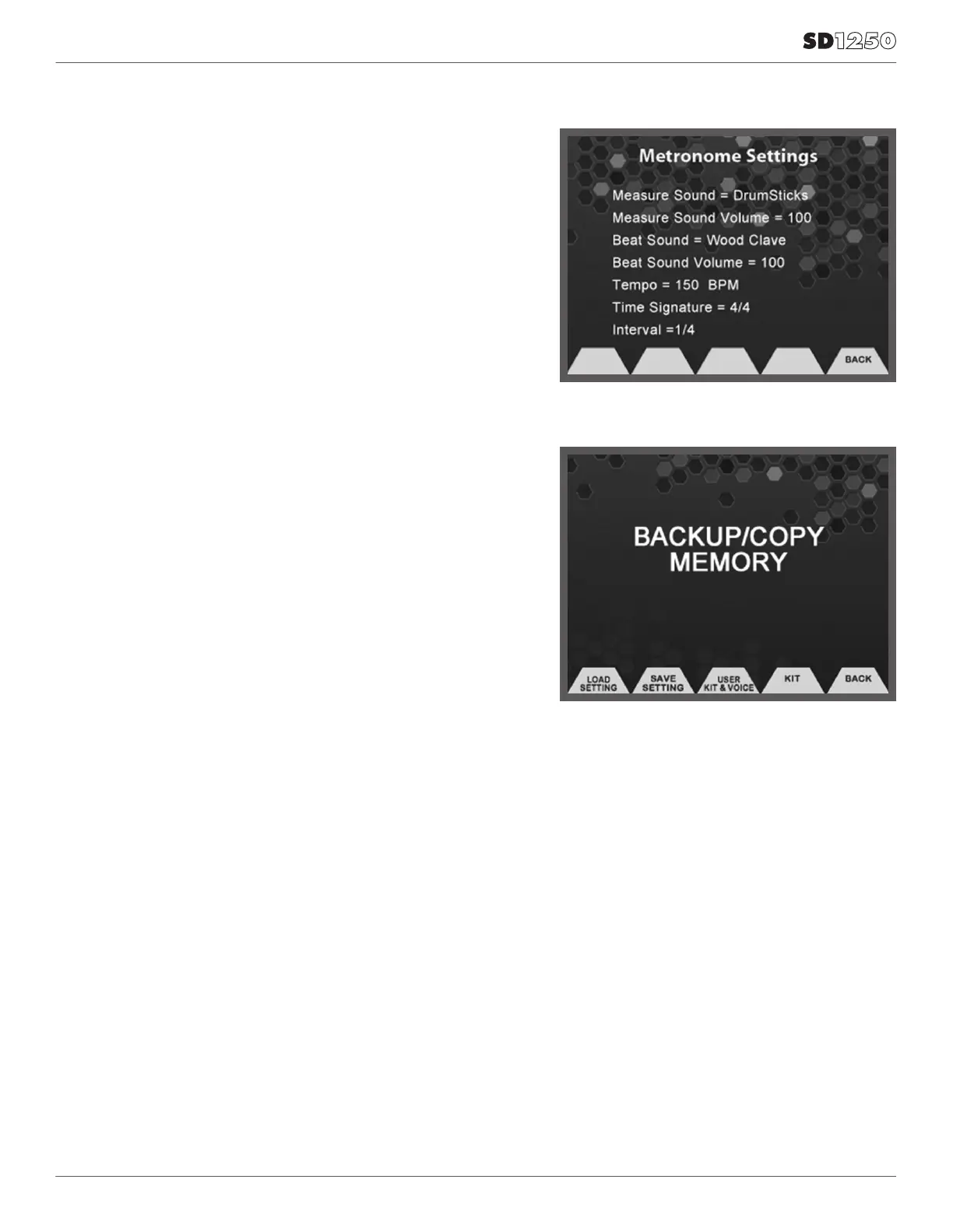
METRONOME SETTINGS
• Measure Sound: This determines the sound used for the Measure.
• Measure Sound Volume: This determines the volume for the
measure sound.
• Beat Sound: This determines the sound for the beat sound.
• Beat Sound Volume: This determines the volume for the beat
sound.
• Tempo:Sets the BPM for the Metronome from 20-240.
• Time Signature: Determines the Time signature- 1/4, 2/4, 3/4, 4/4,
5/4, 6/4, 7/4, 3/8, 6/8, 9/8, 12/8.
• Interval: Determines the metronome interval-
1/4, 1/8, 1/12, 1/16, 1/2, 3/8.
BACKUP AND RESTORE
• Restore to Factory: This will reset the module back to factory setup
• Clear User Programs: Clears any User Instruments that have
been created.
• Clear User Samples: This will delete any user samples that have
been imported into the flash memory.
BACKUP
• Backup of all the Internal User programs and Samples to USB device.
• Save Settings: Save factory setup.
• Load settings: Load factory setup.
TO SAVE ALL USER KITS AND VOICES (SOUNDS)
• Press [User Kit & Voice] button
• SAVE: Save all kit and voice sounds. Note that you can save
as many sets of kits and sounds as you wish, depending on the
storage size of your backup device.
• LOAD: Load all kit and voice sounds.
TO SAVE AND LOAD INDIVIDUAL USER KITS
• Press [Utility] button
• Press the [Backup] button
• Press the [Kit] button
• Press the [Save] button
• Select a kit that you would like to back up to USB from the list, then
press the [Save] button again
• To load a kit, press [Load] instead of [Save] in the two steps above



 To Next Page