SDM630 DMR TIER II – OPERATING INSTRUCTIONS
© SimocoGroup Australasia 2013 page 23 TNM-U-E-0108 Issue 1.1
4.2.8 Radio Information
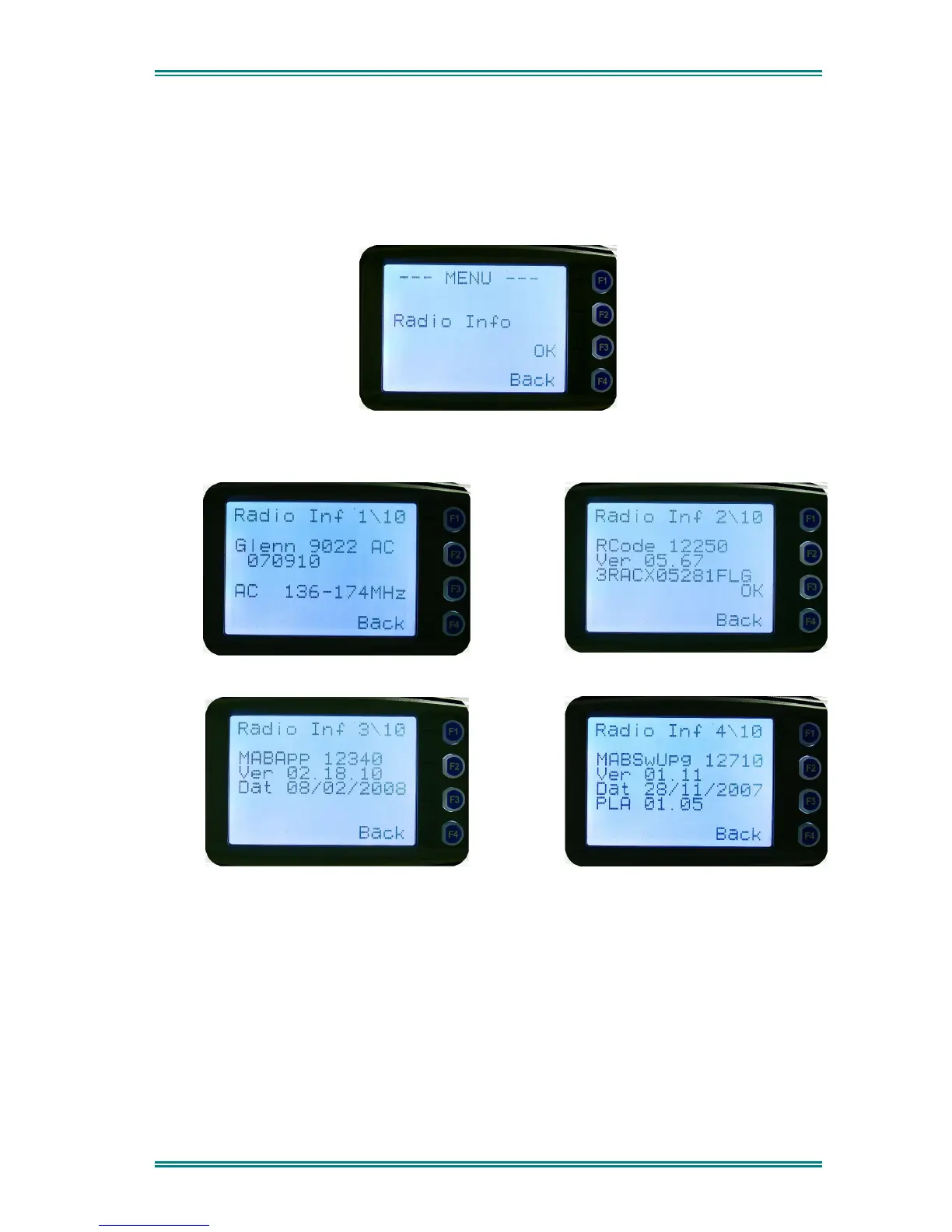
These screens display information that identifies the Field Programmer File description,
Radio ID, Serial Number, and Software Version.
From the Settings Sub Menu, step through the menu options with the
▼
and
▲
keys until the
Radio Info menu is displayed.
Press the “
OK
” key for the “
Radio Info
” Screen.
The ▼ and ▲ keys select the following information pages:
Description, Unit ID and Radio Band
Radio Software Version and Serial Number
Application Software Version and Date
Application Upgrade Version, Date and PLA
The “Radio Info“ screens are read-only screens. Press “OK” to return to the Channel
Screen.


 To Next Page
 Loading...