EasyManua.ls Logo

SIMOLIO SM-829D1 - User Manual

SIMOLIO SM-829D1
12 pages
Print Icon
To Next Page IconTo Next Page
Loading...
2.4GHz Wireless TV Headphone
User Manual
SM-829D1
Sales & Support Email: support@simolio.com (for US/CA/AU)
support_uk@simolio.com (for )UK
Signal-to-noise ratio
Transmission mode
Automatic Frequency-Hopping Spread Spectrum
Carrier frequency
2.4GHz ISM BAND
Power supply
output: DC 5V, 1A input : 100~240V
built-in 500mAh Li Battery
Transmitter
Headphone
Frequency response
Distortion
1%
20 Hz – 20 KHz
70dB
Range
Up to 100 feet (without obstacles)
Working time
approx 10 hours
Charging time
3 hours
TECHNICAL SPECIFICATIONS
LIMITED WARRANTY
Simolio offers a 12-month limited warranty for brand-new purchases from
authorized sellers and resellers. The 12 month warranty will cover defects in
manufacturing and product failure for a period of 12 months from the original
date of purchase. The warranty period is not extended if we repair or replace a
warranted product.
SM-829D1
22
This warranty is provided at the discretion of Simolio Ltd. And does not cover
cosmetic damage or damage due to acts of nature, accident, misuse, abuse,
negligence, commercial use, or modification of or to any part of the product.
Accessories such as audio cables, power adapter and perishable items such as ear
muffs and batteries are not covered under this warranty.
Please contact:
support@simolio.com (for US/CA/AU) or
support_uk@simolio.com(for UK)
for any questions or customer support.
Response Time: 2-24h, excl. Holidays
www.simolio.com www.amazon.com/simolio

Questions and Answers

  • J
    Jessica PatrickAug 12, 2025
    What to do if the transmitter of SIMOLIO Headphone is not connected well?
    • J
      Jake HollandAug 12, 2025
      If the transmitter of your SIMOLIO Headphone is not connected well, make sure the AC adapter and the audio cable of the transmitter are plugged in place.
  • Z
    zscottAug 15, 2025
    What to do if the audio out format of TV is not set to PCM for SIMOLIO SM-829D1 Headphone?
    • D
      Deborah AustinAug 16, 2025
      If the audio out format of TV and TV related AV devices is not set to PCM, set it to PCM. For example: Settings > Sound > Digital Audio Out Format>Dolby/DTS/PCM, menu depends on TVs.
  • W
    william86Aug 20, 2025
    What to do if TV audio output is disabled or not activated for SIMOLIO Headphone?
    • J
      Jacob ReedAug 20, 2025
      If TV audio output is disabled or not activated when using SIMOLIO Headphone, follow the instructions in your TV user manual to change the TV’s AUDIO OUT setting to "External TV Speakers".
  • D
    David SmithAug 25, 2025
    What to do if the analog audio cable is plugged into the AUX IN jack of the SIMOLIO SM-829D1 transmitter?
    • H
      Hayden KellyAug 26, 2025
      If the analog audio cable is plugged into the AUX IN jack of the transmitter when connecting with the optical cable of your SIMOLIO Headphone, unplug the analog audio cable from the transmitter.
  • S
    Susan TaylorAug 29, 2025
    What to do if audio sources are not turned on or their volume are set too low on SIMOLIO Headphone?
    • A
      Amanda MorrisAug 29, 2025
      If the audio sources (TV and TV related AV devices) are not turned on or their volume are set too low when using SIMOLIO Headphone, turn on the audio source, and adjust its volume to a sufficient level.
  • L
    Linda FisherSep 1, 2025
    What to do if the audio out port of the connected audio device is defective for SIMOLIO Headphone?
    • M
      Mark Fields MDSep 2, 2025
      If the audio out port of the connected audio device is defective (no signal out) when using SIMOLIO Headphone, connect to another audio out port.
  • M
    mcollinsNov 6, 2025
    What to do if SIMOLIO SM-829D1 doesn’t work, or no voice received?
    • M
      Michael NolanNov 6, 2025
      If your SIMOLIO Headphone isn’t working or you're not receiving any sound, here are a few things to check: * Ensure the transmitter is powered on by switching to MONO or STEREO. * Verify that the AC adapter and audio cable of the transmitter are securely plugged in. * If you're using an optical cable, unplug any analog audio cables from the transmitter. * Confirm that the connection between the transmitter and the audio source is correct and secure. * Make sure the audio source (TV, etc.) is turned on and the volume is at a sufficient level. * Check your TV's audio output settings and set it to "External TV Speakers". * Ensure the audio output format of your TV or related devices is set to PCM. * Try switching the headphone off and then on again. * Check that the battery...

Overview

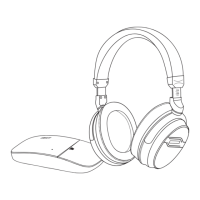
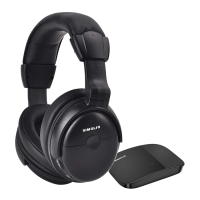
The SIMOLIO SM-829D1 is a 2.4GHz wireless TV headphone system designed for personal customized TV hearing protection and assistance. It utilizes the latest 2.4GHz Digital Automatic Frequency-Hopping Spread Spectrum (FHSS) technology to deliver crystal-clear sound with wireless freedom up to 100 feet without obstacles. This system is particularly beneficial for hearing-impaired individuals, as it aims to overcome the limitations of regular hearing aids by reducing TV background sounds and enhancing dialogue clarity.

Function Description:

The primary function of the SM-829D1 is to provide an enhanced television listening experience, especially for those with hearing difficulties, while protecting their hearing from progressive damage. It allows users to customize their listening experience through balance and tone controls. The unique voice clarity and noise-cancelling technologies dynamically reduce TV background sounds, making dialogues stand out and easier to understand at a healthy volume. An additional "Ambient Sound Mode" allows users to temporarily hear surrounding conversations without removing the headphones, activated by a MIC button. The "by-pass" feature enables simultaneous use of the wireless TV headphone and an external soundbar or audio system. The system supports multiple receivers, meaning additional SM-829D1 headphones can be added to the same transmitter for shared listening. It is compatible with a wide range of audio sources, including TVs, cable boxes, set-top boxes, and DVD players, that have Digital Optical, RCA, or 3.5mm AUDIO OUT ports.

Important Technical Specifications:

  • Transmission mode: Automatic Frequency-Hopping Spread Spectrum
  • Carrier frequency: 2.4GHz ISM BAND
  • Transmitter power supply: Output: DC 5V, 1A; Input: 100~240V
  • Headphone power supply: Built-in 500mAh Li Battery
  • Frequency response: 20 Hz - 20 KHz
  • Distortion: <1%
  • Signal-to-noise ratio: ≥70dB
  • Range: Up to 100 feet (without obstacles)
  • Working time: Approximately 10 hours
  • Charging time: 3 hours

Usage Features:

  • Customizable Listening: Balance control allows for right/left volume adjustment to ensure equal hearing in both ears. Tone control (D+/D/S) helps users find optimum parameters for clear audio.
  • MONO/STEREO Optional: Users can switch to STEREO for Hi-Fi music or MONO for clearer TV dialogues.
  • Ambient Sound Mode: A MIC button on the headphone allows temporary amplification of ambient sounds, enabling users to hear nearby conversations without removing the headphones.
  • Automatic Signal Control: Special circuit design adjusts sudden volume changes to maintain stable output volume, preventing strong signals from harming hearing.
  • Auto Power Off: The headphone automatically powers off after 10 minutes of no signal reception to save battery.
  • Audio Sharing Function: A sharing port on the right side of the headphone allows another headphone to be plugged in for shared listening.
  • Long Distance Transmission: Provides wireless freedom and clear voice within a range of up to 100 feet.
  • Good Compatibility: Works with any TV, cable box, set-top box, or DVD player with Digital Optical, RCA, or 3.5mm AUDIO OUT ports.
  • Multiple Charging Solutions:
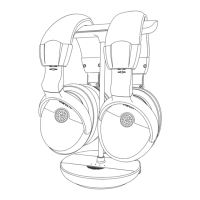
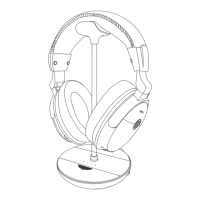
    • Magnetic Charging Stand: Place the headphone on the stand for convenient recharging.
    • USB Charging Cable: Connect the headphone to a compatible USB charger (DC 5V/0.5-2A) using the included USB cable.
    • Spare Battery: A spare Li-battery is included and can be charged in a compartment on the transmitter, allowing for quick battery replacement.
  • By-pass Feature: Allows the wireless TV headphone and a soundbar/audio system to be used simultaneously.
  • Multi-Receiver Support: One transmitter can support multiple SM-829D1 wireless receivers. When using two sets simultaneously, they should be placed at least 10 meters apart.
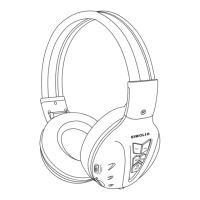
  • Proper Fit: The headphones feature an adjustable, retractable headband and a 90-degree rotation design for comfortable wear. Each side is marked with "L" or "R" for correct orientation.

Maintenance Features:

  • Cleaning: Before cleaning, disconnect the transmitter from the power adapter and use only a slightly damp cloth.
  • Product Care: Keep the product dry and away from extreme temperatures. Handle with care and set up on a stable, dust-free surface.
  • Ventilation: Ensure adequate ventilation as the unit may get hot during use.
  • Interference Avoidance: Keep the product away from microwave ovens, mobile phones, and WiFi routers to prevent electronic wave interference. The transmitter base should be placed at least 4 feet away from routers/smart WiFi TVs/TV sticks/WiFi TV boxes.
  • Power Management: Switch off the transmitter and receiver after use, and unplug the power adapter from the wall socket when not in use for a long time.
  • Charging Indicators: LED indicators on both the transmitter and headphone provide status updates for charging and signal reception.
  • Troubleshooting Guide: The manual includes a comprehensive troubleshooting section to address common issues such as no sound, sound cuts, and charging problems, with solutions ranging from checking connections and settings to replacing batteries.
  • Limited Warranty: Simolio offers a 12-month warranty covering manufacturing defects and product failure from the original date of purchase. It does not cover cosmetic damage, damage due to acts of nature, accident, misuse, abuse, negligence, commercial use, or modification. Accessories like audio cables, power adapters, ear muffs, and batteries are not covered.

SIMOLIO SM-829D1 Specifications

General IconGeneral
BrandSIMOLIO
ModelSM-829D1
CategoryHeadphone
LanguageEnglish

Related product manuals