EasyManua.ls Logo

SIMOLIO SM-829D2 - User Manual

SIMOLIO SM-829D2
12 pages
Print Icon
To Next Page IconTo Next Page
Loading...
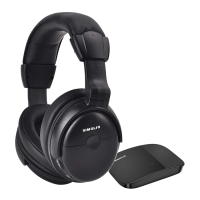
2.4GHz Wireless TV Headphones
User Manual
SM-829D2
Sales & Support Email: support@simolio.com ( )
US/CA/AU
Signal-to-noise ratio
Transmission mode
Automatic Frequency-Hopping Spread Spectrum
Carrier frequency
2.4GHz ISM BAND
Power supply
output: DC 5V, 1A input : 100~240V
built-in 500mAh Li Battery
Transmitter
Headphone
Frequency response
Distortion
1%
20 Hz – 20 KHz
70dB
Range
Up to 100 feet (without obstacles)
Working time
approx 10 hours
Charging time
3 hours
TECHNICAL SPECIFICATIONS
LIMITED WARRANTY
Simolio offers a 12-month limited warranty for brand-new purchases from
authorized sellers and resellers. The 12 month warranty will cover defects in
manufacturing and product failure for a period of 12 months from the original
date of purchase. The warranty period is not extended if we repair or replace a
warranted product.
SM-829D2
12
1
2
support_uk@simolio.com ( )UK
22
This warranty is provided at the discretion of Simolio Ltd. And does not cover
cosmetic damage or damage due to acts of nature, accident, misuse, abuse,
negligence, commercial use, or modification of or to any part of the product.
Accessories such as audio cables, power adapter and perishable items such as ear
muffs and batteries are not covered under this warranty.
Please contact:
support@simolio.com (for US/CA/AU) or
support_uk@simolio.com(for UK)
for any questions or customer support.
Response Time: 2-24h, excl. Holidays
www.simolio.com www.amazon.com/simolio

Questions and Answers

Summary

Product Diagram

Transmitter Diagram

Diagram illustrating the SIMOLIO SM-829D2 transmitter components and ports.

Receiver Diagram

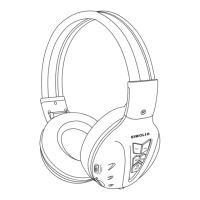
Diagram illustrating the SIMOLIO SM-829D2 receiver components and controls.

How to Use the SIMOLIO SM-829 D2

Check TV;Audio Source Output Options

Verify TV or audio source output ports before system setup.

Turn on Transmitter and Headphone

Steps to power on both the transmitter and the headphone unit.

Connect Transmitter to TV;Audio Source

Guide on connecting the transmitter to the TV or audio source device.

Digital Optical Connection Guide

Connect Optical Cable to TV

Hook up SIMOLIO to the Optical Audio Out Port of the TV/other Audio Device.

Configure TV Audio Format and Speaker Settings

Adjust TV audio format to PCM and speaker output to External Speakers.

RCA Analog Connection Guide

Connect RCA Cable to TV

Hook up SIMOLIO to the RCA Audio Out Port of the TV/other Audio Device.

Configure TV Audio Output and Speaker Settings

Ensure TV uses Red/White ports for audio out and sets speaker to External.

3.5 mm;AUX Analog Connection Guide

Connect 3.5 mm Audio Cable to TV

Hook up SIMOLIO to the 3.5mm Audio Out Port of the TV/other Audio Device.

Configure TV Audio Output and Speaker Settings

Ensure TV speaker is set to 'Headset' for audio out.

Other Connections and Scenarios

Digital Coaxial Audio Out Port Connection

Connect via digital coaxial using a digital-to-analog converter.

Optical Audio Out Port Occupied by Soundbar

Utilize by-pass feature for optical or AUX/RCA connections.

AV Receiver with 6.35 mm Phone Jack

Connect to AV Receiver's 6.35mm PHONE OUT using an adapter.

Using Multiple Headphones

Simultaneous Use of Two Headsets

Place two SIMOLIO SM-829D2 sets at least 10 meters apart for simultaneous use.

Charging the Headphone

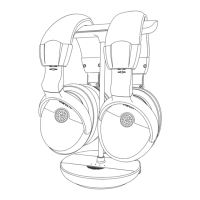
Charging via Magnetic Stand

Place headphone on magnetic charging stand; red LED indicates charging.

Charging via USB Cable

Connect headphone to a USB wall charger or port using the included cable.

Charging Using Spare Battery

Replace headphone battery with a spare from the transmitter's compartment.

Customizing Your SIMOLIO SM-829 D2

Proper Headphone Wearing and Fit

Adjust retractable headband for proper fit and check rotation direction.

Balance Control Adjustment

Adjust BAL dial to equalize volume for left/right ears.

Tone Control Adjustment

Select TONE (D+/D/S) to optimize TV voice clarity.

Mono;Stereo Mode Selection

Switch between STEREO for music and MONO for clearer TV dialogues.

Ambient Sound Function Usage

Use MIC ON/OFF button to hear ambient sound or return to wireless listening.

Troubleshooting Common Issues

Transmitter Not Working or No Voice

Check power, connections, audio source, and TV output format (PCM).

Headphone Not Working or No Voice

Verify TV volume, headphone range, audio source volume, and headphone status.

Sound Cuts In and Out or Noise Occurs

Check transmitter placement, audio source connection, and audio out port.

Voice Heard Only With One Ear

Check RCA cable insertion, transmitter mode (MONO), and balance control.

Headphone Cannot Be Charged Successfully

Inspect battery insertion, charging pins alignment, and use compatible adapters/cables.

No Sound When Using By-Pass Feature

Ensure correct optical or AUX/RCA cable connection to sound system.

SIMOLIO SM-829D2 Specifications

General IconGeneral
BrandSIMOLIO
ModelSM-829D2
CategoryHeadphone
LanguageEnglish

Related product manuals