POW
E
R IN
D
C 5V
A
U
X
S
TERE
O / MO
N
O / O
F
F
O
PTI
CA
L
O
PT
IC
AL
A
UX
I
NPUT F ROM TV
O
N / O
FF
O
UT
PU
T TO S
PE
A
KE
R
14 15
Note:
When you just want to listen to the audio from the wireless TV headphone, just
turn off your sound system.
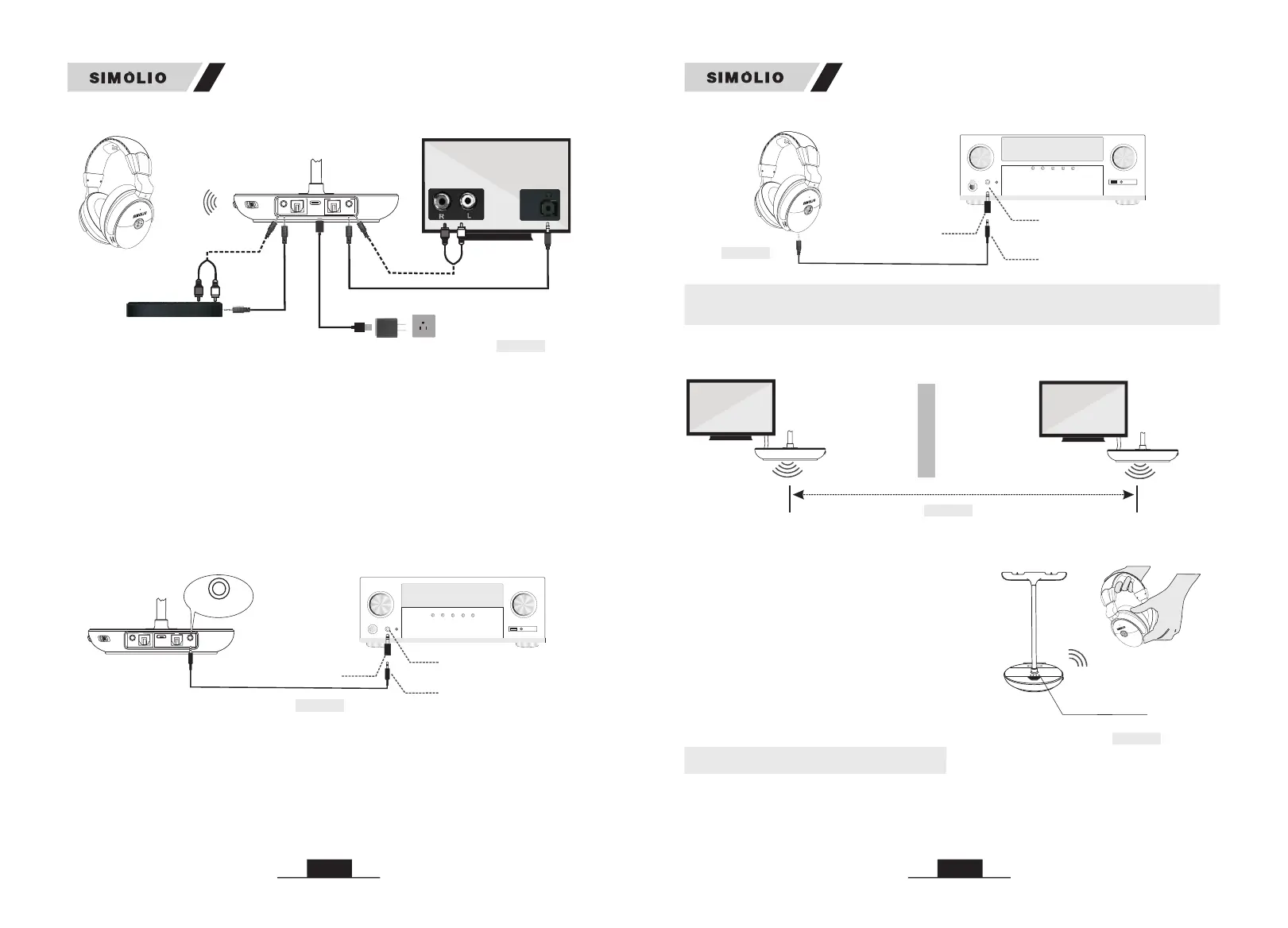
Transmitter
Fig 3-22
Sound Bar
AUX OUT
AUX IN
RCA or 3.5mm Audio Out
H/P
Audio Out
RCA or 3.5mm Audio In
Power adapter
Step 2. Check the Performance of the AV Receiver's Audio Output as Shown
in Fig 3-23
Step 1. Purchase a 6.35mm to 3.5mm Adapter and Set up as Shown in Fig 3-23
SM-829D2 is not compatible with ANY RCA(L/R) ports on your AV Receiver,
ONLY use the BIG 6.35mm PHONE OUT on front side of your AV Receiver with
the 6.35mm to 3.5mm adapter (purchase separately).
If you can not hear sound from your after connecting, follow the
part of 3.1 on page 8-9 to check your settings.
headphone
3) Use SIMOLIO SM-829D2 to your AV Receiver with 6.35mm PHONE jack
Pho nes
AV Receiver
6.35mm Audio adapter
(purchase separately)
3.5mm Audio Cable
6.35mm Phone jack
Fig 3-23
P
O
W
ER
D
C 5V
A
U
X
S
TER
E
O / MO
NO / O
F
F
O
PT
ICA
L
O
PT
ICA
L
A
UX
I
N
O
UT
ON / OF
F
A
U
X IN
If you can not hear sound from your headphone after connecting:
• Use the AUX cable and 6.35 to 3.5mm converter to plug the headphone into the
port on AV receiver to check whether the sound is normal (Ref. Fig 3-24).
4. Use Two Sets of SIMOLIO 2.4GHz Wireless TV Headphones
Simultaneously in the Same House
• headphone
then turn on the transmitter and headphone
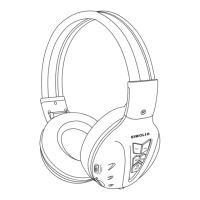
and make sure the green LED indicators are
facing towards each other for about 5 seconds
(Ref. Fig 4-2).
Take the close to the transmitter,
Note:
If two headphones are used on the same TV,
only one transmitter needs to be connected,
because one transmitter supports multiple
headphones to work simultaneously.
5. Charge the Headphone
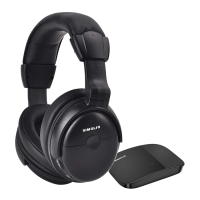
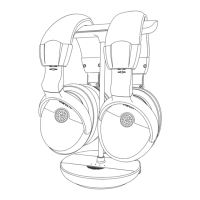
Method 1:Turn off the and place it onto the magnetic charging stand
for recharging, the LED charging indicator on the stand will stay solid red while
charging and turn off when charging is complete (Ref. Fig 5-1). Please remove
the headphone from side of charging stand when using (Ref. Fig 5-2).
headphone
• The two sets of SIMOLIO SM-829D2 should be put at least 10 meters away from
each other when using them simultaneously (Ref. Fig 4-1).
room 1 room 2
Transmitter 1
Fig 4-1
Distance >10M (at least)
Transmitter 2
(Transmitter)
P
o
w
e
r &
W
o
r
king
I
nd
i
c
a
t
o
r (
G
r
e
e
n)
Fig 4-2
R
Wireless Receiving
Indicator (Green)
R
MIC ON/OFF
(Receiver)
Fig 3-24
AV Receiver
6.35mm Audio adapter
(purchase separately)
3.5mm Audio Cable
6.35mm Phone jack
Pho nes
R
SM-829D2 SM-829D2


 To Next Page