8 9
STOP! Test your keyfobs now before attempting to program.
SimpliciKey comes factory programmed with the keyfobs included
in the package. If the keyfobs are not registered with your lock, or to
add additional keyfobs (up to the maximum limit of 8), please see the
instructions on page 8.
For your security, SimpliciKey requires that you enter your own Key
Codes to activate this feature. Please see the instructions on page 9 to
add up to 16 Key Codes.
For your convenience, the keypad has options for quiet operation and
faster locking, with instructions on page 10.
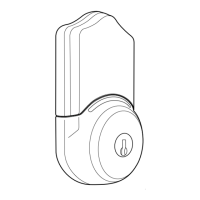
SimpliciKey oers a bump-resistant 6-pin keyway should you choose
to use a metal key for entry.
When simple lock is ON, pressing the Lock/Unlock button ( ) will lock the
door.
When simple lock is OFF, the user will have to enter the Key Code
and press the Lock/Unlock button ( ) to lock the door as shown above in
Step 2.
When quiet lock is OFF, the keypad will emit softer tones during operation.
When Unlocked:
When Locked:
Enter your Key Code and Lock/ Unlock button ( ) to lock
Enter your Key Code and Lock/ Unlock button ( ) to unlock
1. Remote Control Keyfob
2. Keypad Key Codes
3. Keypad Settings
4. Manual Key Use
Press to Lock
Press to Unlock
Key Code
Key Code
DAILY USE INSTRUCTIONS
Enter Admin Code
Enter Admin Code
Enter Admin Code
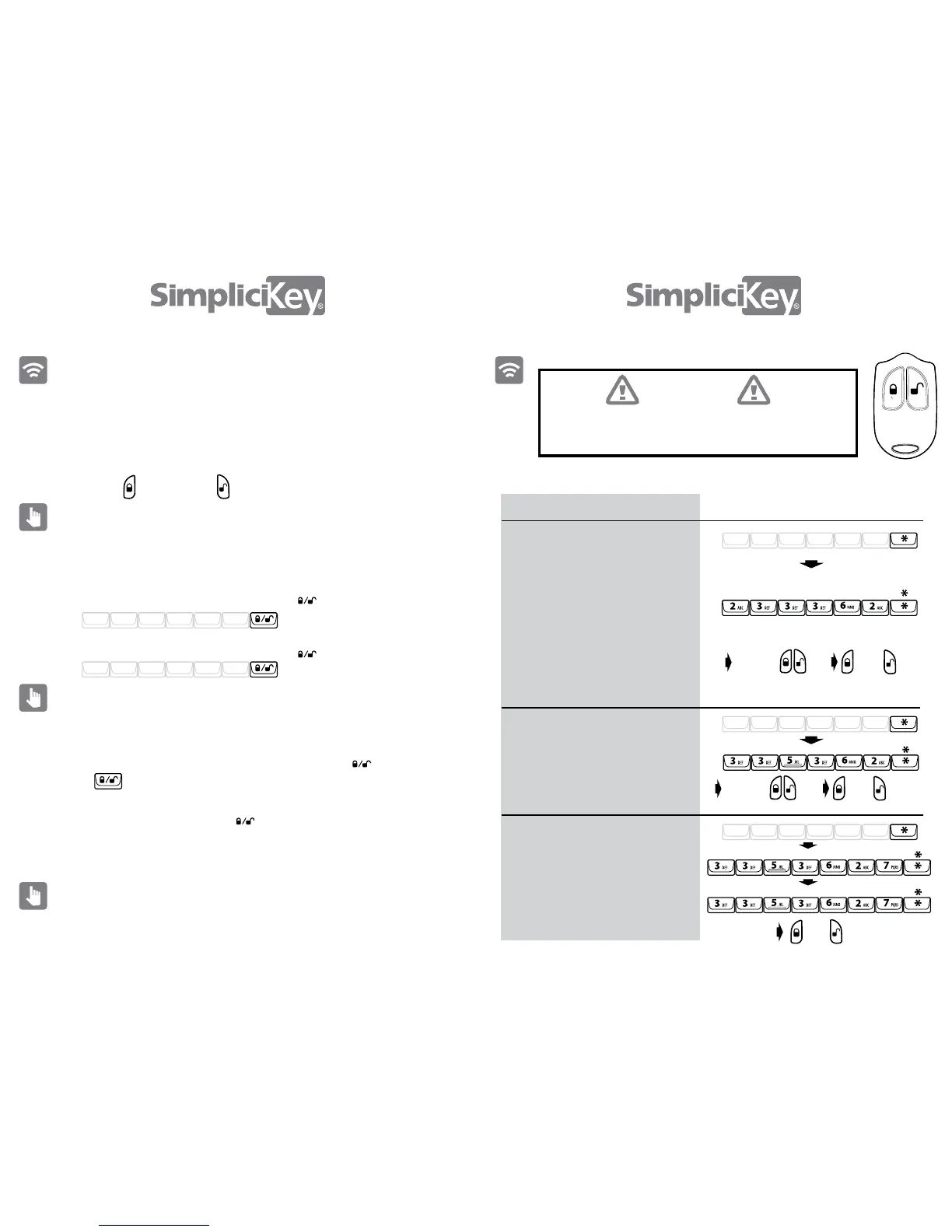
REMOTE CONTROL KEYFOB INSTRUCTIONS
Command
Add Remote Control Keyfob
Delete an Individual Remote Control
Keyfob
Delete all Remote Control Keyfobs
1. Enter your Admin Code, press *
1. Enter your Admin Code, press *
1. Enter your Admin Code, press *
2. Enter “ADD FOB”, press *
2. Enter “DEL FOB”, press *
2. Enter “DEL FOBS”, press *
3. Repeat “DEL FOBS”, press *
4. Test the keyfobs to conrm
3. Press and hold either keyfob button
4. Test the keyfob
3. The blue LED below the keypad
will begin to ash. You will have
nine seconds to register your keyfob.
4. While the blue light is ashing, press
both keyfob buttons for no more than 1
second. If you do not get the happy
tone, press both buttons immediately
again. If the tone is happy, then you’re
right, if it sounds like a chirp then start
over.
Press
Your administration code (Admin Code) can be found on the
back of this booklet. The Admin Code can be changed by
following instructions on page 12.
The lock may time out if too much time passes between entering
commands. If this happens, you will need to start over.
A - D - D - F - O - B -
D - E - L - F - O - B -
D - E - L - F - O - B - S -
D - E - L - F - O - B - S -
Press and
hold
Press and
hold either
Test
both
Test
both
Test
both
Critical Point
STOP! Test your keyfobs now before attempting to program.


 To Next Page