EasyManua.ls Logo

Simpson SWT6541 - User Manual

Simpson SWT6541
32 pages
Print Icon
To Next Page IconTo Next Page
Loading...
SWT5541
SWT5541B
SWT6541
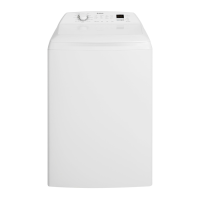
TOP-LOAD WASHING MACHINE USER MANUAL
...................................................... .................................................

Questions and Answers

  • C
    christopher11Sep 7, 2025
    Why is my Simpson SWT6541 splashing water?
    • C
      Carol PetersonSep 7, 2025
      If you are experiencing water splash from your Simpson Washer, it may be due to too many clothes in the machine. See maximum clothes load on page 9. Also, make sure that your machine is levelled properly. Finally, ensure that your water level selection is correct. See water level description on page 9.
  • O
    omillerAug 22, 2025
    Why is my Simpson Washer not working?
    • J
      Joshua Vaughan DVMAug 22, 2025
      If your Simpson Washer isn't working, here's what to check: * First, ensure the power is switched on at the power point. * Test the power point with another appliance to confirm it's supplying electricity. * Make sure the water taps are turned on. * If the washer switched off due to being out of balance, open the lid, redistribute the load, and close the lid. * Confirm that the lid is fully closed.
  • C
    Christina SchroederSep 4, 2025
    Why are clothes still dirty after wash in my Simpson Washer?
    • A
      Amy RussellSep 5, 2025
      If your clothes are still dirty after running a wash program in your Simpson Washer, it could be due to not using enough or any detergent. Check the detergent usage and rewash the clothes. Also, make sure that you don't put too many clothes in the load. Finally, ensure that you have selected the correct wash program and temperature; if not, reselect and rewash.
  • D
    Dennis SanchezSep 3, 2025
    What to do if my Simpson SWT6541 Washer has a water level problem?
    • R
      ramseyedwardSep 3, 2025
      Wait, this fault may clear itself. If not, rotate the PROGRAM KNOB to “Drain + Spin” program, then press “Start/Pause” button to drain the wash bowl. If this problem is repeated, call Service.
  • M
    Michelle PenaSep 2, 2025
    What to do if my Simpson Washer has a draining problem?
    • J
      Joshua PrinceSep 2, 2025
      Wait a few minutes to see if the fault is corrected. If not, set the washing machine to PAUSE by press “Start/Pause” button then check the drain hose for blockage. Press “Start/Pause” to continue the wash. If problem remains, call Service.
  • Y
    yvette53Aug 31, 2025
    What to do if clothes are still dirty after washing in Simpson SWT6541 Washer?
    • P
      Pamela MccartyAug 31, 2025
      If your clothes are still dirty after a wash program in your Simpson Washer, make sure you're using enough detergent. If not, add more and rewash the clothes. Also, avoid overloading the machine by removing some clothes and rewashing. Finally, ensure you have selected the correct wash program and temperature for the load.
  • B
    barbaradavisAug 30, 2025
    Why is there water on the floor near my Simpson SWT6541 Washer?
    • T
      tthompsonAug 30, 2025
      If you find water on the floor near your Simpson Washer, check the inlet and drain hose connections at both the taps and the rear of the machine to ensure they are not loose. Condensation from hot water can also be a cause.
  • S
    Sandra OrtizAug 29, 2025
    How to fix a Simpson SWT6541 Washer that vibrates excessively?
    • C
      Christine CannonAug 29, 2025
      If your Simpson Washer vibrates excessively or goes out of balance during the spin cycle, it might not be level. Ensure the machine is level and that the leveling feet are adjusted to touch the floor. Also, redistribute the clothes evenly inside the washer.
  • G
    glovercrystalAug 27, 2025
    Why is my Simpson Washer not filling with water?
    • M
      Melissa WilsonAug 27, 2025
      Make sure both wall taps are on and hose filters are not blocked. Raise drain hose if water is flowing out of drain hose. Press “Start/Pause” to re-start wash. If problem remains, call Service.
  • J
    Jared NicholsonAug 27, 2025
    Why Simpson SWT6541 won't spin but has water in the bowl?
    • S
      Scott CastroAug 27, 2025
      If your Simpson Washer has washed the load but won't spin and there's water in the wash bowl, the load might be out of balance. Open the lid, redistribute the load, and close the lid. Also, ensure the lid is fully closed. A blocked drain hose can also cause this issue, so check it for blockages. After checking, wait a short while for the wash to continue.

Summary

SAFETY INFORMATION

CONDITIONS OF USE

Details conditions for using the appliance safely and correctly, emphasizing reading the manual.

GENERAL SAFETY

Covers general safety precautions and warnings for operating the washing machine, including electrical and mechanical safety.

INSTALLATION

Provides guidelines for properly installing the washing machine, including checks for damage and placement.

USE

Outlines instructions and precautions for using the washing machine for domestic purposes.

CHILD SAFETY

Specific safety measures to protect children around the washing machine, preventing access to packaging and drums.

PRODUCT DESCRIPTION

WASHING MACHINE PARTS

Identifies and illustrates the various external and internal parts of the washing machine.

PRODUCT FEATURES

Explains the key features and operational modes of the washing machine, such as wash system and unbalance correction.

CONTROL PANEL

Program Selector Knob

How to select wash programs using the main dial, including notes on specific programs.

Water Temperatures Button

Adjusting water temperature settings for different wash cycles.

Water Level Button

Selecting the appropriate water level based on load size and fabric type.

Soak Time Button

Option to add a soaking period to wash programs for heavily soiled clothes.

Rinse Option Button

Choosing different rinse types like Extra, Deep, Eco, or Hold for optimal fabric care.

Display

Explains the information shown on the digital display, including program status and error codes.

Start;Pause Button

Controls starting, pausing, and resuming wash cycles.

Delay End Option Button

Allows setting a delayed end time for the wash program.

WASHING INSTRUCTIONS

Sort Your Washing Loads

Tips for sorting clothes by color, fabric type, and lint production to ensure effective washing.

Pre-Treatment & Stain Removal

How to use pre-treatment sprays and stain removers safely, away from the machine.

Detergent Use

Guidance on choosing and using the correct amount of detergent for optimal results and environmental care.

DAILY USE

Starting Your Washing Machine

Initial steps to prepare and start the washing machine, including connecting power and water.

Load the Washing Machine

Proper techniques for loading clothes into the drum, ensuring even distribution and avoiding overload.

Add the Detergent

Instructions for adding detergent, including pre-mixing with water for better dissolving.

Add Fabric Softener

How to correctly add fabric softener and the required rinse option (Deep Rinse).

Adding Bleach

Procedures for using oxygen or chlorine bleach safely to remove stains and kill bacteria.

Setting a Program

How to select and customize wash programs using the control panel.

Starting a Program

The final steps to initiate the selected wash program, including potential delays.

Interrupting a Program

How to pause and resume the washing cycle using the Start/Pause button.

Changing a Program

How to change the selected program during operation or pause, with warnings.

Changing the Options

Modifying wash options after a program has started by pausing and resuming.

End of Program

Actions to take when the wash cycle is completed, including turning off the machine.

CARING FOR YOUR WASHING MACHINE

After Washing

Steps to perform after completing a wash cycle to maintain the machine.

Cleaning the Lint Filter

Guide on how to clean the lint filter regularly for optimal performance.

Cleaning the Machine

Instructions for cleaning the interior and exterior surfaces of the machine using mild agents.

Cleaning Washbowl Stains

How to remove stains from the stainless steel washbowl using appropriate cleaning products.

Preventing Detergent Buildup

Tips to avoid residue buildup from undissolved detergents, especially with cold water washes.

HELPFUL HINTS FOR WASHING PROBLEMS

Residues on Washed Items

Troubleshooting advice for white residue or particles on laundry due to detergent or soil.

Stain Removal Hints

Guidance on effective methods for removing various types of stains from clothes.

Yellowing or Greying Clothes

Explains causes and solutions for clothes turning yellow or grey due to washing conditions.

STAIN REMOVAL GUIDE

TROUBLESHOOTING

Common Problems and Solutions

Addresses issues like machine not starting, spinning, filling, or leaking, with possible causes and actions.

Troubleshooting Fault Displays

Explains error codes displayed on the machine and their remedies.

ENVIRONMENT CONCERNS

Packaging and Disposal

Guidance on recycling packaging and disposing of old appliances responsibly.

Ecological Hints

Tips for saving water, energy, and protecting the environment during laundry cycles.

PRODUCT WARRANTY

Simpson SWT6541 Specifications

General IconGeneral
BrandSimpson
ModelSWT6541
CategoryWasher
Capacity6.5 kg
Energy Rating2 Stars
Spin Speed850 RPM
Number of Programs11
ColorWhite
Warranty2 Years

Related product manuals