EasyManua.ls Logo

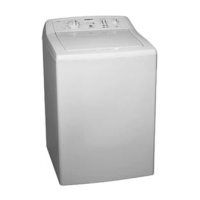
Simpson EZI Sensor SWT801 - User Manual

Simpson EZI Sensor SWT801
24 pages
Print Icon
To Next Page IconTo Next Page
Loading...
User Manual
SWT801, SWT951
119730211

Questions and Answers

  • S
    Sarah HensonAug 17, 2025
    What to do if my Simpson EZI Sensor SWT801 Washer machine is not working?
    • A
      Adam VanceAug 17, 2025
      If your Simpson Washer isn't working, there are several things to check: * Ensure the power point is switched on. * Test the power point with another appliance to confirm it's supplying electricity. * Make sure the machine is switched on by pressing the POWER switch. * Verify that the water taps are turned on. * If the machine switched off due to an out-of-balance load, open the lid, redistribute the load, and close the lid.
  • M
    Mason JacksonAug 19, 2025
    Why Simpson EZI Sensor SWT801 Washer machine has washed load but will not spin?
    • C
      christinestanleyAug 19, 2025
      If your Simpson Washer has completed the wash cycle but won't spin and there's water in the washbowl, consider these potential causes: * An out-of-balance load may be the issue. Open the lid, redistribute the clothes, and then close the lid securely. * Ensure the lid is fully closed; the machine may not spin if it's not. * A blocked drain hose can prevent spinning. Inspect the drain hose for any obstructions. * Excessive suds might be causing the motor to overheat. Wait a short while for the wash to continue. Reduce detergent dosage in the future, or switch to a low-sudsing detergent.
  • L
    Lisa MillerAug 22, 2025
    Why Simpson EZI Sensor SWT801 Washer will not fill with water?
    • J
      Jonathan WebbAug 22, 2025
      If your Simpson Washer isn't filling with water, the issue might be: * The water taps are not turned on; ensure they are fully open. * The inlet hoses are blocked; clean the tap filters/washers to resolve this.
  • D
    Dakota MillerAug 25, 2025
    What to do if there is water on floor near Simpson EZI Sensor SWT801?
    • S
      Sarah BrownAug 26, 2025
      If you find water on the floor near your Simpson Washer, inspect the following: * Check the inlet hose connections at both the taps and the rear of the machine for any looseness. * Examine the drain hose connections at the rear of the machine for any leaks.
  • S
    Sarah FisherAug 27, 2025
    What to do if water flowing into washbowl indefinitely in Simpson EZI Sensor SWT801 Washer?
    • W
      Wendy GarciaAug 28, 2025
      If water is continuously flowing into the washbowl of your Simpson Washer, it might be because the drain hose is too low. Raise the drain hose or install a syphon break. Refer to the installation instructions for the correct positioning of the hose.
  • A
    Adam DouglasAug 30, 2025
    What to do in case of flood caused by Simpson EZI Sensor SWT801 Washer?
    • K
      kellykelseyAug 30, 2025
      In the event of a flood caused by your Simpson Washer, immediately turn OFF both wall taps.
  • C
    Christina SmithSep 2, 2025
    What to do if my Simpson Washer machine goes out of balance?
    • G
      Gerald SmithSep 2, 2025
      If your Simpson Washer goes out of balance or vibrates excessively during spinning, check the following: 1. Ensure the machine is level. 2. Adjust the leveling feet, making sure they all touch the floor. 3. Redistribute the clothes evenly inside the washbowl.
  • C
    Christopher WagnerSep 5, 2025
    Why are clothes still dirty after wash program in Simpson Washer?
    • T
      Terry PattonSep 5, 2025
      If clothes are still dirty after a wash program in your Simpson Washer, consider these reasons: * Not enough detergent was used, or no detergent at all. Check the detergent usage and rewash the clothes. * The load may have been too large. Remove some clothes and rewash the remaining items. * The selected wash program or temperature may have been incorrect. Choose a more appropriate program or temperature and rewash the clothes.
  • P
    pedwardsSep 7, 2025
    What to do if there is scraping noise on spin in Simpson EZI Sensor SWT801?
    • T
      Tracy BoydSep 7, 2025
      If you hear a scraping noise during the spin cycle of your Simpson Washer, it's likely due to a bra wire or other thin item caught between the inner and outer washbowls. If the item is visible, try removing it with pliers. To prevent this in the future, use a wash bag for delicate items.
  • B
    Brittany SmithSep 10, 2025
    What are humming, clicking and other noises in Simpson Washer?
    • J
      josephhernandezSep 12, 2025
      Humming and clicking sounds in your Simpson Washer can be normal. Bowl rotation at the start of a wash and brake activation after spinning are typical operational noises.

Summary

Congratulations

Conditions of Use

CONTROL PANEL

Program Selector and Options

Describes how to select wash programs and modify settings like temperature and spin speed.

Time and Save Features

Details the Reduce Time, Save Favourite, and Delay End functions for program customization.

Display and Start;Pause Controls

Explains the digital display for program status and the Start/Hold To Pause button functionality.

ON-OFF Switch

Locates and describes the function of the machine's power switch.

IMPORTANT SAFETY INSTRUCTIONS

Safety Symbols and Warnings

Clarifies the meaning of warning symbols and provides general safety instructions.

Mains Pressure Water Safety

Offers specific safety advice related to hot water services and appliance use.

Disposal Information

Provides guidance on the correct and environmentally responsible disposal of the appliance.

ENVIRONMENT CONCERNS

Packaging and Old Machine Disposal

Covers instructions for recycling packaging materials and disposing of the old washing machine.

Ecological Usage Tips

Offers recommendations for conserving water, energy, and detergent during operation.

WATER SAVING TECHNOLOGY

Eco Rinsing Explained

Details the Eco Rinse function, its water-saving benefits, and how it works.

KNOWING YOUR WASHING MACHINE

Detergent, Lid Lock, and Imbalance

Covers detergent recommendations, the lid lock safety feature, and handling out-of-balance conditions.

WASHING INSTRUCTIONS

Handling Out of Balance and Buttons

Addresses how to resolve out-of-balance issues and explains button response indicators.

Lid Feature and Load Sorting

Explains the lid soft landing feature and provides advice on sorting laundry loads.

Pre-Wash Checks and Treatments

Guides on checking clothes for damage and using pre-treatment sprays safely.

Load the Washing Machine

Loading Guidelines

Provides instructions for loading clothes evenly and appropriately for optimal washing.

Detergent and Softener Usage

Explains the correct types, amounts, and usage of detergents and fabric softeners.

Add the Detergent

Dispenser Setup for Detergent

Details how to set the detergent dispenser for powder or liquid detergent use.

Add Fabric Softener

Adding Bleach

Oxygen and Chlorine Bleach Use

Details the correct usage and precautions for oxygen and chlorine bleaches.

OPERATING YOUR WASHING MACHINE

Starting and Changing Programs

Explains the initial steps to start a wash and how to change programs mid-cycle.

YOUR PROGRAM GUIDES

Program Selection Table

Lists each wash program with recommended water temp, spin speed, and options.

Program Notes and Times

Includes important notes on specific programs and estimated wash cycle durations.

USING YOUR WASHING MACHINE

Setting Water Temperature and Spin Speed

Guides on adjusting water temperature and selecting the appropriate spin speed.

Soak Time Adjustment

Explains how to use the soak function for heavily soiled garments.

Select the Rinse Option

Rinse Type Options and Usage

Details the four rinse types (Fast, Eco, Deep, Extra) and their recommended usage.

Time Adjustment and Favourite Programs

Reduce Time and Save Favourite Features

Explains how to shorten the wash cycle and save personalized favorite wash programs.

Delay End Option

Start;Hold To Pause Button

Lid Locked Feature

FEATURES OF YOUR WASHING MACHINE

Digital Display and Guidance Codes

Explains the digital display information, including status codes and beeps.

Rinse Options Overview

Summarizes the available rinse types and provides usage recommendations.

CARING FOR YOUR WASHING MACHINE

Post-Wash Procedures

Outlines the recommended steps to take after each wash cycle is completed.

Cleaning the Lint Filter and Dispenser

Step-by-step guide for cleaning the agitator lint filter and the detergent dispenser.

Cleaning Your Washing Machine

Washbowl Stain Removal

Stainless Steel Wash Bowl Care

Preventing Detergent Build-up

HELPFUL HINTS IN DEALING WITH WASHING PROBLEMS

Addressing Residues on Clothes

Offers advice on resolving issues related to detergent or lint residues on garments.

Stain Removal Guidance

General tips and methods for effectively removing various types of stains from clothing.

Yellowing or Greying Clothes

Causes and Solutions for Greyness

Identifies causes of laundry greyness and provides corrective actions.

Causes and Solutions for Yellowing

Identifies causes of laundry yellowing and provides corrective actions.

A GUIDE TO STAIN REMOVAL

Stain Removal for Whites

Specific treatments for removing various stains from white fabrics.

Stain Removal for Colours

Specific treatments for removing various stains from coloured fabrics.

TROUBLESHOOTING

Machine Not Working

Solutions for issues related to the machine not powering on or starting.

Spinning and Water Issues

Troubleshooting steps for problems with spinning, water filling, or draining.

Balance, Vibration, and Noise

Addresses common issues like excessive vibration, imbalance, leaks, and unusual noises.

Wash Quality and Dirt

Solutions for problems such as clothes remaining dirty or not spinning properly.

Other Diagnostic Help and Service Guide

Error Code Guide (E11, E30, E20)

Explains specific error codes related to water fill, flooding, and draining problems.

Error Code Guide (E13, E30, E50, E40)

Explains error codes for water level, motor faults, and lid lock issues.

Electrolux Warranty Information

Warranty Terms and Conditions

Outlines the specifics of the warranty, including coverage, exclusions, and duration.

Service and Parts Contact

Provides contact information for obtaining customer service and purchasing spare parts.

Simpson EZI Sensor SWT801 Specifications

General IconGeneral
Capacity8 kg
Spin Speed850 RPM
Number of Programs11
Delay StartYes
Child LockYes
TypeTop Load
Energy Rating4 Stars

Related product manuals