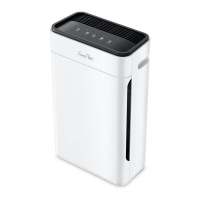
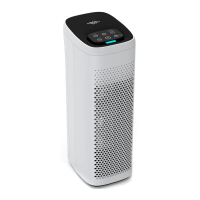
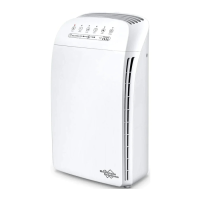
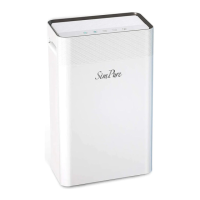
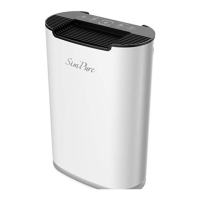
The SimPure® AP3J9 Air Purifier is a purification device designed to deliver clean and healthy air for homes and offices. It operates on a 'minimalist lifestyle' philosophy, aiming to create a simple, clean, and comfortable environment through improved filtration and purification technologies. The device is designed to be smart, easy to operate, and practical in both appearance and functionality, ensuring it cares for users, their families, and the planet.
Function Description
The primary function of the SimPure® AP3J9 Air Purifier is to filter out impurities and particles from the air. It achieves this using an H13 High-Efficiency Particulate Air Filter (HEPA) and an Activated Carbon sponge. This combination allows the purifier to capture over 99.97% of particles with a diameter greater than or equal to 2.5 microns.
The AP3J9 is capable of filtering a wide range of airborne contaminants, including viruses, respirable dust, mites' eggs and excretions, mold, dust, allergens, pollen, bacteria, dust mites, cigarette smoke, asbestos, toxic dust and aerosols, dander, and allergens from the fur of dogs or cats. By removing these particles, the air purifier contributes to a healthier indoor environment.
Usage Features
The SimPure® AP3J9 Air Purifier is designed for straightforward operation. To begin using the device, users must first open the base and remove both filter elements, ensuring all packaging is removed from each filter. Failure to do so will prevent the product from functioning correctly.
Once the filters are prepared, the power adapter's output is plugged into the connector on the back of the purifier, and the power adapter is then plugged into an electrical outlet. The purifier will enter standby mode, indicated by a red light. Pressing the on/off button once turns the air purifier on, and the indicator light will turn white, signifying it is in operational mode.
The device offers multiple operational modes to suit different needs:
- Default Mode (Sleep Fan Speed): When first turned on, the device operates in this mode, providing a quieter low-speed operation.
- High Mode: This is the maximum air filtering mode, offering the most robust purification.
- Low Mode: This provides standard air filtering.
- Sleeping Mode: In this mode, the indicator lights turn off after 5 seconds, and the fan continues to operate at a quieter low speed, ideal for nighttime use. Pressing the on/off button once in sleeping mode will display the device mode for 5 seconds before resuming sleeping mode, or users can continue pressing to cycle through other operational modes.
- Standby (Off): The device can be turned off by pressing and holding the on/off button for 1 second.
The purifier includes a filter timer feature that automatically monitors the fan speed and operational hours. The filter element's lifespan depends on how many hours the air purifier is utilized and the mode of operation. When the filter lifespan reaches 100%, a red indicator light will illuminate, signaling that a filter replacement is due. The total collective hours between filter changes are approximately 1000 hours when operating at high speed.
Maintenance Features
Maintaining the SimPure® AP3J9 Air Purifier involves regular filter replacement and cleaning.
Filter Replacement:
- Preparation: Press the on/off button until the indicator light is off, then turn off the power adapter and unplug the purifier.
- Accessing Filters: Invert the purifier onto a soft surface to prevent scratching. Rotate the base lock cover to open and lift off the base cover. Remove the two old filters.
- Cleaning: Use a vacuum hose or a dry cloth to clean out any remaining dust or hair inside the purifier. It is crucial not to use water or liquids to clean the purifier.
- New Filters: Remove any packing from the new filter elements. Note the inward and outward sides of the filter element.
- Installation: Slot the two new filter elements into the base of the purifier, ensuring the outer sides of the filters are facing outwards.
- Reassembly: Replace the purifier base and rotate the lock cover to close it. Turn the purifier upright.
- Resetting Filter Timer: Plug in the air purifier and follow the filter life timer reset instructions.
Filter Reset:
- When Filter Lifespan Reaches 100%: If the power indicator is bright red (indicating 100% filter lifespan), press the on/off power button for 3 seconds while in standby mode. The red indicator light will turn off, completing the filter lifespan reset.
- Forced Zero Clearing (Before 100% Lifespan): If a filter replacement is performed before the lifespan reaches 100% (e.g., replacing the filter halfway), a forced zero clearing can be initiated. While in standby mode, long-press the on/off power button for 3 seconds. The red light will turn on, indicating entry into forced zero clearing mode. Long-press the on/off power button again for 3 seconds in standby state, and the red light will turn off, completing the forced zero clearing of the filter lifespan.
General Care:
- The device should be installed out of direct sunlight on a flat, level, dry, and secure surface with average ambient room temperature.
- The power plug AC adapter should not be touched with wet hands.
- The power adapter should not be used if the unit is damaged or not working.
- The device should not be used in places with heavy moisture or smoke and should be kept away from flammable gas appliances like heaters or fireplaces.
- Regularly clean the device and remove any dust from the power plug. Unplug the unit before cleaning. Avoid using strong corrosive detergents or chemicals, as they may damage the device's surface.
- Do not obstruct the air inlets or outlets on the device.
- Composite filters are not washable or reusable and must be replaced with new ones.
For any technical assistance or issues not covered in the manual, users can contact SimPure® customer service.


 To Next Page
 General