Wifi button
Press the WiFi button to switch on the WiFi
function. The WiFi indicator appears on the
remote control. When you press and hold the
WiFi button for 5 seconds, the WiFi function
switches off and the WiFi indicator disappears.
When the equipment is off and the Mode and
WiFi buttons are pressed simultaneously for 1
second, the WiFi module resets to factory
settings.
This function is only available on some models.
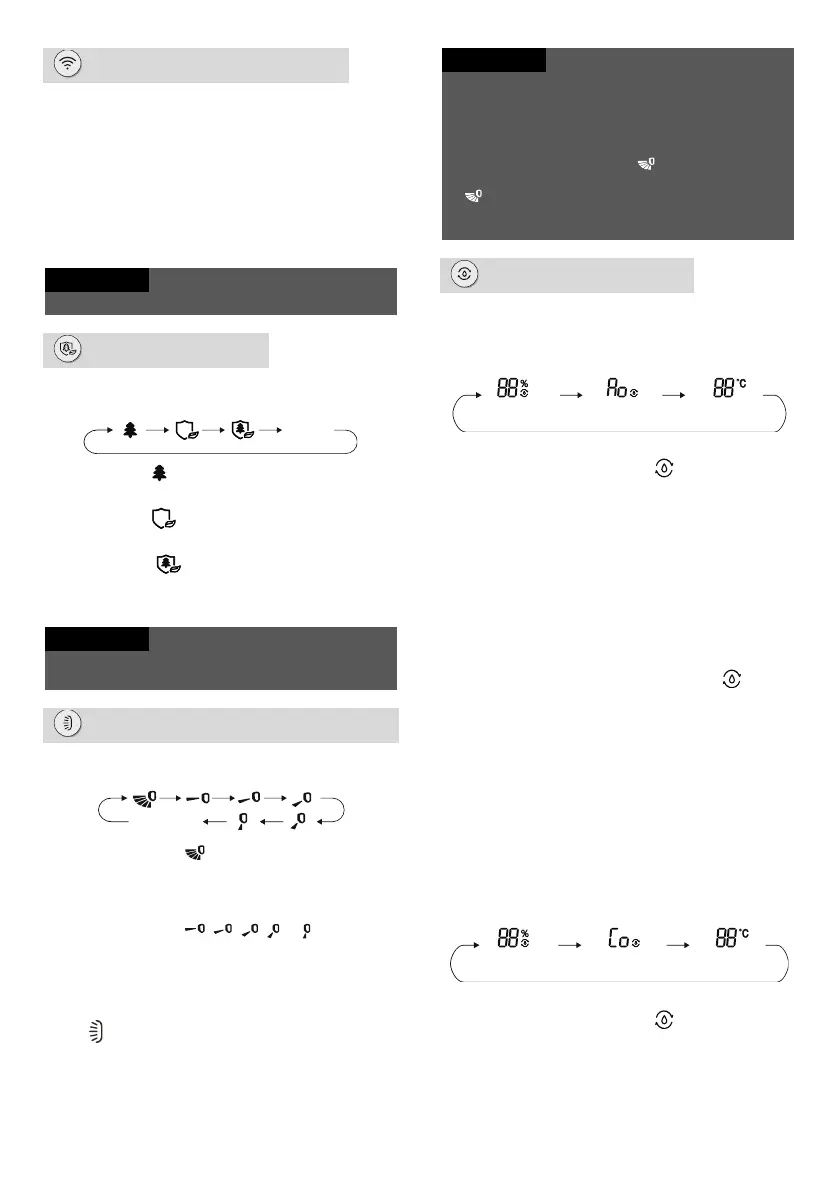
Health button
Press this button during operation to switch the
Health function or UVC lamp on/off.
If you select (Health) on the remote control,
the ion generator will switch on.
If you select on the remote control, the
sterilization using the UVC lamp will switch on.
If you select on the remote control, the ion
generator and UVC lamp sterilization will
switch on.
The Health function and UVC lamp sterilization are
only available on some models.
UD-swing button
Press this button to select up & down swing
angle in the following cycle:
When you select , the air conditioner directs
the blown air automatically. The horizontal
guide louver will automatically swing up and
down at the maximum angle.
When you select , , , or , the air
conditioner blows air only in the set direction.
The guide louver will stop in the specified
position.
To set the desired swing angle, press and hold
the button for more than 2 seconds. Release
the button when the desired angle is reached.
If you press and hold this button for more than 2
seconds, the guide louver will start to turn up and
down. When you release the button, the guide
louver will immediately stop at the current position.
Under up and down swing mode, if you switch the
swing function on using the button and press
this button again after 2 seconds, the swing function
will switch off. If you press this button again
within 2 seconds, the swing function will also be
changing according to the cycle above.
Humidity button
In Cool mode, press this button to select humidity
control with Cool mode, smart dehumidification
with Cool mode or general Cool mode in the
following cycle:
When humidity control with Cool mode is set,
the remote control displays and the
humidity value “88”, and the “%” indicator
flashes for 5 seconds; during this time, you can
use the + or - button to set the desired
humidity value.
Under humidity control in Cool mode, the
humidity setting range on the remote control is
40-80%.
Under humidity control in Cool mode, the
desired temperature can be set.
When smart dehumidification is set in Cool
mode, the remote control will display ; on
the remote control and indoor unit, “Ao” will be
displayed for 5 seconds.
Under smart dehumidification in Cool mode,
the desired temperature can be set.
The humidity for smart dehumidification is
automatically adjusted to be comfortable for
the human body; there is no need to adjust the
humidity manually.
Under Dry mode, press this button to select
humidity control with Dry mode, continuous
dehumidification mode or general
dehumidification mode in the following cycle:
When humidity control with Dry mode is set,
the remote control displays , “%” and the
humidity value “88”; you can use the + or -
button to set the desired humidity value.
Humidity setting range via remote control is
30–70 %.
Humidity control with
Dry mode
Continuous
dehumidification with Dry
mode
General
dehumidification
mode
Humidity control with
Cool mode
Smart
dehumidification with
Cool mode
No display
(stops at current position)




 To Next Page