(3) After this operation, the time in the clock
field will automatically increase by 1 hour
(i.e. to 2 hours and in subsequent cycles
gradually to 3 to 8 hours) and the
corresponding last set temperature will
flash in the temperature setting field.
(4) Repeat steps 2 and 3 until the desired
temperature setting for the 8th hour of the
sleep waveform is completed. This
completes the sleep temperature waveform
setting. The remote control display will
resume displaying the current time and
temperature settings.
Check the user temperature waveform setting
for Sleep 3 mode:
Follow the same procedure as for setting. Call
up the user temperature waveform setting
mode, but do not change the temperature and
just confirm it by pressing the Health button.
Note: If no button is pressed for 10 seconds
while setting or viewing the temperature
waveform values, the setting or viewing will
automatically stop and the remote control
display will resume the basic display. You can
also terminate setting or viewing the
temperature waveform values by pressing the
On/Off, Mode, Timer or Sleep button.
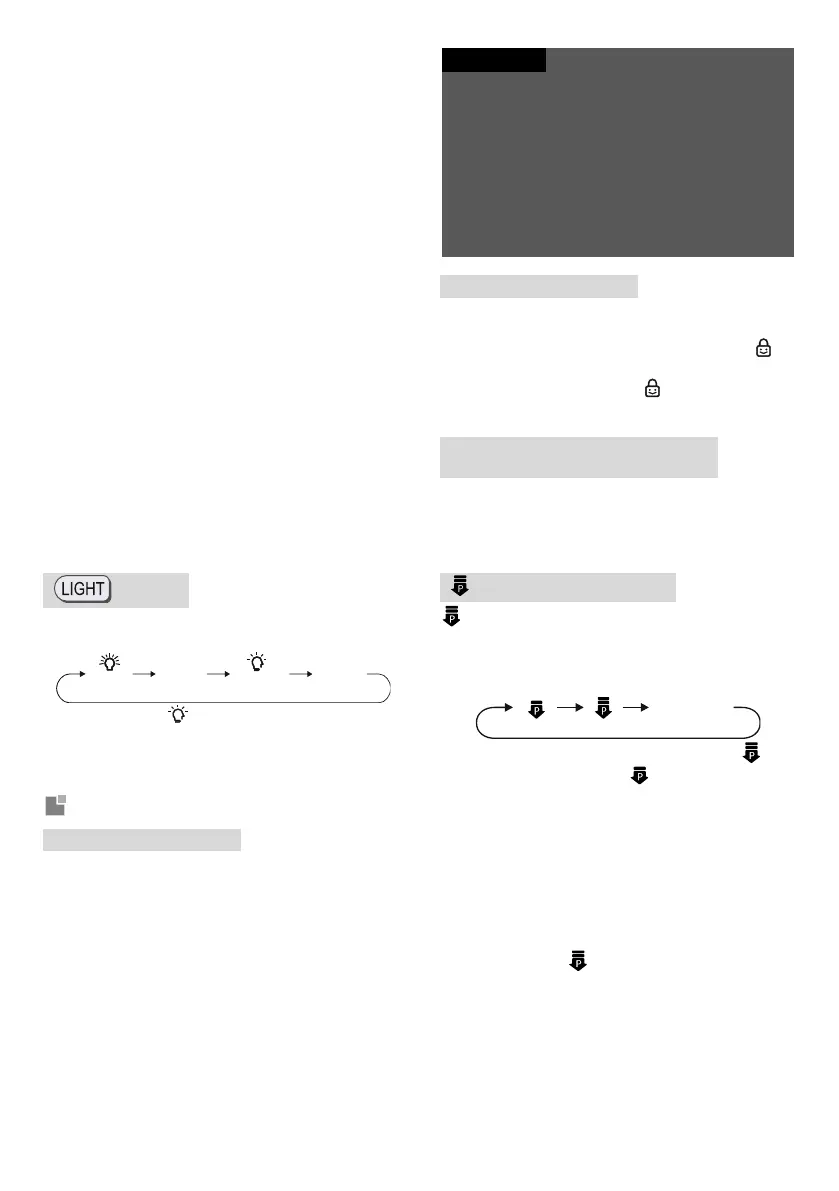
button
Press this button to control the LED display
function in the following cycle:
When you select (Auto LED) using the remote
control, the brightness of the LED indication on
the indoor unit will be adjusted automatically
according to the ambient light intensity.
Button combination functions
Energy Saving function
In Cool mode, press the Mode and Timer buttons
at the same time to activate or deactivate the
Energy Saving function. When the Energy Saving
function is activated, “SE” will appear on the
remote control display and the air conditioner will
automatically adjust the set temperature to the
factory setting to achieve the best energy saving
effect. In Cool mode, press the Mode and Timer
buttons at the same time again to deactivate the
Energy saving function.
In Energy Saving mode, the fan speed is set to
automatic by default and cannot be changed.
In Energy Saving mode, the set temperature cannot
be changed.
Sleep and Energy Saving functions cannot be used
at the same time. If the Energy Saving function is
on in Cool mode, the Energy Saving function will be
switched off when the Sleep button is pressed. If
the Sleep function is on in Cool mode, the Sleep
function will be switched off when the Energy
Saving function is activated.
Child Lock function
Press the On/Off and − buttons simultaneously to
switch the Child Lock function on or off. When the
Child Lock function is switched on, indicator
will be displayed. When you press the button on
the remote control, indicator will flash three
times without sending a signal to the unit.
Temperature display switchover
function
When the unit is off, you can switch between
displaying the temperature in °C and °F by
pressing the Mode and - buttons simultaneously
for 3 seconds.
Power limiting function
function is for limiting power of the whole unit.
Press the Mode and Sleep buttons
simultaneously to change the function in the
following cycle:
The maximum power limitation in mode is
lower than that in mode .
To cancel the power limiting function, press the
Mode and Sleep buttons repeatedly at the
same time until the function indicator on the
remote control disappears.
When the unit is turned off using the remote
control, the power limiting function is cancelled.
To activate it, press the above buttons again.
If the current power is lower than the maximum
power in mode , the power will not be limited
when such mode is activated.
The function in the system with one outdoor
unit and two indoor units: If either indoor unit
enters the power limiting mode, the outdoor
unit’s power will be limited according to the
setting of that indoor unit; if both indoor units
enter the power limiting mode, the outdoor




 To Next Page