Under humidity control in Dry mode, the
desired temperature cannot be set.
When continuous dehumidification is set, the
remote control will display ; on the remote
control and indoor unit, “Co” will be displayed.
The temperature cannot be set in continuous
dehumidification mode.
In continuous dehumidification mode, the unit
always operates in the Dry state; there is no
need to adjust the temperature and/or
humidity.
The air conditioner is primarily used for temperature
control; humidity control is an auxiliary function.
Humidity is affected by factors such as indoor and
outdoor environment, the degree of indoor air
tightness, and indoor airflow.
If the set humidity is higher than the current air
humidity, the set humidity cannot be achieved.
If the humidity sensor has a fault, the humidity
setting in Cool or Dry mode is ignored and the unit
operates in general Cool or Dry mode.
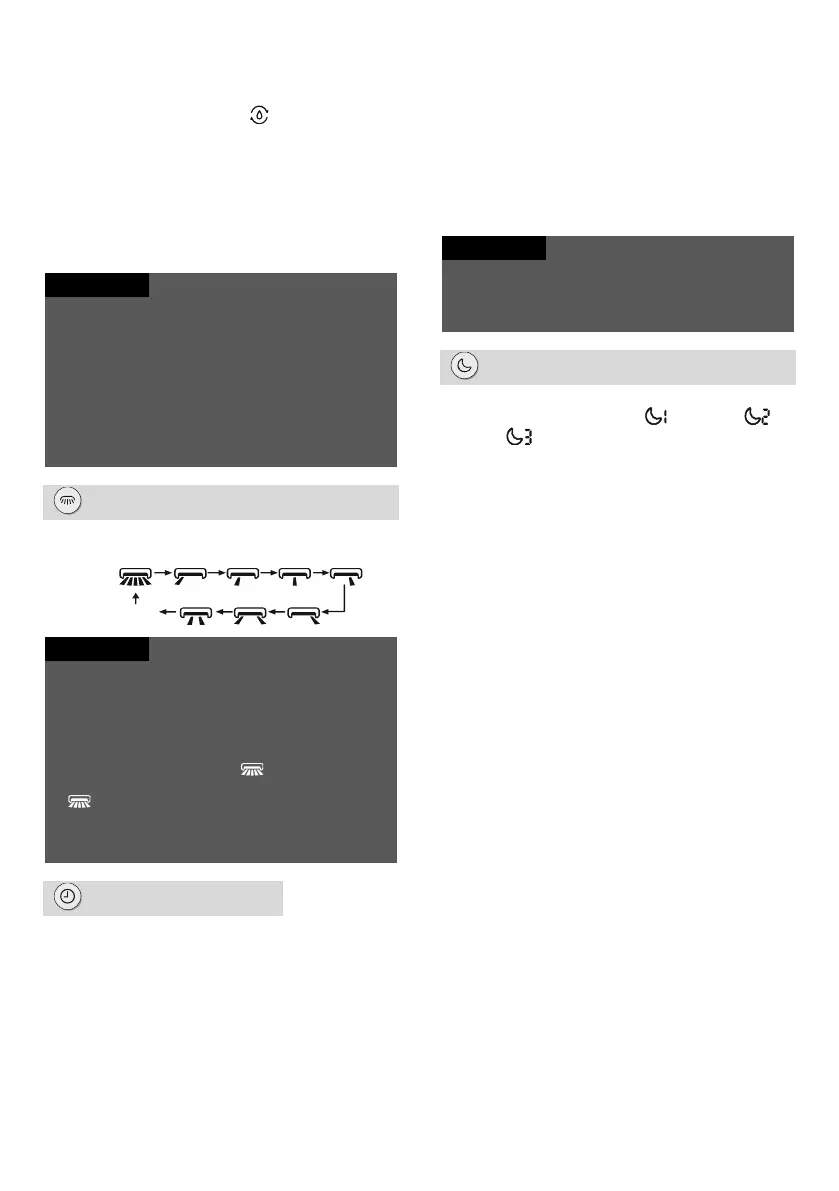
LR-swing button
Press this button to select left & right swing angle
in the following cycle:
If you press and hold this button for more than 2
seconds, the guide louver will start to swing back
and forth from left to right. When you release the
button, the louver will immediately stop at the
current position.
Under left and right swing mode, if you switch the
swing function on using the button and press
this button again after 2 seconds, the swing function
will switch off. If you press this button again
within 2 seconds, the swing function will also
change according to the cycle above.
This function is only available on some models.
button
When the unit is on, press this button once to
set Timer OFF. Indicators HOUR and OFF will
flash. Within 5 seconds, press the + or - button
to set the time ON. Each time the + or - button
is pressed, the set time will increase or
decrease by 0.5 hour. If you hold down the +
or - button for 2 seconds, the set time will start
to change rapidly. Release the button when the
desired time is reached. Press the Timer
button to confirm the setting. Indicators HOUR
and OFF will stop flashing.
Cancel Timer OFF: In the Timer OFF state,
press the Timer button again.
When the unit is off, press this button once to
set Timer ON. For the detailed procedure, see
Timer OFF.
Cancel Timer ON: In the Timer ON state, press
the Timer button again.
Time setting range: 0.5–24 hours
The interval between button presses during setting
must not exceed 5 seconds. Otherwise, the remote
control will automatically exit the setting mode.
button
Press this button to select the Sleep function in
the following cycle: Sleep 1 ( ), Sleep 2 ( ),
Sleep 3 ( ) or Off. When power is connected,
the Sleep function is switched off by default.
Sleep 1 mode
– In Cool mode: When Sleep 1 mode is on,
the set temperature will increase by 1 °C
after 1 hour and the set temperature will
increase by 2 °C after 2 hours. The unit then
continues to operate at this set temperature.
– In Heat mode: When Sleep 1 mode is on,
the set temperature will decrease by 1 °C
after 1 hour and the set temperature will
decrease by 2 °C after 2 hours. The unit
then continues to operate at this set
temperature.
Sleep 2 mode
In this mode, the air conditioner will operate
according to the factory preset temperature
waveform (group of temperature curves) for
sleep mode.
Sleep 3 mode
In this mode, the air conditioner will operate
according to the user-set temperature
waveform (temperature curve) for sleep mode.
(1) In Sleep 3 mode, hold down the Health
button to switch the remote control to the
user-set temperature waveform mode. The
display of the remote control will show 1
hour in the clock field and the last set
temperature for sleep mode will flash in the
temperature setting field (for the first
setting, this will be the temperature preset
by the manufacturer).
(2) Use the + or - button to change the
respective set temperature. Confirm the
setting by pressing the Health button.
No display
(stops at current position)




 To Next Page