9
Note: If save function is on, auto mode is not available.
3.4 Temperature Setting
Under unit on status, pressing “
∧
” or “
∨
” button on the main page
increases or decreases set temperature by 1
℃
(1
℉
); holding “
∧
” or “
∨
”
button increases or decreases set temperature by 1
℃
(1
℉
) every 0.3s.
In cooling, dry, fan and heating mode, temperature setting range is
16
℃
~30
℃
(61
℉~
86
℉
). Under auto mode, set temperature cannot be
adjusted.
3.5 Fan Setting
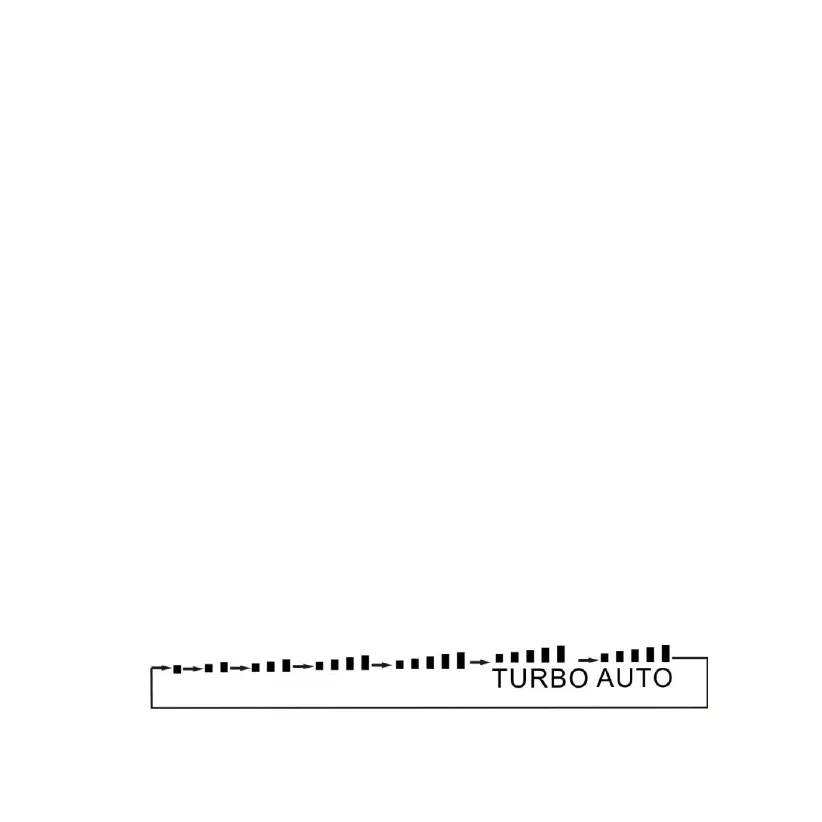
Under On status, pressing FAN button can set fan speed circularly
as:
Low→Medium low→Medium→Medium high→High→Turbo→Auto→Low
Symbols displayed are as shown in Fig. 6.
Fig. 6 Fan setting


 To Next Page