7
Before using the Machine
4.3 Power Switch
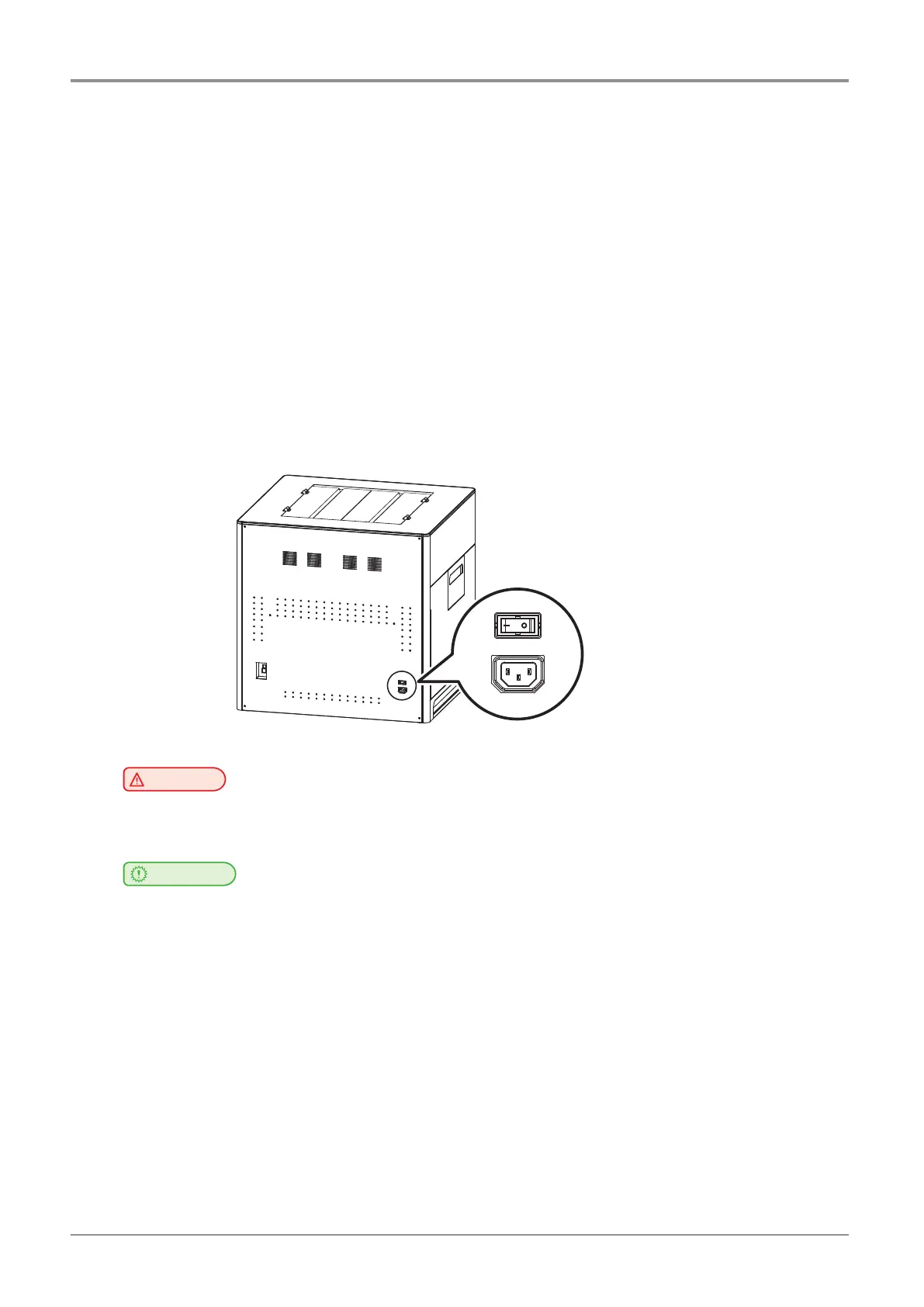
Before turning the power switch on, check that the power cord is connected to the socket tightly. Then, turn the power
onbypushthepowerswitchto“│”(ON)positionattherightonrearsideoftheMachine.Toturnthepoweroff,push
thepowerswitchto“○”(OFF)position.
│for“ON”IEC60417-5007(DB:2002-10)
○for“OFF”IEC60417-5008(DB:2002-10)
The Switch used for this machine meets the requirements on the symbols and complies with its standard. But the
horizontalstraightbarismeaningthePower“ON”becauseitsorientationisturned90ºtothecounterclockwise.Plea
sedon’tconfusethemeaningofthehorizontalstraightbar“─”.
Switch standard
IEC 61058-1
Symbolforthe“OFF”positionorthedirectionofactuationtothe“OFF”position–circle,○
Symbolforthe“ON”positionorthedirectionofactuationtothe“ON”position-straightbar,│
Warning
-
Do not plug or unplug the power cord or touch the power switch with wet hands. It may cause an
electrical shock.
Important
-
Onceyouturnthepoweroff,wait5secondsorlongertoturnthepoweronagain.
-
If you are not using the device for a long time or if you are moving the device, turn the power off and unplug the
power cord from the outlet.



 To Next Page