2-19
UI Menu Function
2
Extruder
This function is used to fine control the filament to its position.
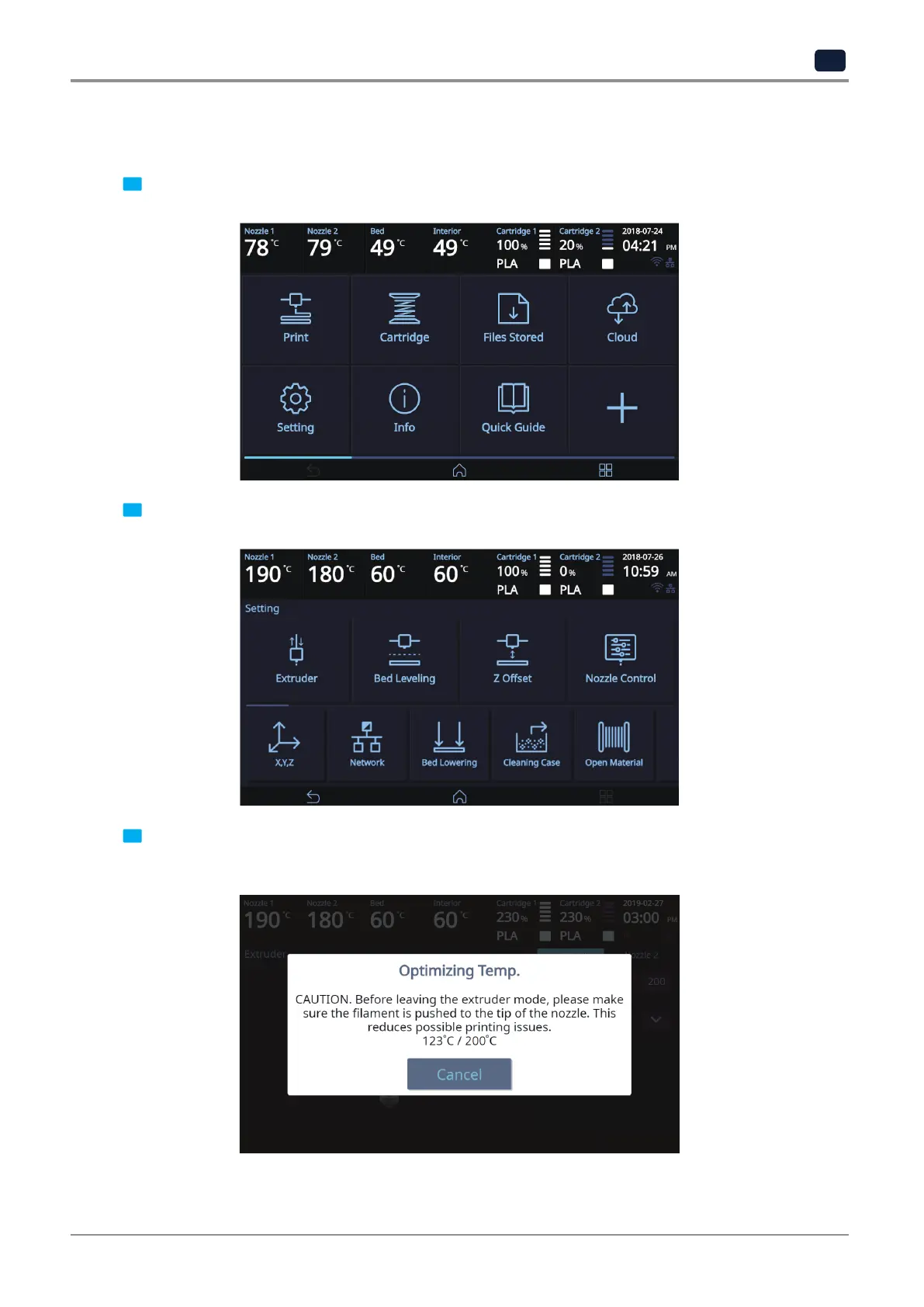
1 From home screen press [Setting].
2 Press [Extruder] to enter Extruder settings.
3 To Control [Extruder], Nozzle temperature needs to be raised.
Press the [Cancel] button to cancel temperature increase during the operation.



 To Next Page