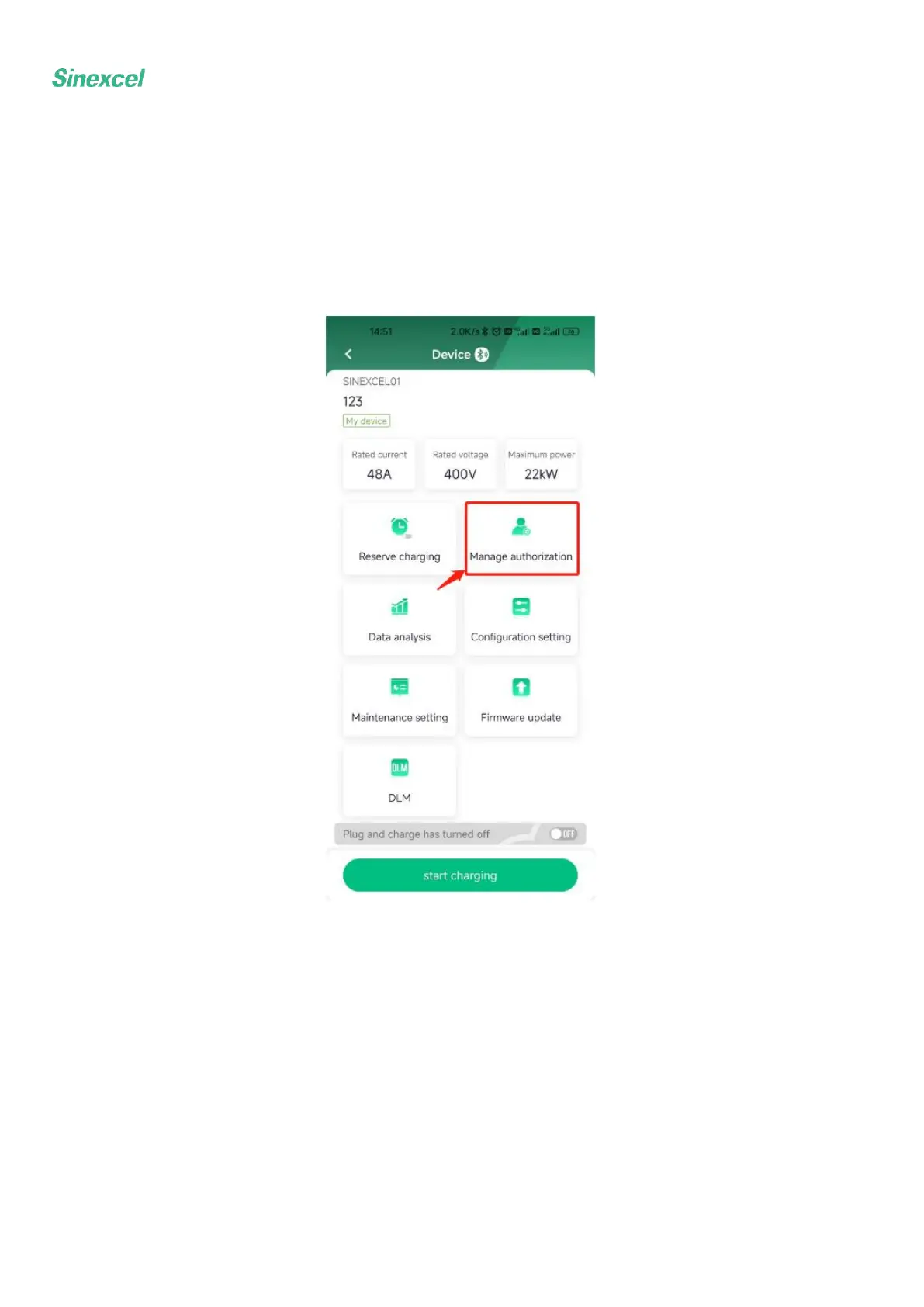
4.5 Authorization management
Click "Authorization Management" in the "Device Details" interface, click "Add Authorization" in the
upper right corner, enter the email account of the authorized user (registered), and click "Save and Apply"
to complete the authorization; The authorized user has some functions such as start/stop charging, timed
charging, plug and play charging and data analysis.


 To Next Page