BUTTONHOLE STITCHES
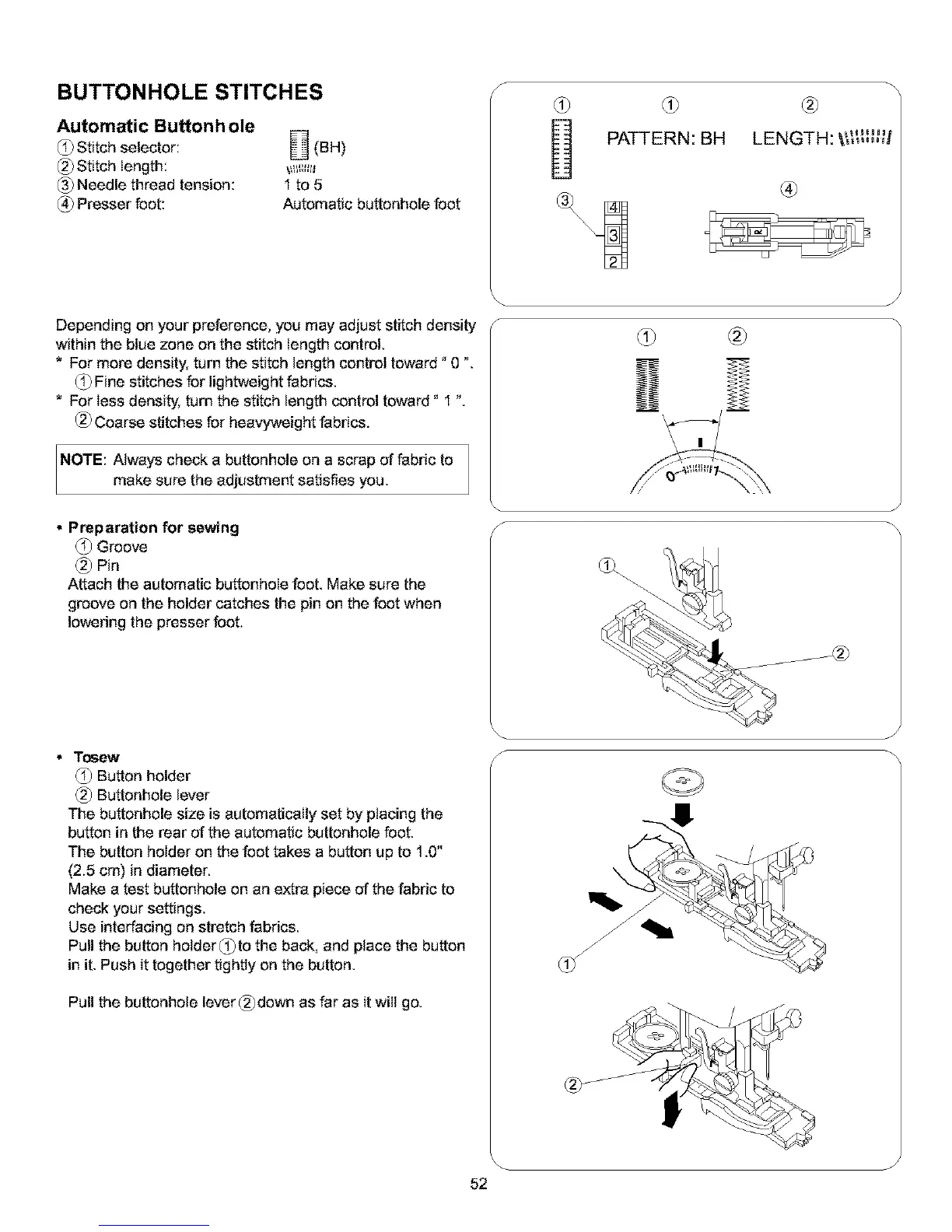
Automatic Buttonh ole
Stitch selector:
Stitch length:
(_ Needle thread tension:
(_ Presser foot:
(BH)
I to5
Automatic buttonhole foot
Depending on your preference, you may adjust stitch density
within the blue zone on the stitch length control.
* For more density, turn the stitch length control toward" 0 ".
(_ Fine stitches for lightweight fabrics.
* For less density, turn the stitch length control toward" I ".
(_ Coarse stitches for heavyweight fabrics.
NOTE: Always check a buttonhole on a scrap of fabric to
make sure the adjustment satisfies you.
Preparation for sewing
(_ Groove
(_) Pin
Attach the automatic buttonhole foot. Make sure the
groove on the holder catches the pin on the foot when
lowering the presser foot.
• Tosew
(_) Button holder
(_) Buttonhole lever
The buttonhole size is automatically set by ptacing the
button in the rear of the automatic buttonhole foot.
The button holder on the foot takes a button up to 1.0"
(2.5 cm) in diameter.
Make a test buttonhole on an extra piece of the fabric to
check your settings.
Use interfacing on stretch fabrics.
Pull the button holder(_)to the back, and place the button
in it. Push it together tightly on the button.
Pull the buttonhole lever (_)down as far as itwill go.
s
/-
s
s
(#
PATTERN: BH LENGTH, \_ J
®
J
/ /
J
52


 To Next Page