27
Pattern groups selection
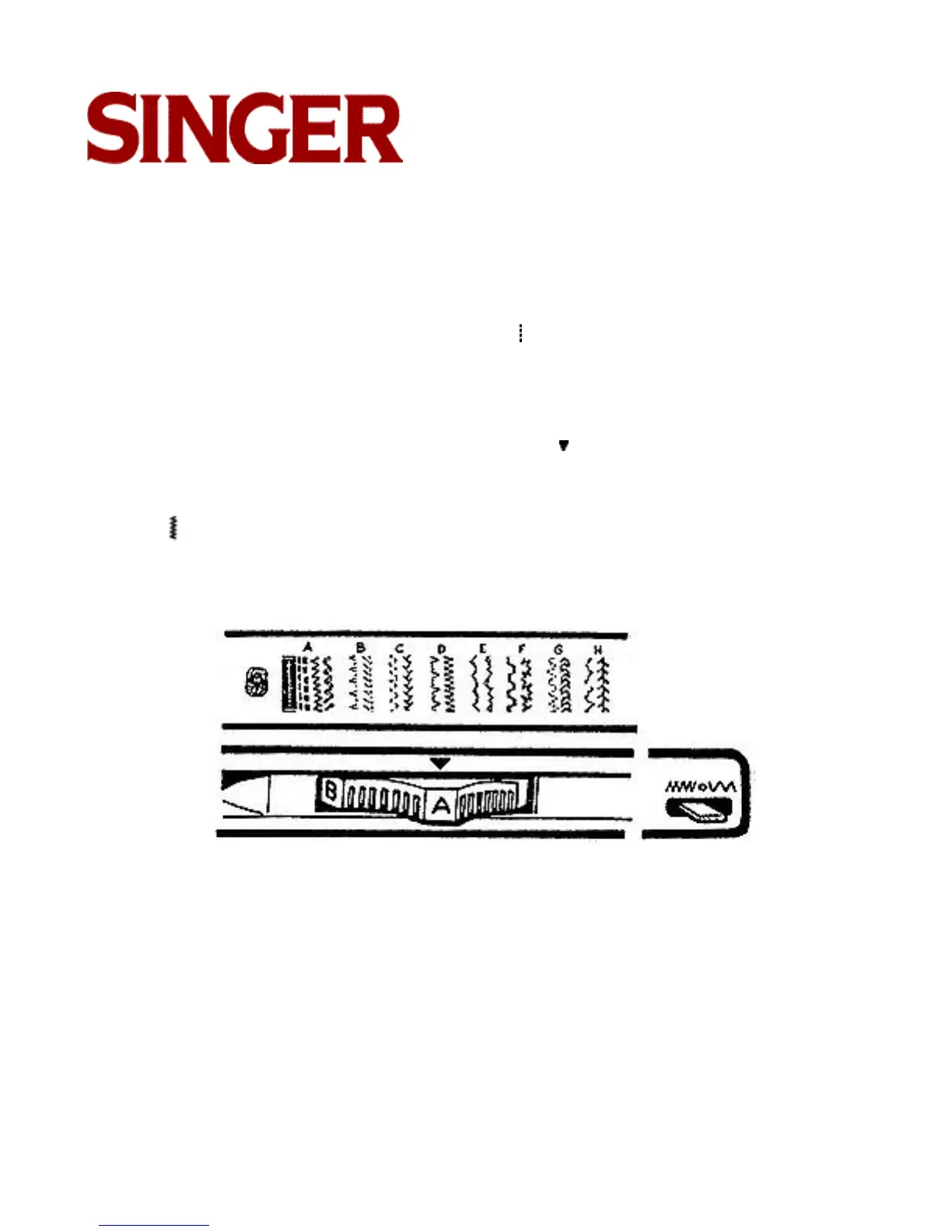
The dial localized on the panel of your machine, lets you choose pattern groups.
Raise the needle to its highest position.
Adjust the stitch width selector to straight position ( ).
This will see to it that the stitch pattern dial moves easier.
In order to single out the desired pattern group, just turn the dial until the corresponding letter
to this pattern group appears on the dial, under symbol .
After carrying out the embroidery selection, turn back the stitch width selector to the zig-zag
position ( ).
Adjust the stitch length as indicated on each kind of embroidery (from 1/2 to 2 1/2).



 To Next Page