30
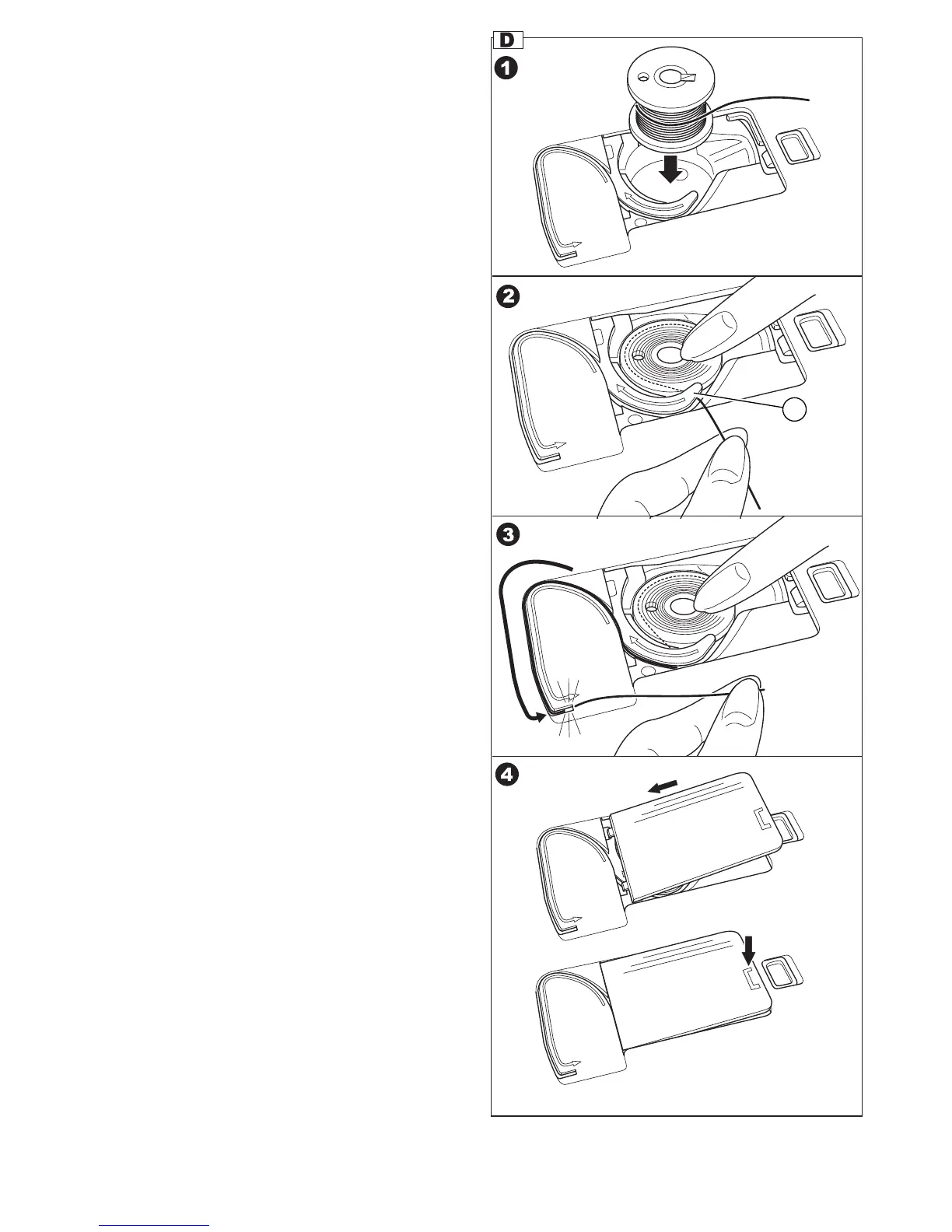
D. INSERTING THE BOBBIN
1. Place bobbin into bobbin holder, making
sure the bobbin turns in a counter clockwise
direction.
2. Draw thread into notch (a) while holding the
bobbin.
3. Pull thread along the groove up and then down.
Pull thread to the right to cut the thread.
4. Replace the bobbin cover. Set the left tabs into
the holes in needle plate and push the right side
of bobbin cover down until it clicks into place.
NOTE:
This machine can start to sew without drawing up
the bobbin thread.
If you want to draw up the bobbin thread, see page
34.
NOTE:
Be sure to use only SINGER Class 15 bobbins in
this machine.
a



 To Next Page