Preparations – 17
English
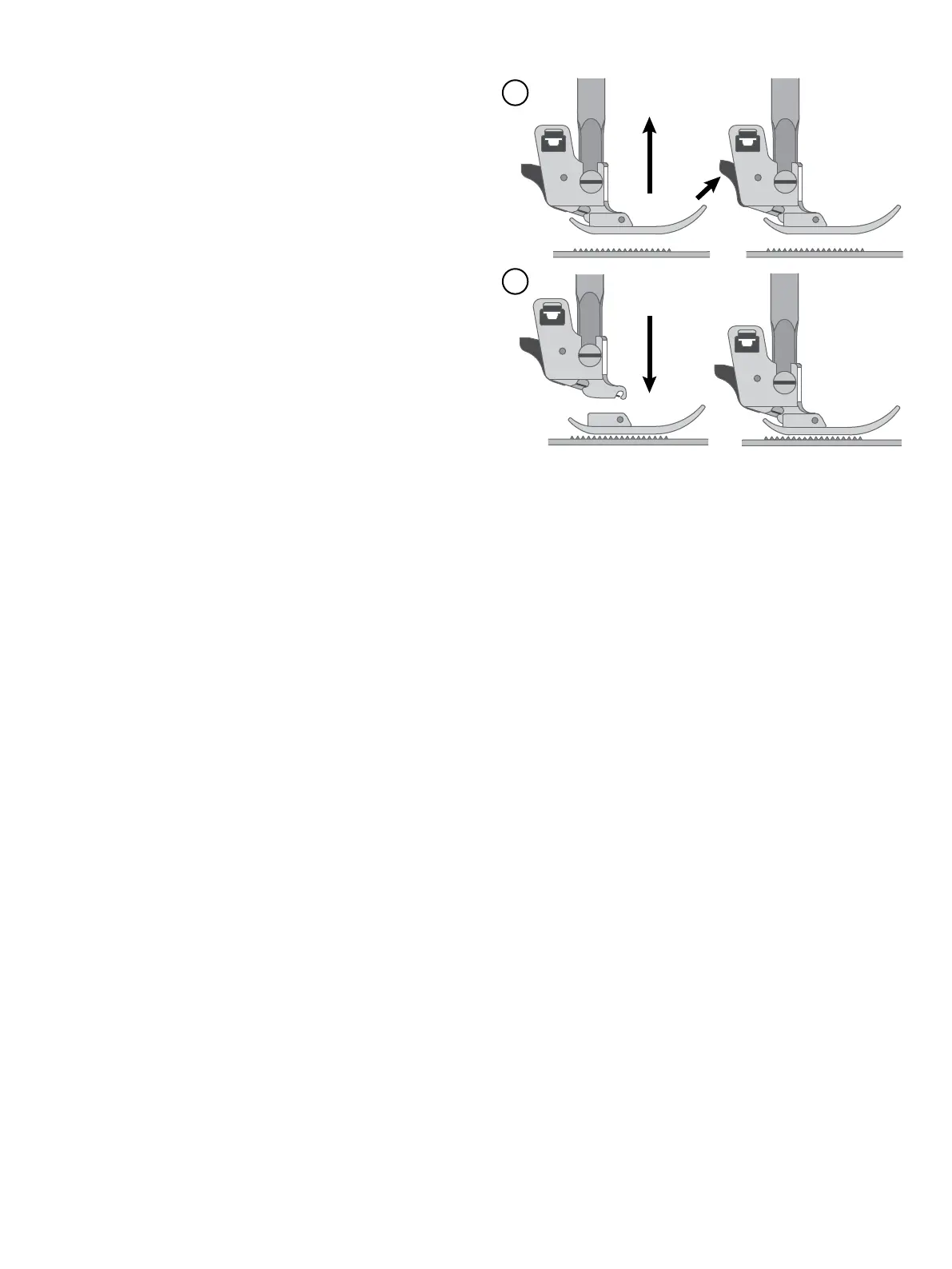
1. Make sure that the needle is in the highest position and
the presser foot is lifted. The presser foot release button
extends out the back of the presser foot holder. Press this
lever to release the presser foot.
2. To attach a presser foot to the holder, place the desired
presser foot with its pin directly under the slot in the press-
er foot holder. Lower the presser foot lifter and the presser
foot will snap into place.
Note: If you nd it dicult to place the presser foot in the cor-
rect position, keep the release button pressed while lowering
the presser foot. Use your thumb to carefully guide the presser
foot into the correct position and it will snap into place.
Change the Presser Foot
2
1






 To Next Page