EasyManua.ls Logo

Singer SteamCraft Plus - User Manual

Singer SteamCraft Plus
48 pages
Print Icon
To Next Page IconTo Next Page
Loading...
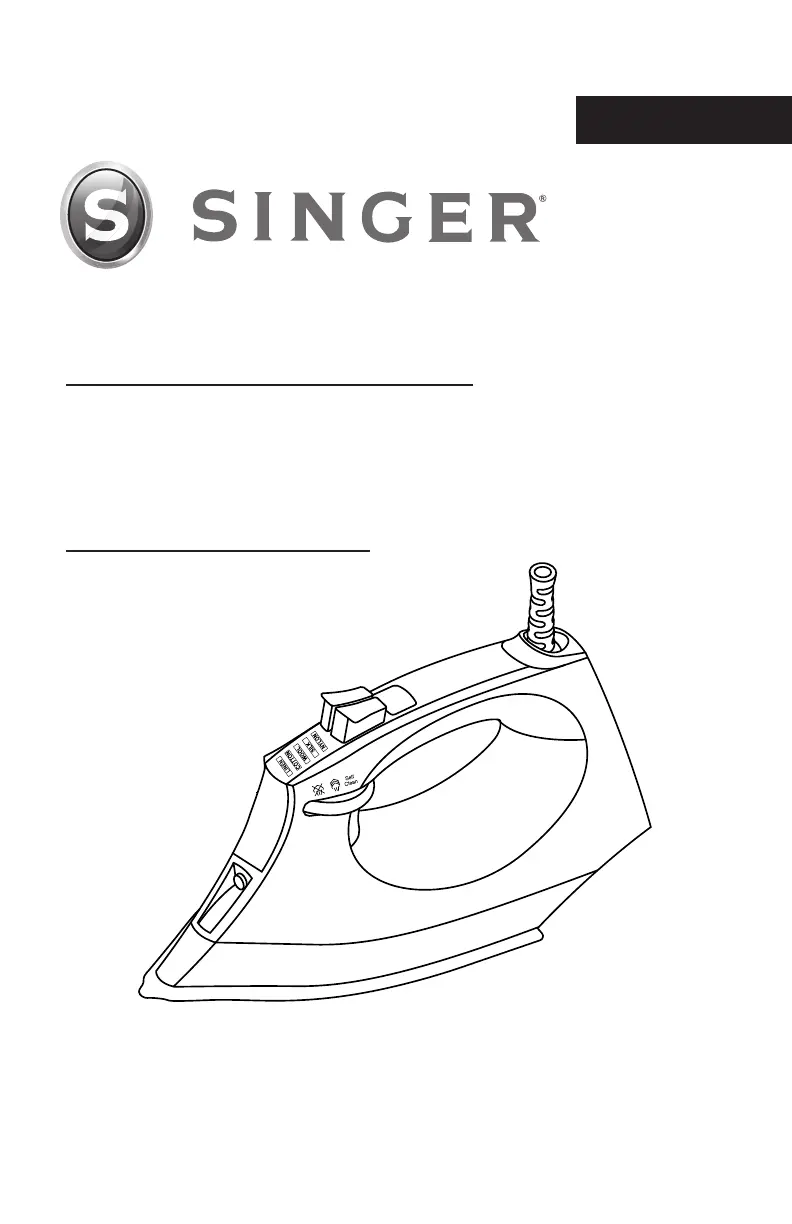
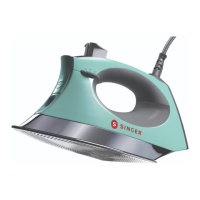
SteamCraft Plus Steam Iron
Instruction Manual
Please read all instructions before use.
English

Questions and Answers

  • B
    Brandon MaxwellAug 21, 2025
    What to do if Singer SteamCraft Plus is plugged in but the soleplate is cold?
    • A
      Alexandra SalasAug 21, 2025
      If your Singer Iron's soleplate is cold even when plugged in, try these solutions: First, plug the iron into another electrical outlet to rule out a faulty outlet. Second, check if the plug is properly inserted into the outlet. Third, if the temperature setting is set to “Low”, increase it to a higher temperature.
  • H
    Heather OnealAug 25, 2025
    Why is my Singer SteamCraft Plus Iron damaging fabric?
    • J
      Jimmy ReynoldsAug 25, 2025
      If your Singer Iron is damaging fabric, it's likely that the temperature setting is too high. To prevent damage, follow the garment guide or test the iron on an inside area of the garment before ironing. Adjust the temperature setting accordingly.
  • L
    leetinaAug 26, 2025
    How to fix a Singer SteamCraft Plus Iron when the steam burst is not working?
    • M
      Michael SextonAug 26, 2025
      If the Steam Burst function is not working on your Singer Iron, ensure there is enough water in the Water Tank by filling it according to the instructions in this manual. Also, if it's the first time you're using the feature, press the Burst of Steam Button a few times until steam is released.
  • W
    William MendezAug 28, 2025
    What to do if the Singer SteamCraft Plus Iron does not release spray mist?
    • A
      Allison ThorntonAug 28, 2025
      If your Singer Iron is not releasing spray mist, make sure there is enough water in the Water Tank, fill it according to the instructions in this manual. If it's the first time you're using the spray mist, press the Spray Button a few times until the mist is released.
  • A
    Alan TurnerAug 30, 2025
    How to remove flakes from Singer SteamCraft Plus Iron soleplate?
    • T
      Travis VasquezAug 30, 2025
      If flakes and impurities are coming out of the soleplate holes of your Singer Iron during ironing, it's likely due to using hard water, which has caused scale flakes to develop inside the soleplate. Perform Self-Cleaning one or more times, referring to the “Self-Cleaning” section of this manual.
  • B
    bradleyjenkinsSep 1, 2025
    Why is water leaking from the soleplate of my Singer Iron?
    • M
      Michelle VelezSep 1, 2025
      Water leakage from the soleplate of your Singer Iron can occur for several reasons. First, the iron's heat setting might be too low to produce steam; if that’s the case, set the temperature to the Max position using the Mode Light. Second, the Steam Selector might be in the ‘ON’ position while you are refilling the Water Tank; in this case, turn the Steam Selector to the off position before refilling. Finally, you might be pressing the Steam Button too many times and too quickly; if so, press the Steam Button slower and only 2-3 times.
  • K
    Kathleen MannSep 3, 2025
    What to do if my Singer Iron is plugged in but the soleplate is cold?
    • E
      emilygreeneSep 3, 2025
      If your Singer Iron is plugged in but the soleplate remains cold, there could be a few reasons. First, the electrical outlet may not be working, so try plugging the iron into another outlet. Second, there might be a connection problem; ensure the plug is properly inserted into the outlet. Finally, the temperature setting might be set too low; if so, set the temperature to a higher setting.
  • L
    Lynn ParkerSep 5, 2025
    What to do if my Singer SteamCraft Plus is damaging fabric?
    • W
      williamstevensSep 5, 2025
      If your Singer Iron is damaging fabric, it could be due to the temperature setting being too high. To resolve this, follow the garment guide or test the inside of the garment before ironing, and adjust the temperature setting accordingly.
  • M
    Melissa ArnoldSep 7, 2025
    Why is my Singer Iron not releasing steam?
    • J
      Julia ReeseSep 7, 2025
      If your Singer Iron is not releasing steam, there are a couple of potential causes. First, there might be low water in the Water Tank; if so, fill the Water Tank using the instructions in this manual. Second, the Steam Selector might be in the Steam Off position; in that case, turn the Steam Selector to the Steam ON position.
  • S
    Scott GloverSep 10, 2025
    Why is the soleplate of my Singer SteamCraft Plus Iron too cool?
    • N
      Nicole GarciaSep 10, 2025
      If the soleplate of your Singer Iron is too cool, it is likely due to an incorrect temperature setting. To fix this, turn the Mode Light until you reach the correct (higher) temperature setting.

Summary

Important Safety Instructions

Product Information

Before First Use

Instructions for initial setup and preparation of the steam iron.

Using Your SteamCraft Plus Steam Iron

Fill the Water Tank

Step-by-step guide on how to fill the iron's water reservoir.

Set the Temperature

Instructions for selecting the appropriate heat setting for different fabrics.

Ironing

Steps for operating the steam iron and selecting temperature settings.

Steam Functions

Details on using burst steam, vertical steaming, and spray functions.

Operational Features

Information on auto shut-off, draining, anti-drip, anti-scale, and self-cleaning.

Cleaning & Maintenance

Guidance on cleaning the iron and its soleplate.

Helpful Ironing Tips

Advice and tips for effective and safe ironing practices.

Troubleshooting

Warranty

Limited Warranty

Details on the warranty coverage, exclusions, and limitations.

Singer SteamCraft Plus Specifications

General IconGeneral
TypeDry & Steam iron
Cord length3.7 m
Control typeButtons, Rotary
Product colorGrey, Mint colour
Soleplate type-
Variable steamYes
Water tank capacity0.3 L
Auto power off after30 min
Steam boost performance- g/min
Iron power1750 W
AC input voltage120 V
AC input frequency60 Hz

Related product manuals