Quick Installation Guide | 1110 | Quick Installation Guide
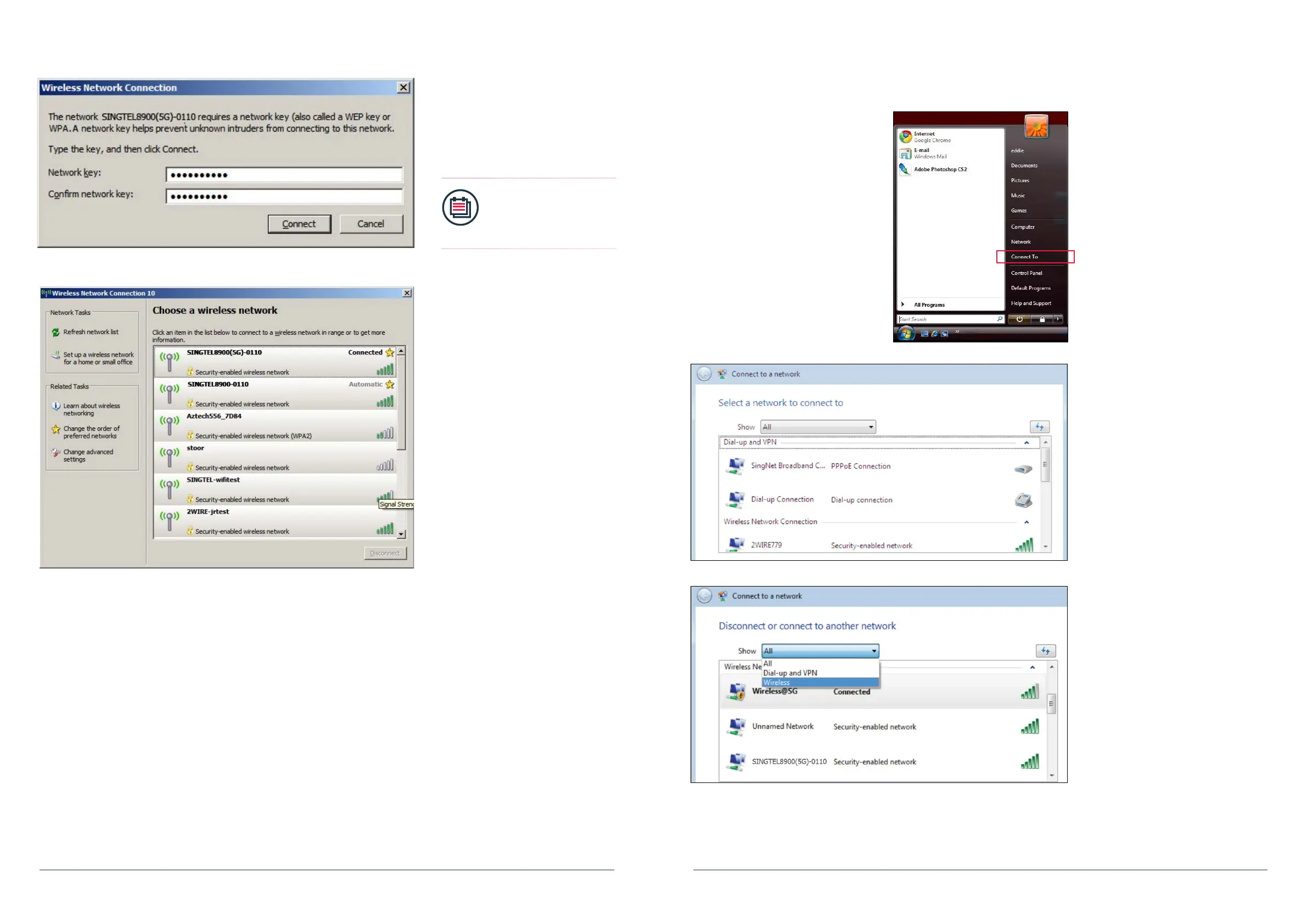
5. You will see the screen on the left if
the setup is successful.
Section C: If You Are Using Windows Vista
1. In Windows Vista, Click on the
Start button.
2. Click on Connect To.
3. You will see the screen on the left.
4. Under Show, select “Wireless”.
4. You will be prompted to type the
10-Digit Network Key into the
“Network Key” and “Conrm
Network Key” elds. Click on the
“Connect” button to complete the
setup and wait for the network
address to be acquired.
Note:
Please refer to section A
if you are unsure of your
Network Key.


 To Next Page