DVDMENUSETUP
ToaccesstheDVDmenu:
1.Pressthebutton.
2.Pressthedirectionbuttonstoswitchbetweenthedifferentsetuppages.
3.Pressthedirectionbuttontomovethecursortothepositionyouwant,then
pressthebuttonagaintoenterthesubdirectory.
4.Pressthebuttonsagaintoenterthenextsubdirectory.
Note:
Youcanpresstheupordowndirectionbuttonstomovethecursorandselect
anyitembyusingthebuttoninanymenu.
Pressthebuttontoexitthesystemsetup.
SETUP
PLAY/ENTER
PLAY/ENTER
PLAY/ENTER
SETUP
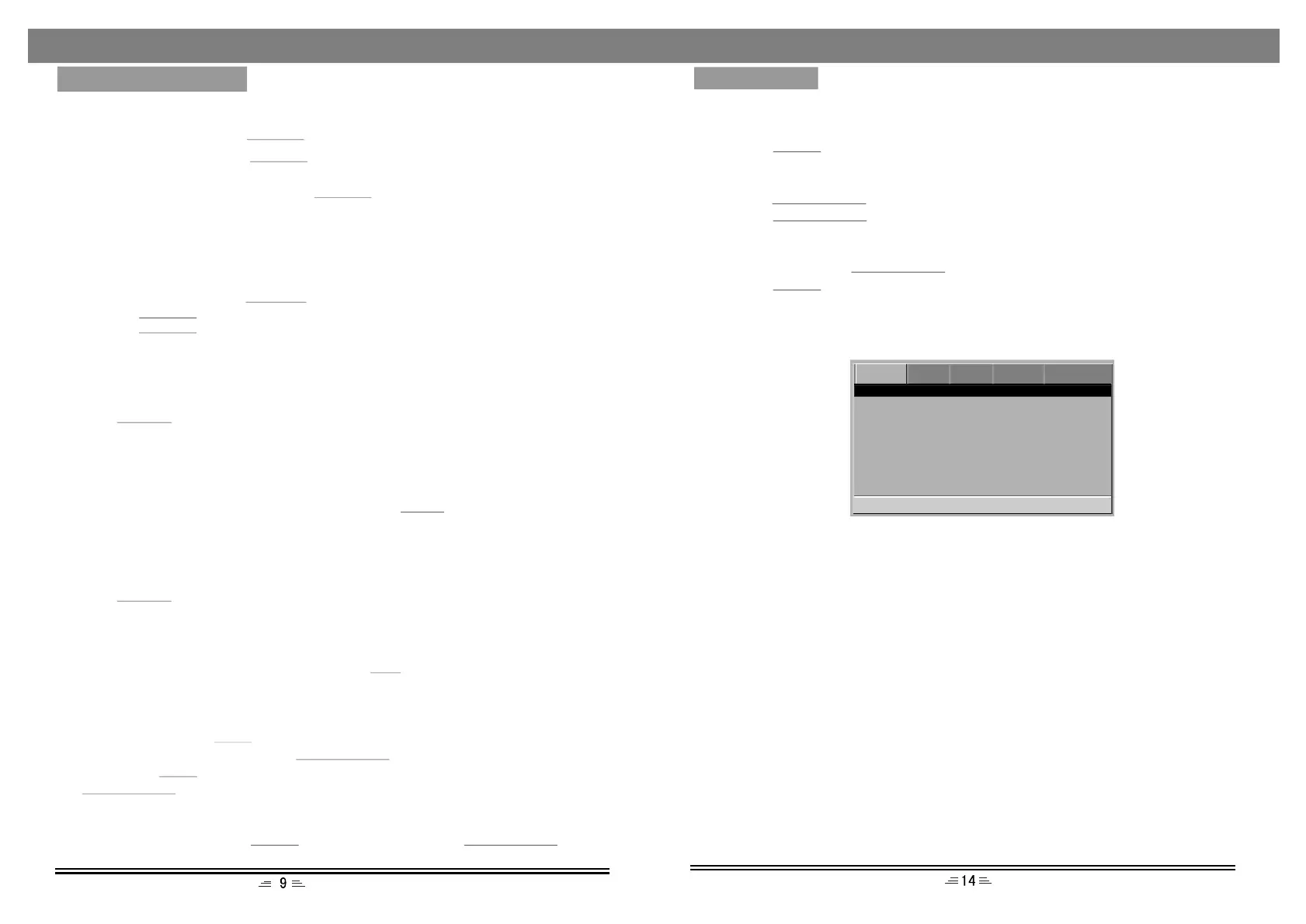
DVDSetupPage
OSDLanguage
Thisoptionisusedtoselectthelanguageofallthescreendisplaysandsetupmenus.
AudioLanguage
WhenplayingDVDdiscs,theplayerwillautomaticallyplaythebuilt-inlanguageof
thedisc.Theoptionsareasfollow:English,French,Spanish,Chinese,Japanese,
Korean,Russian,ThaiandOthers.
SubtitleLanguage
WhenplayingDVDdiscs,theplayerwillautomaticallyplaythebuiltinsubtitle
languagesofthedisc.Thisunitcouldplaysuchbuilt-inlanguagesas:English,French,
Spanish,Chinese,Japanese,Korean,Russian,ThaiandOthers.Youcanselectanyone
asthebuilt-insubtitleorclosethesubtitle.
MenuLanguage
Thisunithasthefollowingmenulanguagesavailable:English,French,Spanish,
Chinese,Japanese,Korean,Russian,ThaiandOthers.
--DVDSetup--
OSDLanguage
Audio
Subtitle
Menu
ENG
ENG
ENG
ENG
Repeat
Whileinplaymode,pressthebuttontosetrepeatmode.REPEAT
1.ForDVD,asyoupressthebutton,theTVscreenwilldisplay:Chapter,REPEAT
Title,All.
2.ForVCD,CD,CD-Rdiscs,pressthebutton,thescreenwilldisplay:
Track,All.
REPEAT
3.ForMP3,JPEGandothermediafiles,thescreenwilldisplay:Single,Repeatone,
RepeatFolder,Folder.
A-BRepeat
Whileinplaymode,pressthebuttontosetthesectionforrepeating.REP.A-B
1.Pressthebuttononceatthebeginningofthesection(A).REP.A-B
2.Pressthebuttonattheendofthesection(B).ThenitwillautomaticallyREP.A-B
repeatsectionAB.
3.PressthebuttonagaintoexitA-Brepeat.
Standbymode
Pressthebuttonontheremotecontrol,theplayergoesintothestandby
modeandthedecorativelightonthefrontpanelison.
(Makesurethattheunitisconnectedtothepowersource).
POWER
Title
IftheDVDdisccontainsadirectorycolumn;pressthebuttontodisplaythelist
oftitlesonthedisc.Usethedirectionbuttontomovethecursororthedigitalbuttonto
selecttheitemsthatyouwanttoplay.
TITLE
Volumesetting
Pressthebuttonstoturnthevolumeupordown.
(Whenthevolumeiszero,5.1channeloutputhasaudio.)
VOL.+/-
DVD VIDEOAUDIOSYSTEMPASSWORD
GoToDVDSetupPage
MENUSETUP
Stop
Whileplaying,pressthebuttononce,theplayerwillstoptheplaying;thestop
positionwillbememorised.Pressthebuttontoresumeplay.
Ifyoupressthebuttontwice,thestoppositionwillnotbememorized,press
thebutton,theplayingwillstartfromthebeginning.
STOP
PLAY/ENTER
STOP
PLAY/ENTER
Pause
Whileplayingadisc,pressthebuttontopause,pressthe
buttontocontinuetheplaying.
PAUSEPLAY/ENTER
Subtitle
IfaDVDdiscsupportssubtitlelanguages,usethebuttontoselectoneofthe
languages:English,French,Spanish,Chinese,Japanese,Korean,RussianandThai.
SUB
BASICOPERATIONS


 To Next Page
 Loading...