12 | Sinterit Lisa PRO USER MANUAL (short version)
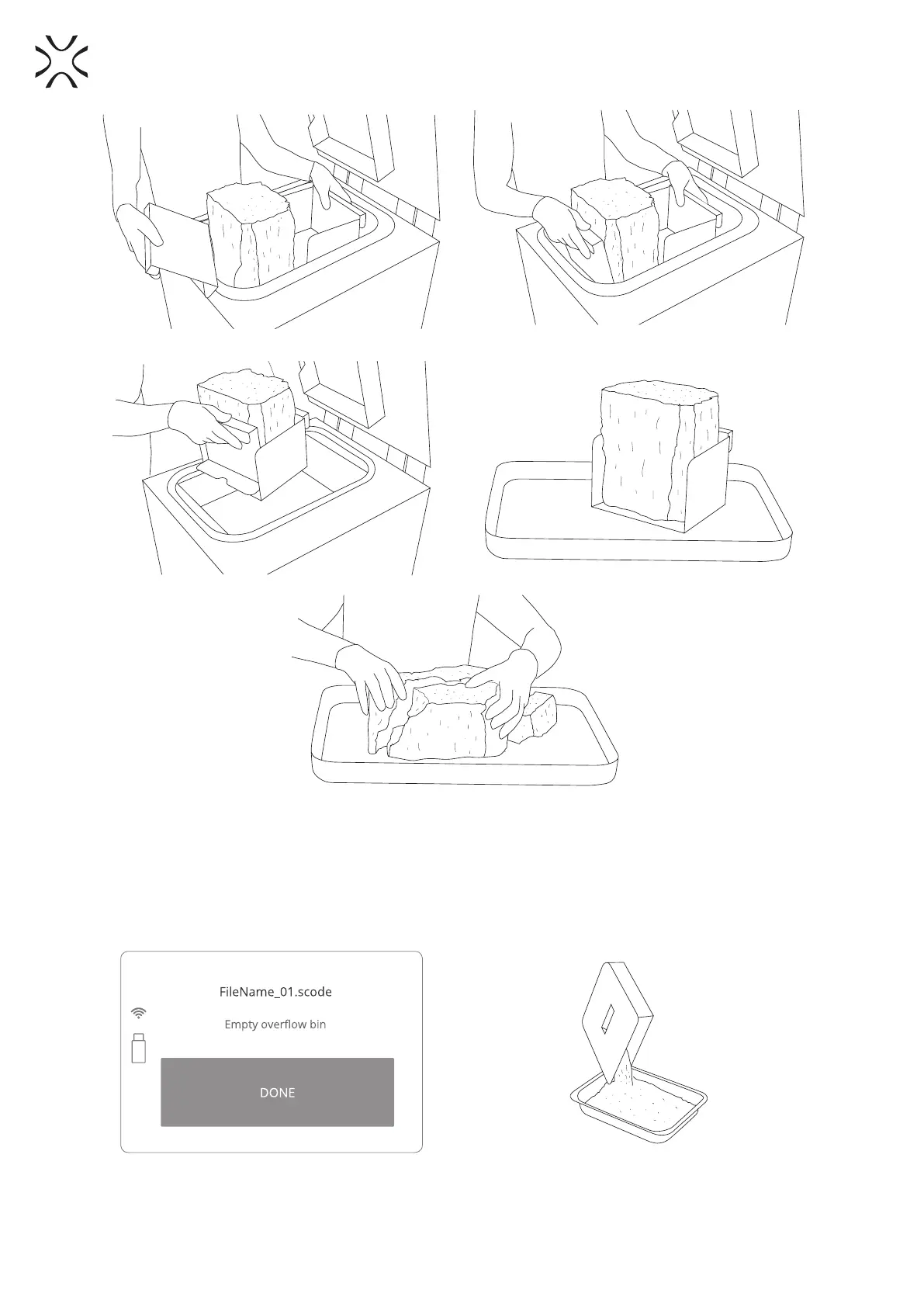
Image 31. Correct way of taking out the PRINT BED content (printouts and unsintered powder).
5. Remove the unsintered powder from the OVERFLOW BIN. Press Unlock Overow Bin button on the LCD
screen. The lock deactivates for 10 seconds. After 10 seconds the lock will become active again.
6. Transfer it to the container in which it will be mixed, with the FRESH POWDER (to refresh the used powder
and prepare it for the next print).
7. Place the OVERFLOW BIN back in its place.
Image 32. OVERFLOW BIN cleaning screen.
Image 33. Correct cleaning of the OVERFLOW BIN.



 To Next Page