Sinterit Lisa PRO USER MANUAL (short version) | 5
2. Preparing the machine to print
A. INSTALLING / CLEANING THE LASER PROTECTIVE GLASS
CAUTION!
Beware of sharp edges. Put on the safety gloves in order to protect yourself from injuring
the hand against the edge of the heating module.
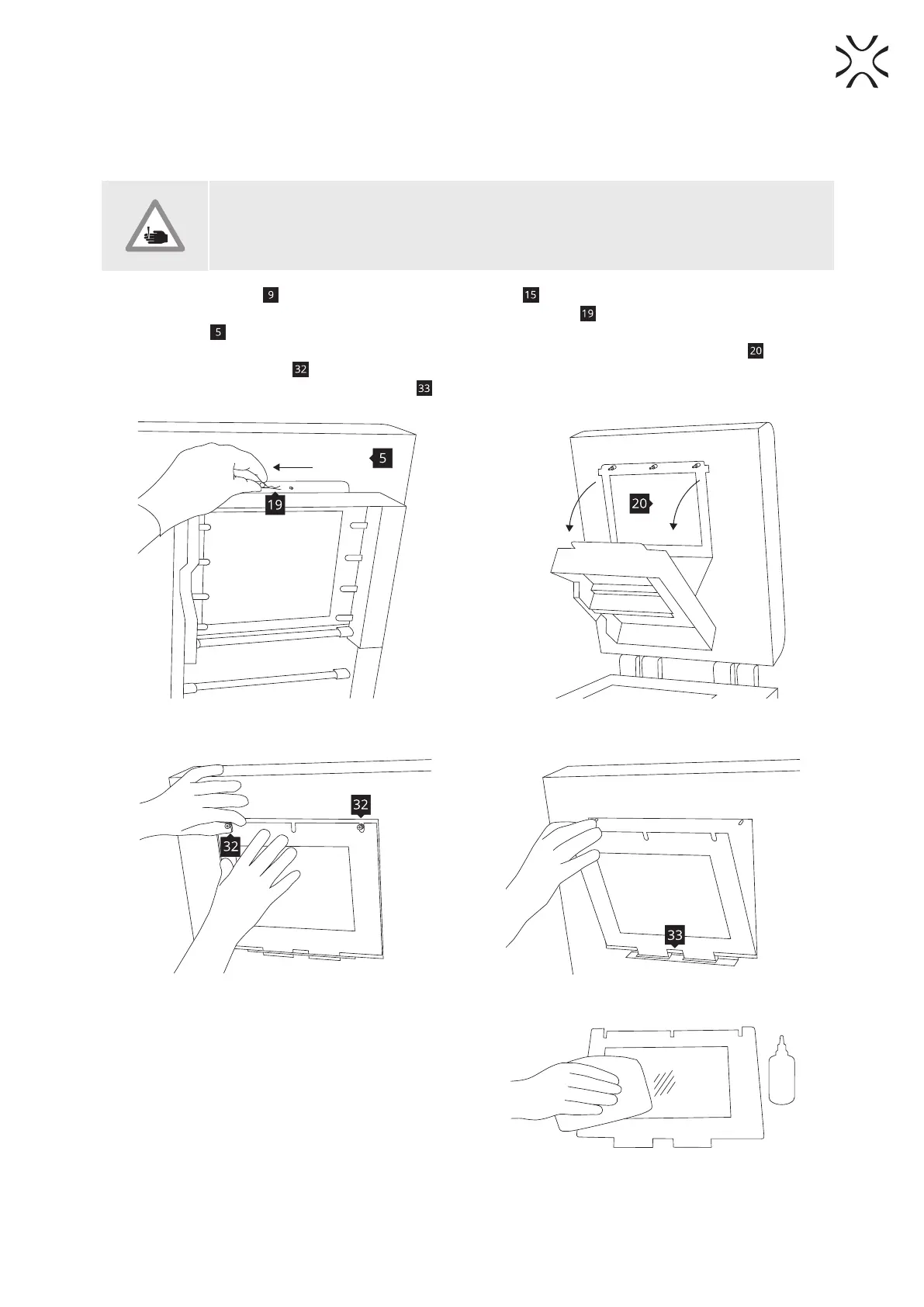
1. Turn of the safety key
switch and turn o the power switch .
2. While holding the heater module (Image 4 and 7), take out the split pin
positioned on the top of the inner
part of the lid
.
3. Lower the heating module to get access to the place dedicated for the LASER PROTECTIVE GLASS
(Image 8).
4. Unscrew two knurled nuts
from the LASER PROTECTIVE GLASS module (Image 9).
5. Remove the module from the locking holders
located in the middle of the lid.
Image 7. Heater module - split pin system. Image 8. Heater module - opening.
Image 9. Correct unmounting of the LASER PROTECTIVE GLASS.
6. Rub the surface of glass carefully with a cotton
cloth soaked with 2% salicylic acid (ethanol solution)
or any other ethanol-based solution. Do not use
isopropyl alcohol! Pay attention to any bers left
on the surface. Clean both sides (Image 10).
Image 10. Correct unmounting of the LASER
PROTECTIVE GLASS.



 To Next Page