6 | Sinterit Lisa PRO USER MANUAL (short version)
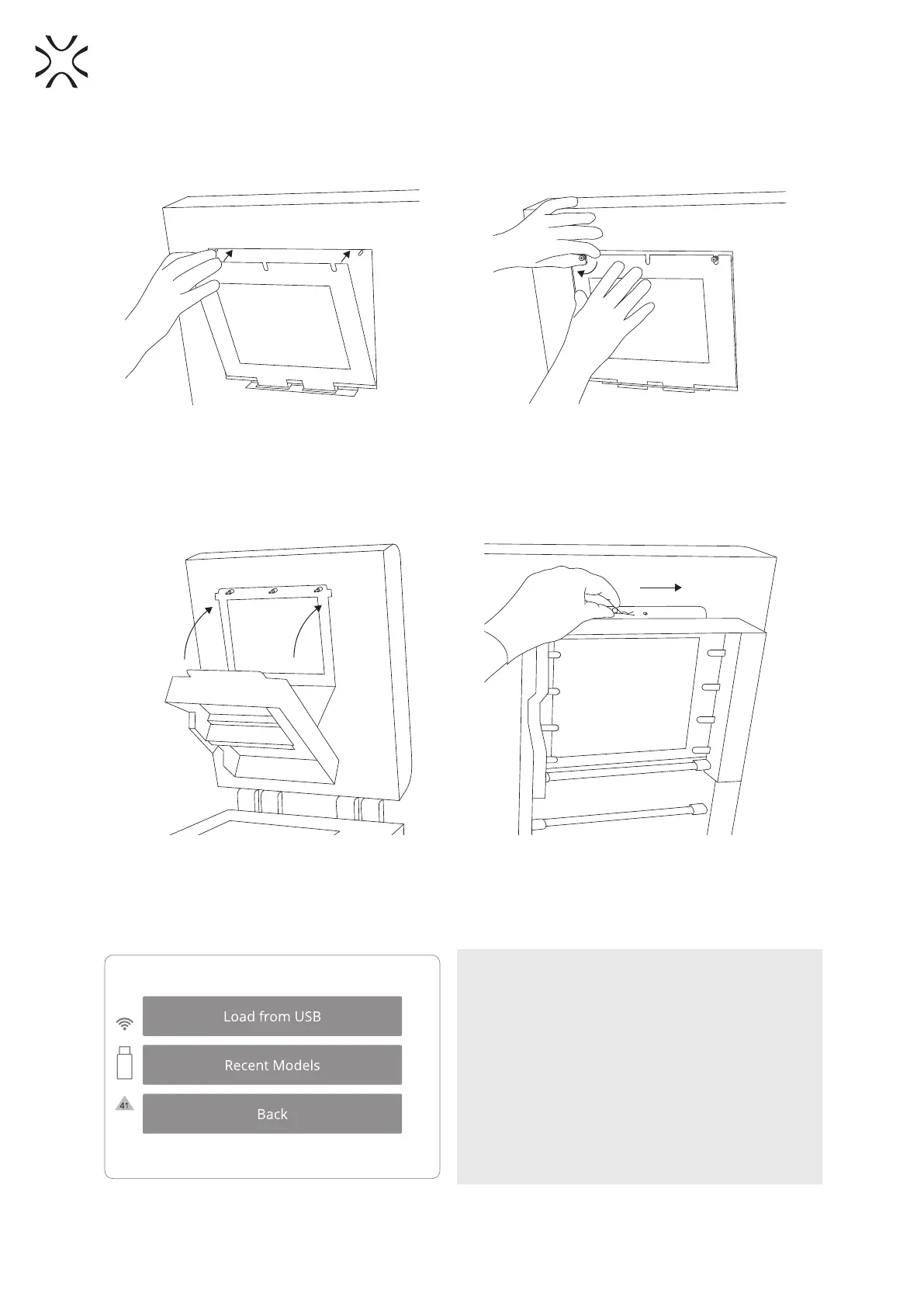
7. Mount the glass: slide the metal tabs of the LASER PROTECTIVE GLASS module into the holders located in
the middle of the lid. Press gasket gently. After obtaining the perfect t, screw the knurled nuts on to the
visible screws (Image 11).
Image 11. Correct placement of the LASER PROTECTIVE GLASS on the heater module.
8. Join the heating module with the lid – using the metal split pin (Image 12).
9. Clean the glass one more time from any nger marks or stains if present.
Image 12. Correct closing of the heating module.
10. After carrying out all of these steps, the printer may once again be connected to the power source, turned
on and prepared for work.
IMPORTANT!
Yellow triangle displayed on the side of the screen
informs about a malfunction.
Please contact the Support Team (section 7, page
15) by referring to the code displayed inside the
warning triangle and providing the serial number
of the device.



 To Next Page