9
4. Control
a. Basic
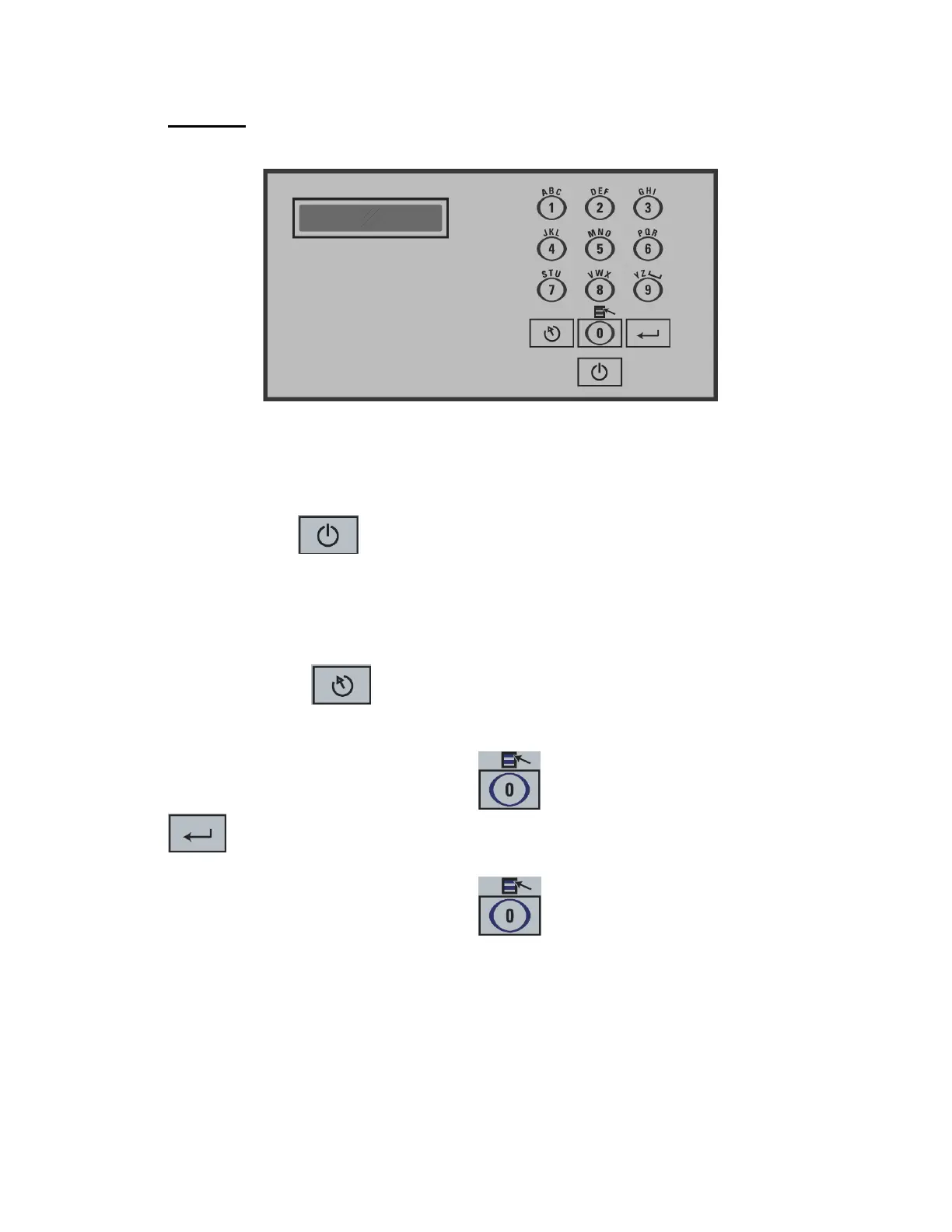
Use power key to power the vacuum packaging machine. When the unit is
energized, the identification of the last executed program is displayed on LCD
screen. To disconnect, use the power key to turn off the machine, then remove
plug from outlet. Do not unplug by pulling on cord. To unplug, grasp the plug, not
the cord. Unplug from outlet when not in use and before servicing or cleaning.
Use the esc key to change over from the programs menu to the functions
menu and from the functions menu to the programs menu.
In functions menu, use select key to select a function and enter key
to accede and executed the selection.
In programs menu, use select key to select a program and enter key
to accede and modify the selection.
In programs submenu, use enter key to pass over the parameters and point to the
following one; the parameters are blinking to point out the acquisition mode. A
return to programs menu is performed automatically following the last parameter
acquisition.


 To Next Page