58 35 595 D 3329
D 3329.201.01.20.02 02.2009
41
Sirona Dental Systems GmbH 7 Maintenance
Operating Instructions CEREC 3 Changing the water
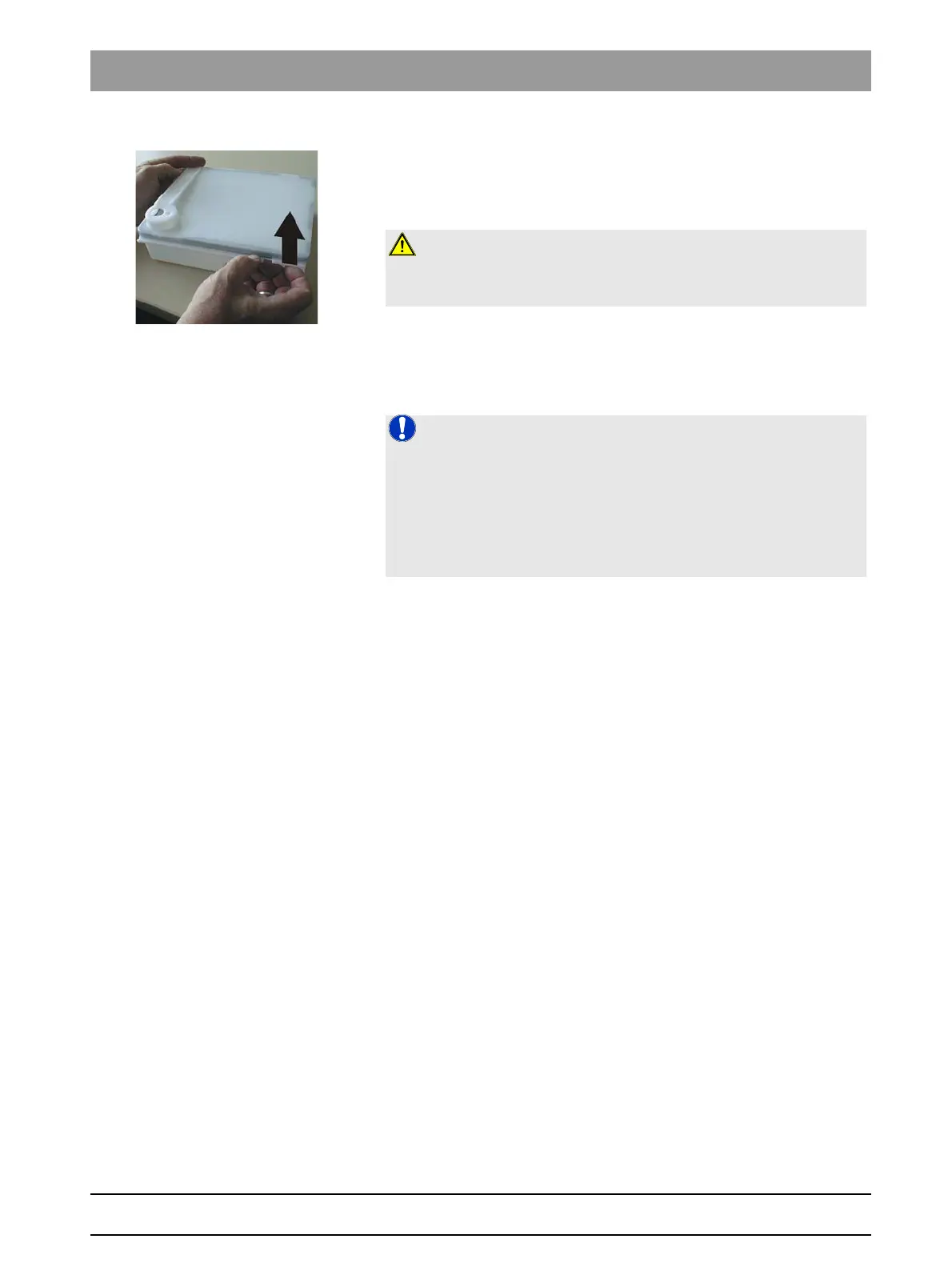
4. Open the water tank and rinse it out.
5. Check the water tank and the filter for dirt and contamination.
6. If the water tank or the filter is dirty, clean it thoroughly under running
water. Detach the filter, rinse it out with water, and then reinsert it.
7. Add approx. 50 ml* of DENTATEC to the tank.
or
¾ * With the materials IVOCLAR VIVADENT IPS Empress CAD and
IVOCLAR VIVADENT IPS e.max CAD, approx. 75 ml.
8. Fill the tank up to the notch with water (bottom edge of cover; approx. 2
liters).
9. Close the water tank.
10. Push the water tank back into the housing just far enough so that the tank
catch engages (press the catch downward if necessary).
CAUTION: Inadmissible foam!
If any cleaning agents are used, this will result in an inadmissible foam.
Do not use any cleaning agents.
NOTE: Recommended mixing ratio:
25ml of DENTATEC with 1l of water.
Deviations are possible for certain materials:
¾ With IVOCLAR VIVADENT IPS Empress CAD and IVOCLAR
VIVADENT IPS e.max CAD, mix approx. 37.5ml with 1l of water.
¾ With CAD-Waxx, mix approx. 5ml with 1l of water. See also the operating
instructions for the corresponding material.




 To Next Page