58 35 595 D 3329
40 D 3329.201.01.20.02 02.2009
7 Maintenance Sirona Dental Systems GmbH
Changing the water Operating Instructions CEREC 3
7.1.2 Changing the water
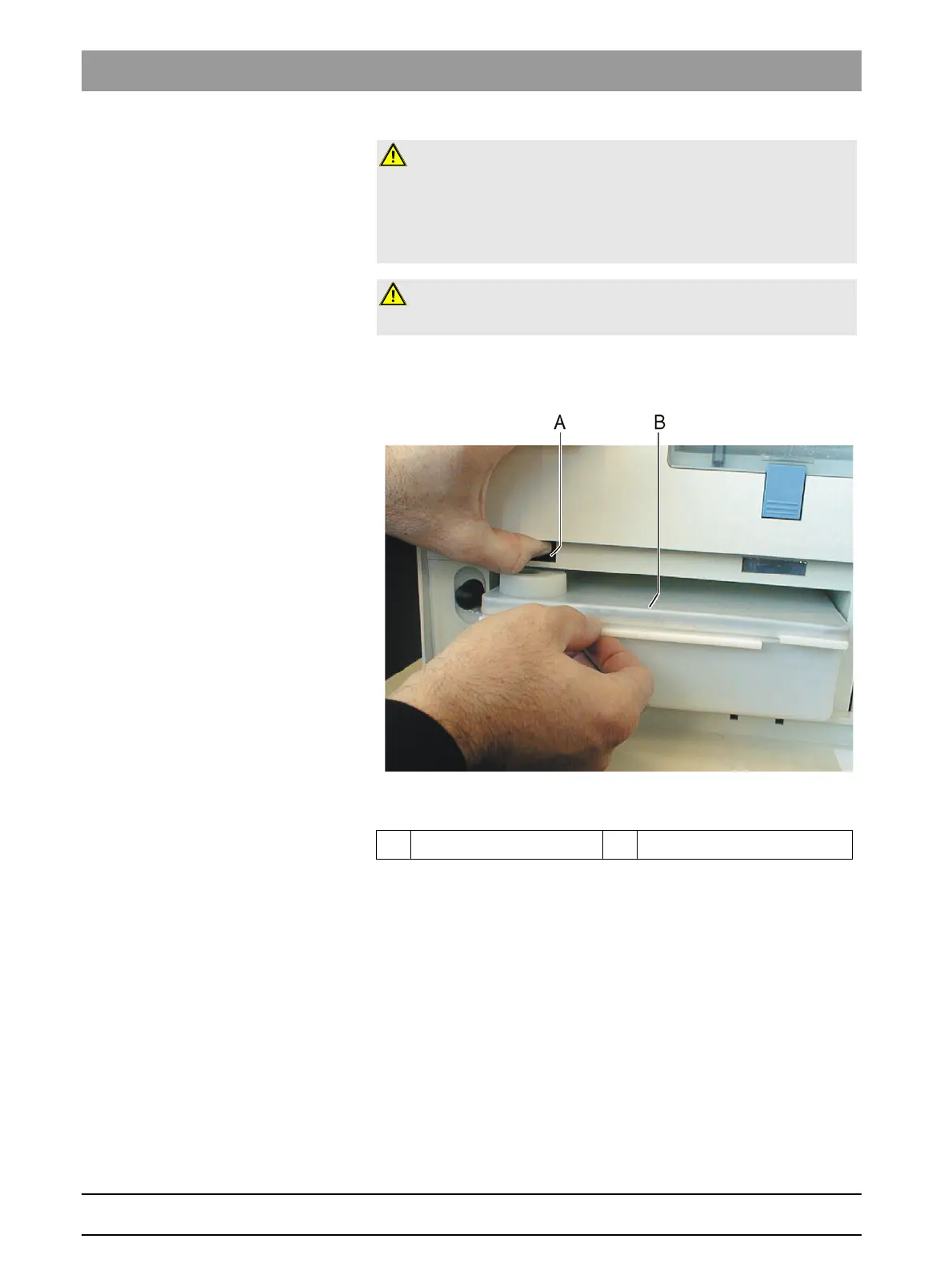
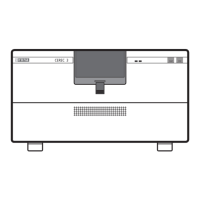
Water tank, inLab/CEREC 3
Fig. 7-1 2 liter water tank
When changing the water, proceed as follows:
9 The unit is switched on.
9 No milling/scanning process is running.
1. Open the flap on the front panel of the unit.
To open the front flap, pull it on both sides.
2. Press the tank catch upward and carefully pull out the water tank toward
the front of the unit.
3. Drain the water out of the water tank through the drain opening.
CAUTION: Damage to surfaces!
DENTATEC milling additive etches plastic surfaces in undiluted form and can
cause discoloration.
¾ Do not place DENTATEC on the unit.
¾ Do not spill DENTATEC.
CAUTION: Permissible milling additive
Use only DENTATEC as a milling additive.
A Tank catch B Water tank




 To Next Page