10
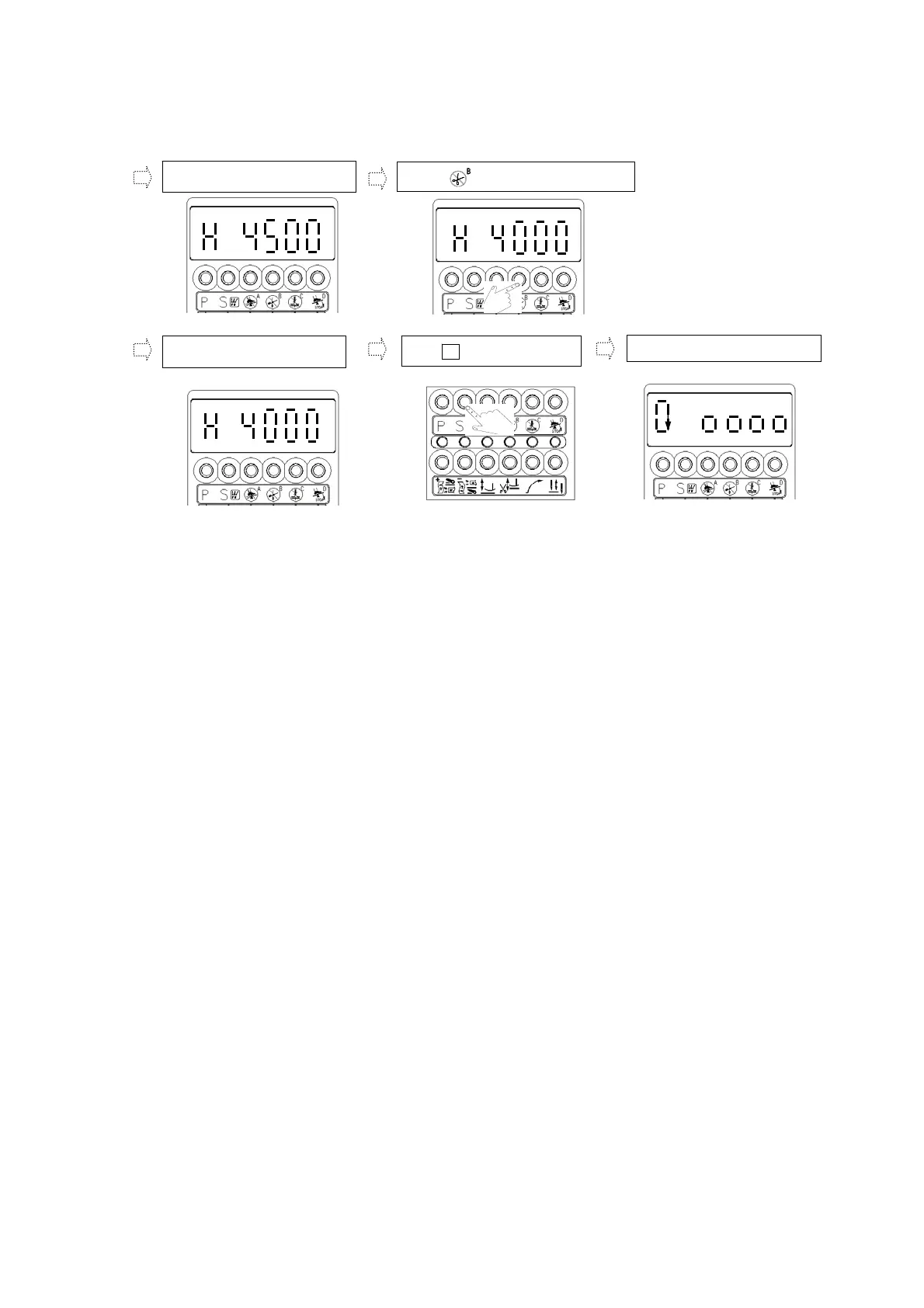
(See chapter 5, section (4) or (5) to learn how to access a、b value setting, then do the following step by
step )
d. Into 【H.4500】value area.
e. Press to make return at 0.
f. After it shown at 4000 or
an
y desire value.
g. Use to save the value.
S
h. Go back to【Normal Mode】.
.
.
.
.



 To Next Page