5. Wireless File Transfer
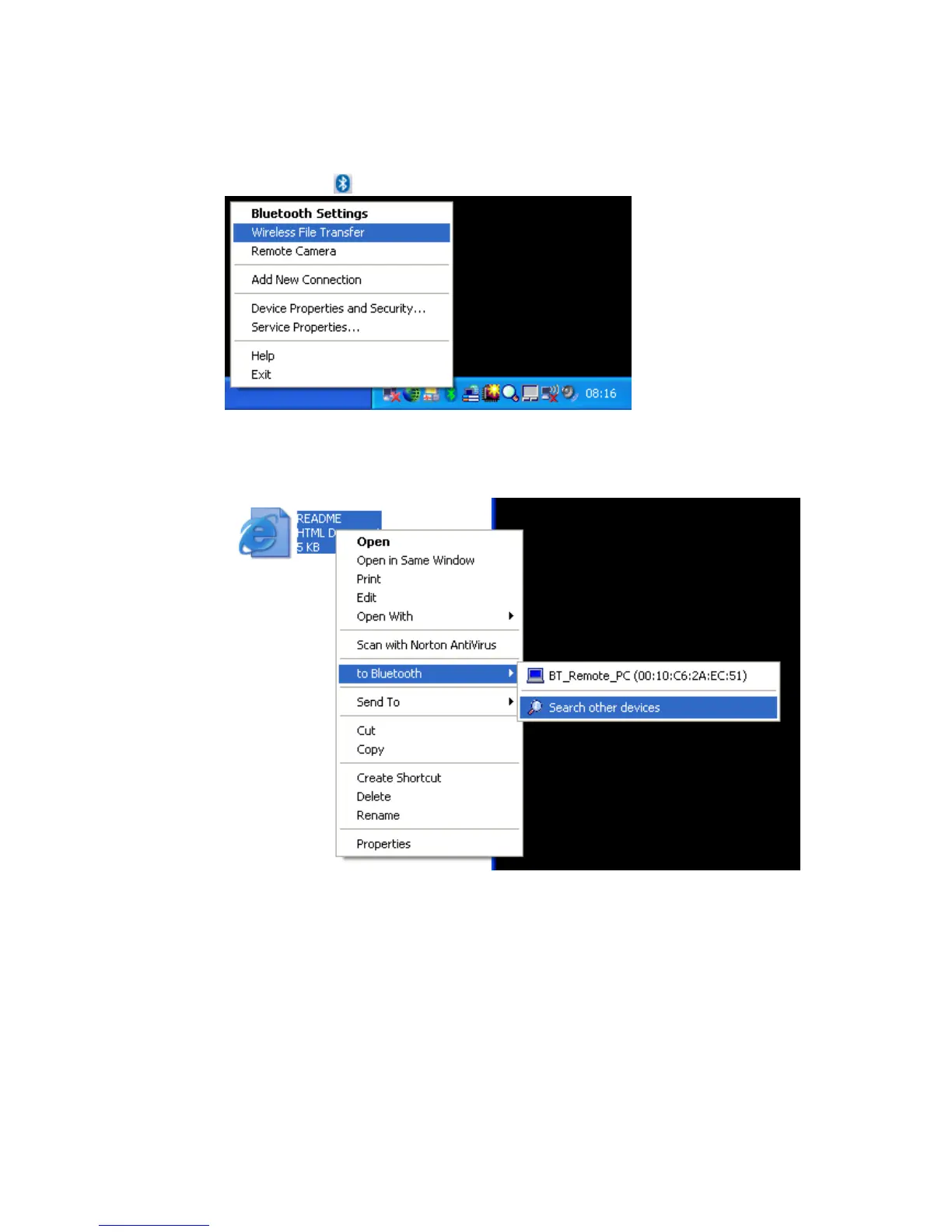
• Launch the ‘Wireless File Transfer’ application
• Right click the
ICON in the tray bar and select Wireless File Transfer.
There is a second way to launch the Wireless File Transfer application. A
right click a file allows you to select ‘to Bluetooth’ -> ‘Search other
devices’
A third way would be to launch the Wireless File Transfer application from
the Start menu:
[START]->[All Programs]->[Bluetooth]->[Wireless File Transfer]
Copyright © 2005 Toshiba Corporation
All rights reserved



 To Next Page