Create Shortcut on Desktop:
Creates a shortcut of the selected connection ICON on the desktop.
Rename:
Renames the selected connection ICON.
Change ICONs:
Assigns a different ICON to the selected connection.
7.2 Configure a connection to a Bluetooth™ enabled
printer
• Launch the ‘Add New Connection Wizard’ application.
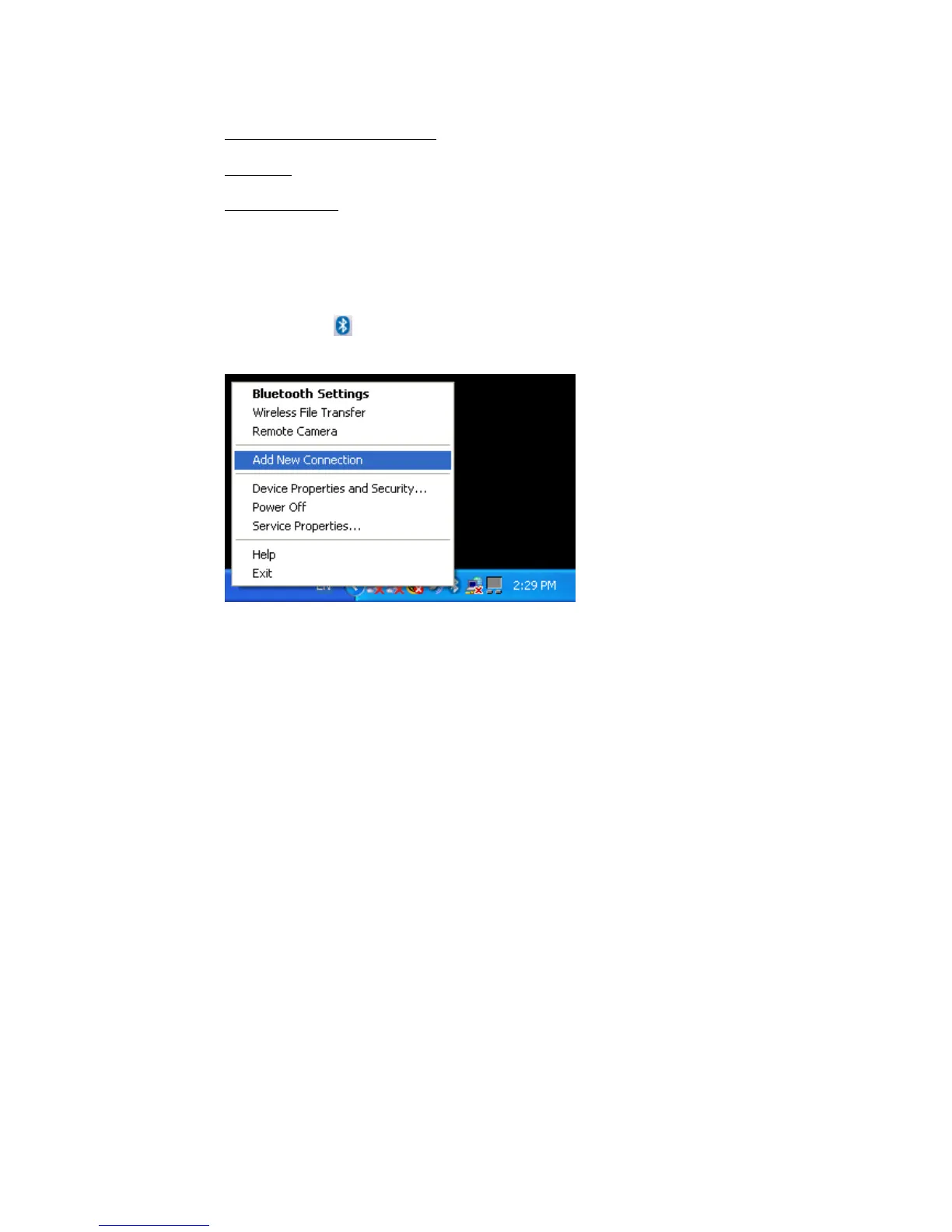
• Right click the
ICON in the tray bar and select Add New Connection.
It is also possible to launch Bluetooth Settings and then click the ‘New
Connection button’.
• Please make sure that your Bluetooth™ printer is discoverable. Check the
manual of the Bluetooth™ printer or Bluetooth™ printer dongle for
instructions.
Copyright © 2005 Toshiba Corporation
All rights reserved



 To Next Page