6.1 Object Push Profile (OPP)
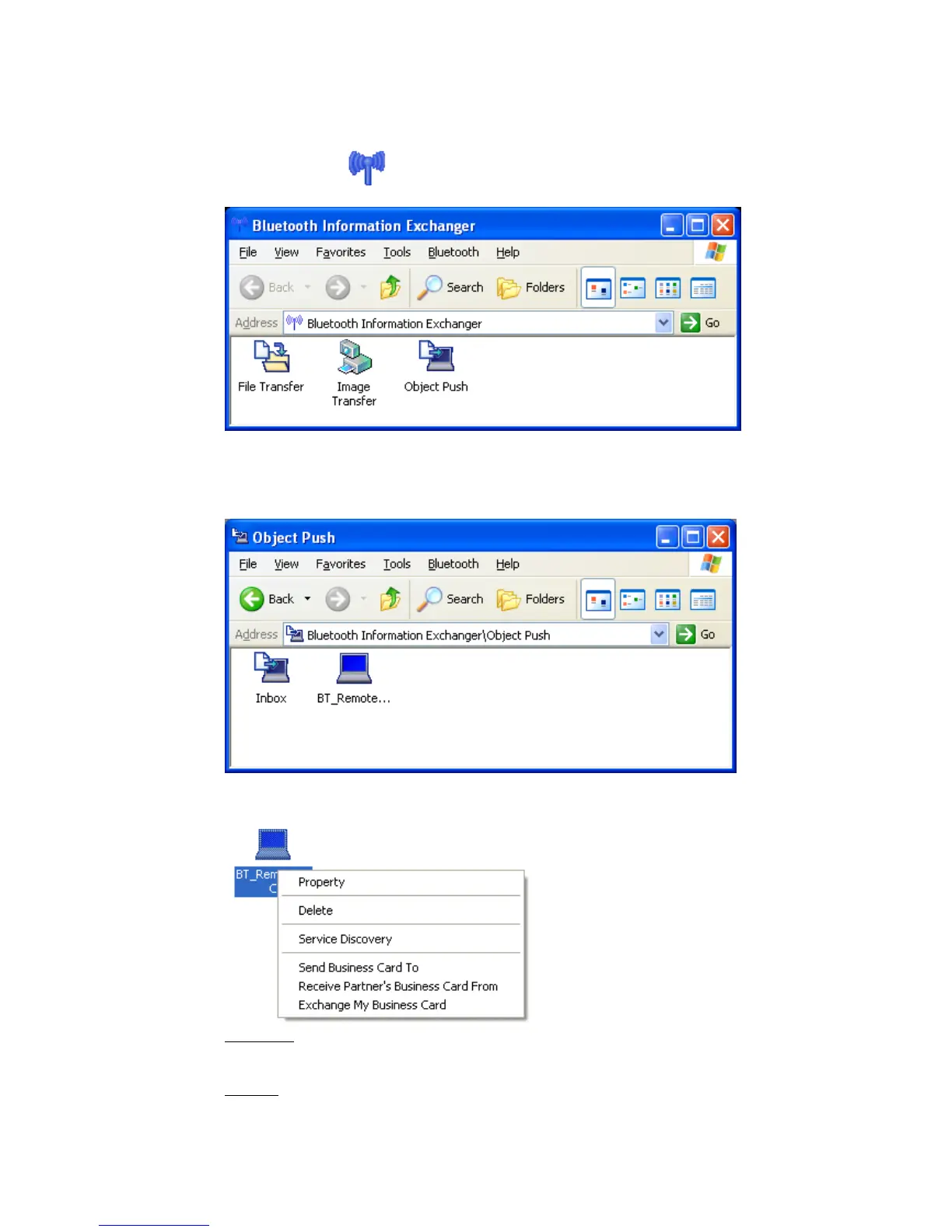
• Double click the ICON on the Desktop or open Explorer. This feature
is also fully integrated into Explorer.
Double click the “Object Push” ICON to perform any OPP operation.
• If the remote device is not in the device list you have to perform device
discovery again. Select [Bluetooth]->[Device Discovery].
• OPP offers several actions.
Property:
A window appears showing the ‘Device Name’ and the ‘Device Address’.
Delete:
The Bluetooth™ device will be deleted from the list view.
Copyright © 2005 Toshiba Corporation
All rights reserved



 To Next Page