3. Device Properties and Security settings
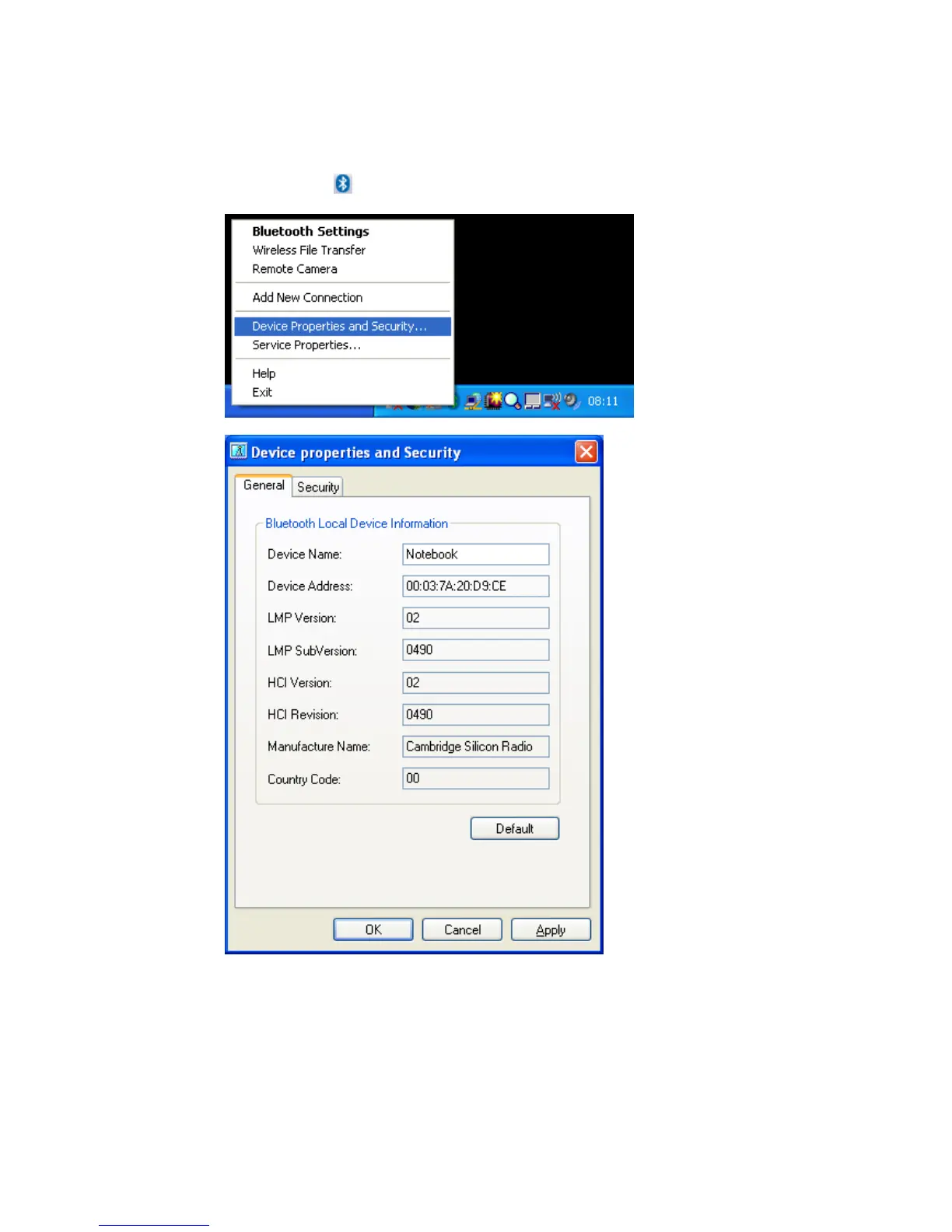
• Open the ‘Device Properties and Security’ window
• Right click the
ICON in the tray bar and select Device Properties and
Security... from the menu.
• You will get a general overview of your Bluetooth™ Hardware properties
You can get useful information, such as Device Name, Device Address or
the Manufacturer Name of your Bluetooth chipset.
The LMP Version indicates which Bluetooth™ version your Hardware
supports.
Bluetooth™ v1.1 -> LMP Version 01
Bluetooth™ v1.2 -> LMP Version 02
Bluetooth™ v2.0 + EDR -> LMP Version 03
Copyright © 2005 Toshiba Corporation
All rights reserved



 To Next Page