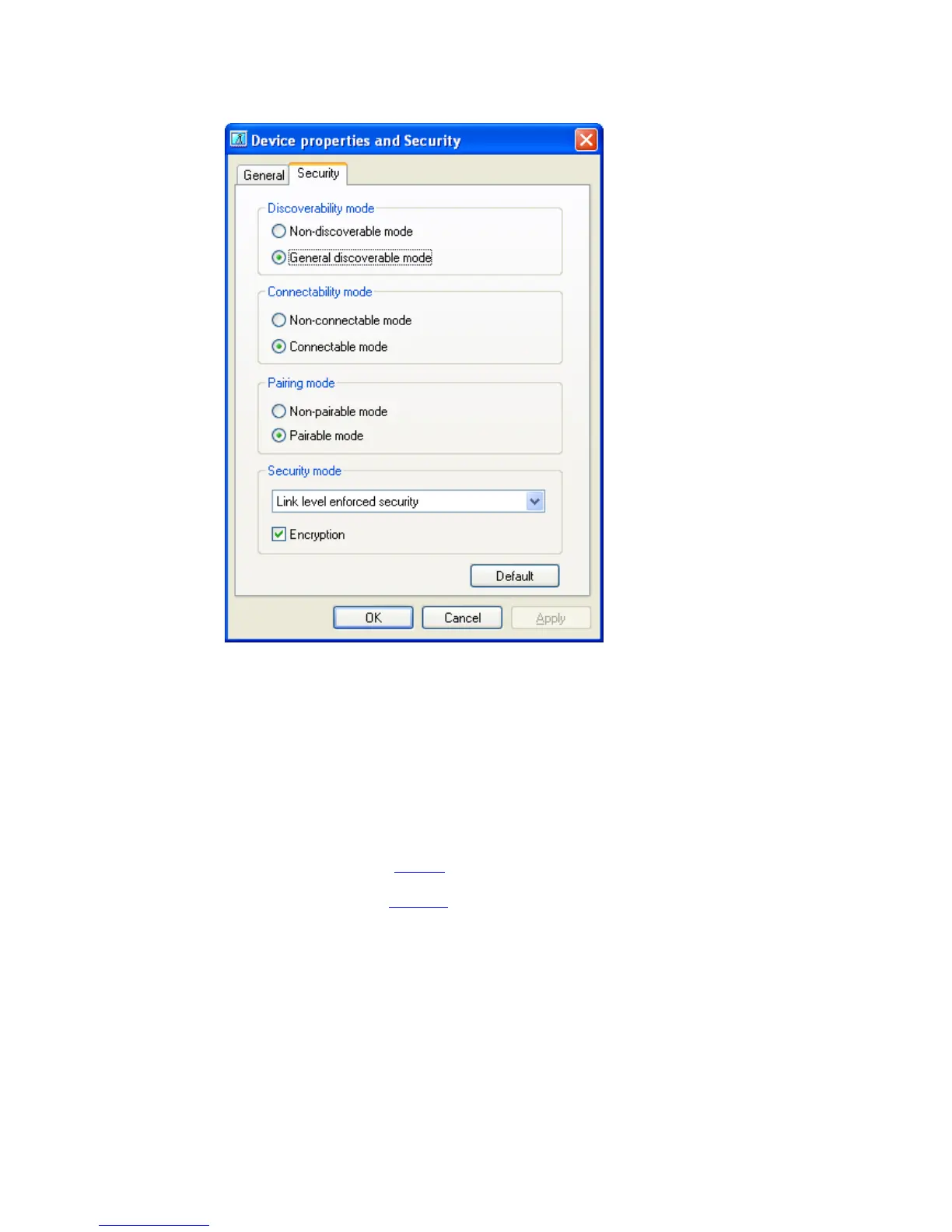
• The Security Tab allows you to configure your Bluetooth™ device security
Discoverability mode:
Set whether your device is visible to other Bluetooth™ devices or not.
Other devices will be still able to establish a connection to your device as
long as your Connectability mode is set to ‘Connectable mode’
Connectability mode:
Set whether you allow remote Bluetooth™ devices to connect to the local
device or not. Even if the local device is not discoverable, incoming
connections are still accepted.
Pairing mode:
Set whether you allow pairing
or not.
If ‘Pairable mode’ is set and encryption is required by one of the
Bluetooth™ devices a passkey
will be requested on both devices once
upon first connection.
Security mode:
You can set whether the connection to the remote device will be encrypted
or not. This security feature enforces an encrypted connection. The
connection can also be encrypted even if Security mode is set to ‘Non-
secure’ if the remote device requests encryption i.e. mobile phones
Copyright © 2005 Toshiba Corporation
All rights reserved



 To Next Page