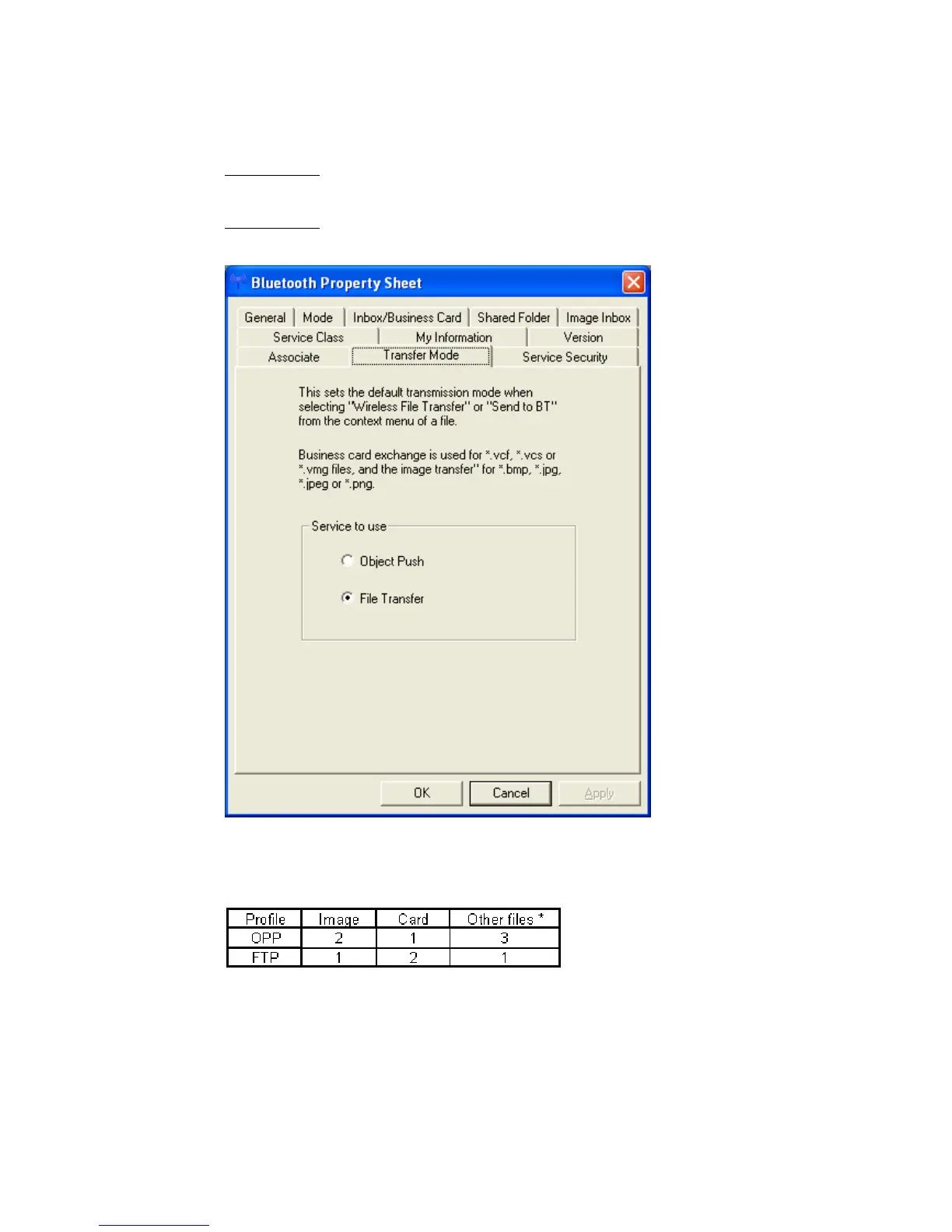
• “Transfer Mode” sets which service to use for sending files when you right
click in Explorer and select “To Bluetooth”.
Object Push:
Sending files usind OPP (Object Push Profile).
File transfer:
Sending files using FTP (File Transfer Protocol).
The destination device may only support one of these profiles. Sending a
file using a profile not supported by the destination device will result in
error. Please ensure that the service you select corresponds to the desired
environment.
1: Ideal
2: Can be used
3: Can’t be used
*text files, music files, Word/Excel files, etc
Copyright © 2005 Toshiba Corporation
All rights reserved



 To Next Page