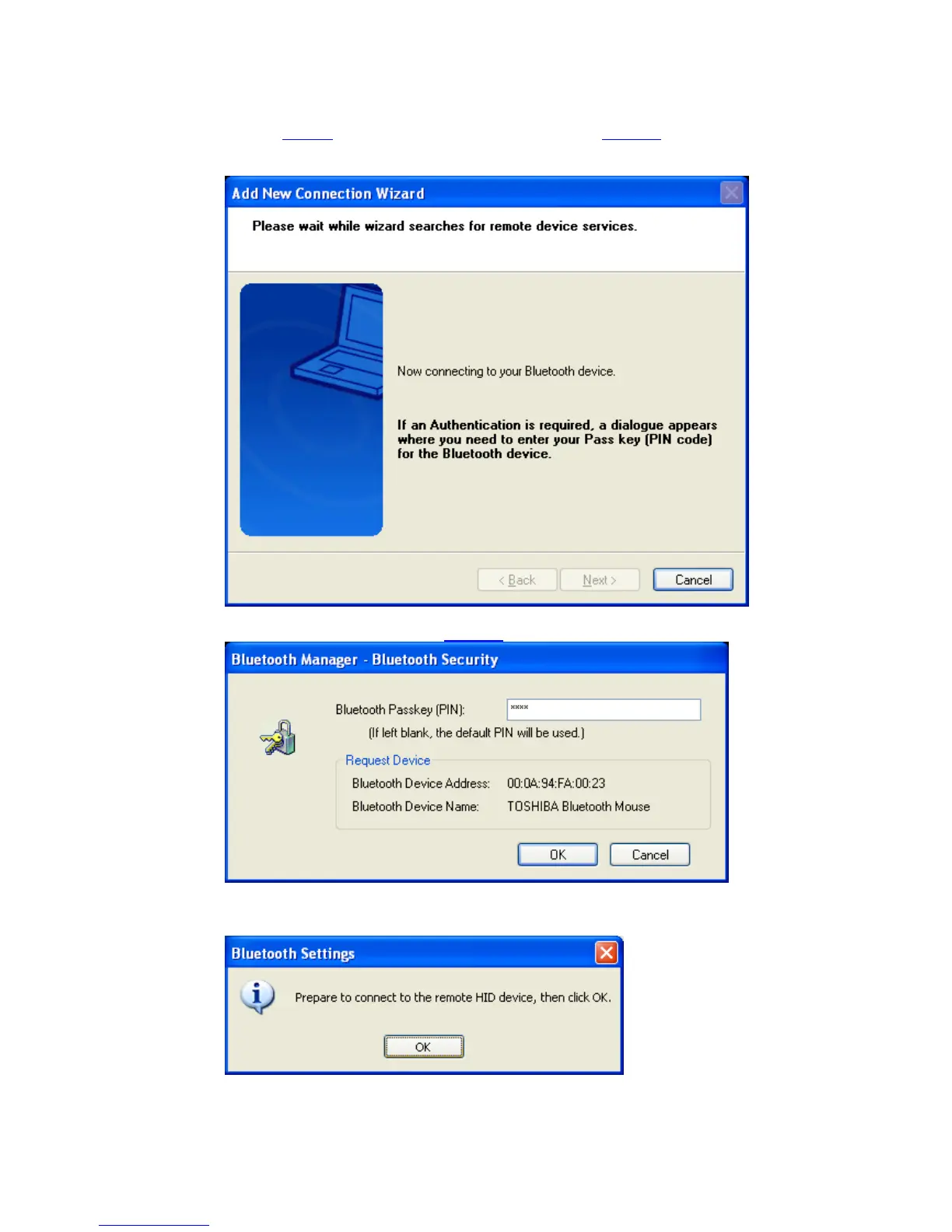
• Now the availability of the HID-profile will be checked, and if security is
on, the pairing
will be done. You have to know the Passkey of the mouse.
For most mice one of the following passkeys will fit:
“0000”, “0”, “1234” or just press [ENTER].
You have to enter the proper passkey
, and then click ‘OK’
• Please make sure that your Bluetooth™ mouse is pairable. Check the
manual of the Bluetooth™ HID device for instructions..
Copyright © 2005 Toshiba Corporation
All rights reserved



 To Next Page